EasyManua.ls Logo

Hollyland MARS T1000 - User Manual

Hollyland MARS T1000
23 pages
Print Icon
To Next Page IconTo Next Page
Loading...
MARS T1000
User Manual
Version 1.3.0

Other manuals for Hollyland MARS T1000

Question and Answer IconNeed help?

Do you have a question about the Hollyland MARS T1000 and is the answer not in the manual?

Summary

DESCRIPTION

KEY FEATURES

Lists key features like communication range, voice quality, frequency, battery life, and connections.

APPLICATIONS

Lists various applications such as filmmaking, live broadcasting, corporate events, and stage activities.

PACKING LIST

OPTIONAL ACCESSORIES

Lists optional accessories not included in the standard packing list, like specific headsets and cables.

STANDARD SETUP

SYSTEM CONNECTION DIAGRAM

Illustrates the connection of the base station, beltpacks, and headsets for system operation.

PRODUCT INTERFACES

AUDIO AND POWER INTERFACES

Details the 3.5mm earphone, DC power supply, and 4-wire intercom interfaces.

BASE STATION INTERFACE LAYOUT

Identifies and labels all physical ports and controls on the base station.

BELTPACK INTERFACE LAYOUT

Identifies and labels all physical ports and controls on the beltpack.

OLED DISPLAY FUNCTIONS

BASE STATION DISPLAY INDICATORS

Explains the OLED display elements for the base station, including signal and battery status.

BELTPACK DISPLAY INDICATORS

Explains the OLED display elements for the beltpack, including signal and battery status.

BASE STATION MENU NAVIGATION

MIC SETTINGS

Details how to configure microphone type and gain settings on the base station.

SCENE MODE SELECTION

Explains how to select application modes (Quiet/Noisy) for scene optimization.

4-WIRE AUDIO ADJUSTMENTS

Describes how to adjust input and output gain for 4-wire audio connections.

SYSTEM INFORMATION AND RESET

Covers system settings, information inquiry, and factory reset options.

MENU EXIT PROCEDURE

Explains how to exit the menu system and return to the root menu.

BELTPACK MENU NAVIGATION

PAIRING NEW BELTPACKS

Describes the process of pairing beltpacks with the base station using a USB cable.

BELTPACK APPLICATION MODES

Explains how to select application modes (Quiet/Noisy) for scene optimization on the beltpack.

BELTPACK MICROPHONE SELECTION

Details how to select the microphone type (Dynamic/Electret) on the beltpack.

BELTPACK BATTERY STATUS

Provides information about battery percentage, core version, and firmware version.

BELTPACK SYSTEM INFORMATION

Displays system information like RSSI, mic type, application, and firmware version.

BELTPACK MENU EXIT

Explains how to exit the beltpack menu and return to the root menu.

INSTALLATION GUIDE

BASE STATION INSTALLATION STEPS

Step-by-step guide for installing the base station, including antenna and power connections.

BELTPACK OPERATIONAL SETUP

Instructions for connecting the headset, powering on, and operating the beltpack.

BELTPACK REPAIRING AND RE-REGISTRATION

Guide for re-registering lost beltpack IDs with the base station via USB.

TALLY SIGNAL CONVERTER USAGE

Information on using the TALLY universal signal converter for TALLY distribution.

TECHNICAL SPECIFICATIONS

BASE STATION PARAMETERS

Technical specifications for the base station, including interfaces, power, frequency, and dimensions.

BELTPACK PARAMETERS

Technical specifications for the beltpack, including interfaces, power, frequency, and dimensions.

TROUBLESHOOTING AND SAFETY

SAFETY PRECAUTIONS AND NOTES

Important safety precautions regarding battery, charging, and environmental conditions.

POOR AUDIO QUALITY SOLUTIONS

Troubleshooting steps for addressing issues with poor audio quality on the system.

BASE STATION BELTPACK INFORMATION ISSUES

Troubleshooting steps when the base station fails to display beltpack information.

NO SOUND COMMUNICATION RESOLUTION

Steps to resolve issues where there is no audio communication between base station and beltpacks.

TALLY FUNCTIONALITY PROBLEMS

Troubleshooting for when the TALLY function is not working correctly.

FCC COMPLIANCE AND WARNINGS

INTERFERENCE AND PROPER OPERATION

Details FCC compliance, rules, and measures to correct radio frequency interference.

RF EXPOSURE INFORMATION

Information on RF signal exposure limits for beltpacks and base stations.

MANUFACTURER INFORMATION

Provides the manufacturer's name and contact address.

Overview

The Hollyland MARS T1000 is a full-duplex wireless intercom system designed for professional communication in various production environments such as studios, stage events, EFP (Electronic Field Production), webcasting, and filmmaking. It utilizes DECT protocol technology to provide reliable and high-quality voice communication.

Function Description:

The MARS T1000 system consists of a base station and up to four beltpacks, enabling simultaneous full-duplex communication. The base station acts as the central hub, connecting to external audio systems and managing communication with the beltpacks. Beltpacks are portable units worn by users, allowing them to communicate with the base station and other connected beltpacks. The system supports both dynamic and electret microphones, which can be switched via the menu settings. A key feature is its ability to extend communication range and increase the number of beltpacks by connecting to other audio systems through its 4-pin audio interface. The system also includes TALLY features, which can be enabled with an optional universal signal converter.

Important Technical Specifications:

Base Station:

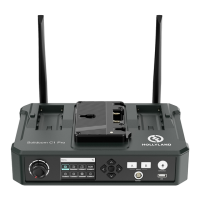
  • Interfaces: 2 Antenna Interfaces, 4-Pin XLR Male DC Input, 3.5mm Headset Interface, RJ45 Interface (4-wire audio), USB Type-C Interface, Double USB Type-A Interfaces.
  • Power Supply Mode: 7-36V DC; F970 Battery (Typical).
  • Frequency Response: 300Hz to 4KHz.
  • Signal to Noise Ratio: > 50dB.
  • Distortion: < 2%.
  • Transmission Range: 300m between Beltpack and Base Station (LOS).
  • Frequency Bandwidth: CE: 1881.792MHz-1897.344MHz; FCC: 1921.536MHz-1928.448MHz.
  • Modulation Mode: GFSK.
  • Transmission Power: CE: Maximum 21.4dBm; FCC: Maximum 18.43dBm.
  • Receiver Sensitivity: < -93dBm.
  • Bandwidth: 1.728MHz.
  • Power Consumption: < 35W.
  • Dimension (LWH): 22017050mm.
  • Net Weight: 1400g.
  • Temperature Range: 0~+40°C (working status); -20~+60°C (storage condition).
  • Mic Impedance: 600 (for 3.5mm Earphone).
  • Speaker Impedance: 32 (for 3.5mm Earphone).
  • 4-Wire Intercom Input Impedance: 10K.

Beltpack:

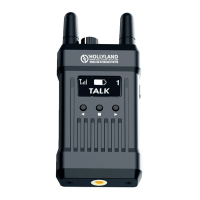
  • Interfaces: 2 Antenna Interfaces, 3.5mm Headset Interface, 3.5mm TALLY Output Interface, USB Type-C Interface.
  • Power Supply Mode: 1600mAh Polymer Lithium Battery (Built-In Lithium Batteries, with Longer than 8 Hours Run Time on a Full Charge).
  • Frequency Response: 300Hz to 4KHz.
  • Signal to Noise Ratio: > 50dB.
  • Distortion: < 2%.
  • Transmission Range: 300m between Beltpack and Base Station (LOS).
  • Frequency Bandwidth: CE: 1881.792MHz-1897.344MHz; FCC: 1921.536MHz-1928.448MHz.
  • Modulation Mode: GFSK.
  • Transmission Power: CE: Maximum 16.4dBm; FCC: Maximum 20.61dBm.
  • Receiver Sensitivity: < -93dBm.
  • Bandwidth: 1.728MHz.
  • Power Consumption: < 6W.
  • Dimension (LWH): 1005822mm.
  • Net Weight: 180g.
  • Temperature Range: 0~+40°C (working status); -20~+60°C (storage condition).

Usage Features:

  • 1000ft Communication Range: Provides extensive coverage for various production needs.
  • Carrier-Grade Voice Quality: Ensures clear and reliable audio communication.
  • Full-Duplex Wireless Communication: Allows simultaneous two-way conversation.
  • Up to 4 Beltpacks Communication Simultaneously: The base station can support up to four beltpacks for group communication.
  • Flexible Headset Connection: Both base station and beltpacks feature 3.5mm headset interfaces. The base station also has a 4-pin analog audio connection for professional headsets.
  • Wide Voltage Input for Base Station: Supports 7-36V DC, offering versatility in power sources.
  • Industrial Metal Case: Provides durability and reliability for demanding environments.
  • Scene Mode Configuration: Users can select "Quiet" or "Noisy" application modes to optimize audio performance based on the environment.
  • Mic Type Selection: Allows switching between dynamic and electret microphone types.
  • Mic Gain Control: Adjustable microphone gain for optimal audio input.
  • 4-Wire Audio Setting: Input and output gain adjustments for seamless integration with other intercom systems.
  • Beltpack Pairing: Beltpacks can be easily paired with the base station via a USB cable and ID selection.
  • MUTE/TALK Functionality: Beltpacks have a dedicated button for muting and talking, with options for long press to talk and double click to mute.
  • Remote Mic Kill: The base station operator can mute all beltpacks remotely, indicated by a red light, allowing beltpack operators to listen but not speak until the function is disabled.

Maintenance Features:

  • USB Firmware Upgrade: Allows for easy software updates to keep the system current.
  • Battery Information Display: Beltpacks show real-time battery status, including percentage, core version, and firmware version. The base station also indicates low battery for F970 batteries.
  • System Information Inquiry: Both base station and beltpacks provide access to system information such as mic type, gain settings, application mode, RSSI (for beltpack), and firmware version.
  • Factory Reset: The base station can be reset to factory settings, deleting all beltpack registration information.
  • Beltpack Repairing: If a beltpack loses its ID, it can be re-registered by connecting it to the base station via a USB Type-C cable and following the pairing procedure.
  • Troubleshooting Guides: The manual provides solutions for common issues such as poor audio quality, base station not displaying beltpack information, no sound between devices, and TALLY function unavailability.
  • Battery Conditioning: It is recommended to completely discharge beltpack batteries three times initially, especially if they have been in hibernation, to optimize battery performance.
  • Antenna Management: Users are advised to ensure antennas are correctly installed and tightened for optimal signal strength.
  • Headset Compatibility: While the system supports 3.5mm headsets, users are cautioned against using non-standard 4-stage 3.5mm headsets due to potential impedance and setting bias issues, recommending replacement if sound quality is poor.

Hollyland MARS T1000 Specifications

General IconGeneral
BrandHollyland
ModelMARS T1000
CategoryIntercom System
LanguageEnglish

Related product manuals