FR-6
Description du menu du hub
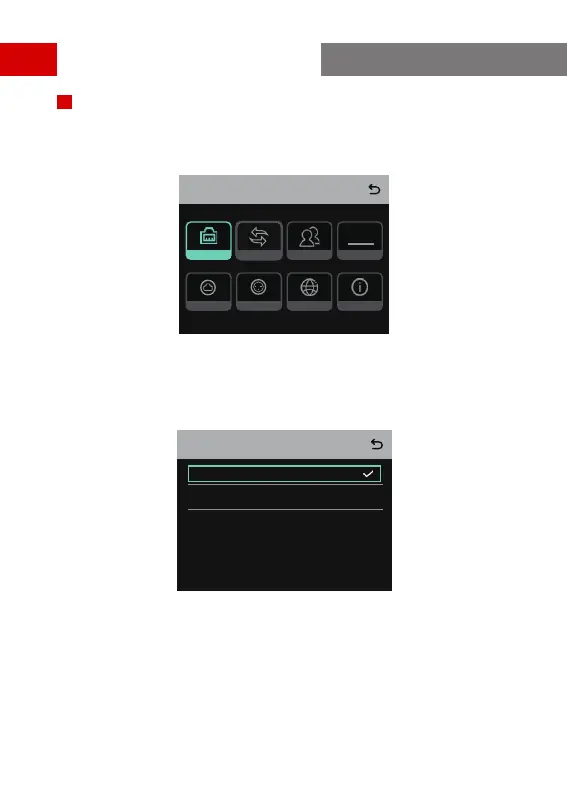
Appuyez sur le bouton de Menu/Conrmation et maintenez-le enfoncé pendant
environ 3 secondes pour accéder à l’interface du menu.
Menu
Network M & R
Info
Language2 Wire4 Wire
PGMGroup
PGM
1. Sélectionnez Network pour accéder à l’interface de conguration du réseau.
1.1 Sélectionnez Wi Setting pour mettre le Wi-Fi en position ON ou OFF. Une fois
l’appareil en position ON, l’adresse IP, le SSID et le mot de passe sont achés.
IP Address: 192.168. 217.100
SSID: HLD_12345678
Password: 12345678
WIFI Setting
ON
OFF
Guide de fonctionnement



 To Next Page