Need help?
Do you have a question about the Holmes TrueHEPA HAP726 and is the answer not in the manual?
Basic safety precautions for electrical appliance use.
Guidance on using the polarized plug and power cord safely.
Overview of the True HEPA air cleaner's function and benefits.
How the air purifier can be placed for optimal airflow.
Visual cues for HEPA and carbon filter replacement needs.
Information on energy efficiency and timer functionality.
Steps for unpacking and preparing the unit for use.
Instructions on turning on and selecting fan speeds.
Guidelines for cleaning the unit's exterior and interior.
Step-by-step guide for changing HEPA and carbon filters.
Chart matching air cleaner models with filters and reset procedure.
Troubleshooting steps if the air purifier does not turn on.
Tips to resolve issues with reduced air output.
Details of the product's five-year limited warranty coverage.
Explains liability limits and how to obtain warranty service.
Contact info for Canada and product return policy notes.
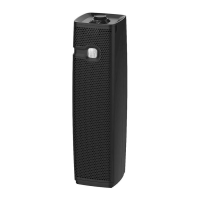
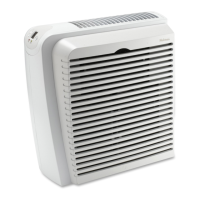
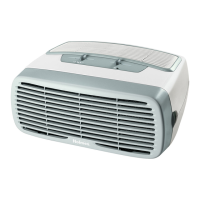
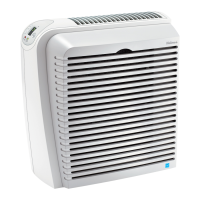
The Holmes TrueHEPA Allergen Remover is an air purification device designed to improve indoor air quality by removing airborne allergens and particles. It is available in models HAP726, HAP756, and HAP8756, and is designed for household use.
The primary function of this air cleaner is to remove up to 99.97% of airborne allergens as small as 0.3 microns. This includes common allergens such as ragweed pollen, grass pollen, tree pollen, household dust, dust mite debris, mold spores, pet dander, and smoke. The device achieves this through a multi-stage filtration system that includes TrueHEPA filters and carbon filters. The TrueHEPA filters are responsible for capturing the fine particulate matter, while the carbon filters are designed to absorb odors and larger particles.
The Holmes TrueHEPA Allergen Remover offers several features to enhance its usability and effectiveness:
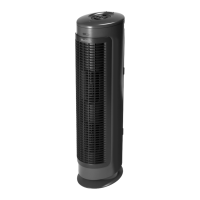
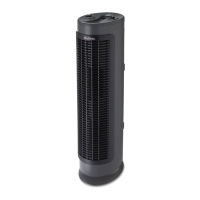
Dual Position: The air purifier can be operated in two positions: standing upright or lying on its side. This flexibility allows users to place the unit in various room configurations. It is also designed to fit flush against a wall, optimizing space utilization. When positioning the unit, it is crucial to ensure that the air inlet grill, filters, and air outlet are not blocked to maintain maximum airflow and filtration efficiency.
Control Panel and Speed Settings: The unit is equipped with a user-friendly control panel. To turn the unit on, users press the power button (indicated by a checkmark symbol). Upon activation, the air cleaner typically defaults to its highest setting. Users can then select their desired operating speed using the "+" or "-" buttons. Available speed settings include High (4), Medium (3), Low (2), and Sleep (1). For continuous use, the Medium setting is recommended. For quieter operation or use in a bedroom, the Low or Sleep setting is advised. When there are high levels of air pollution, the High setting can be selected to quickly circulate and filter the room air.
Timer Function: The air purifier includes a timer function, allowing users to set the unit to run for a specified duration, from 1 to 16 hours. To activate the timer, users simultaneously press the "+" and "-" speed buttons for approximately 3 seconds. The numbers on the display will begin to flash, and a light will illuminate to indicate that the timer function is active. Users can then cycle through the timer options (1-16 hours) using the "+" or "-" buttons. Once the desired time is set, releasing the finger from the button will stop the flashing, and the timer will be engaged. The screen will then revert to displaying the speed setting. The air purifier will operate for the selected period and then automatically shut off. Speed settings can be adjusted even after the timer is activated. To view the remaining time, users can press the "+" and "-" buttons simultaneously for 3 seconds. The unit can also be manually turned off by pressing the power button.
Filter Window: A small opening on the front grill, referred to as the "filter window," allows users to visually inspect the carbon filter. As the carbon filter collects dust and debris, the window will gradually turn gray, indicating that the air purifier is working and that the carbon filters may need to be changed.
Filter Indicator Lights: The device features indicator lights to alert users when it's time to replace the filters:
Energy Star Rated: This product has earned the ENERGY STAR rating, signifying that it meets strict energy efficiency guidelines set by the US EPA. The energy efficiency of each ENERGY STAR qualified model is measured by the ratio between its Clean Air Delivery Rate (CADR) for Dust and the electrical energy it consumes (CADR/Watt).
Proper maintenance, particularly filter replacement and cleaning, is essential for the optimal performance and longevity of the Holmes TrueHEPA Allergen Remover.
Cleaning Instructions:
Filter Replacement Instructions:
Replacement Filters:
 General
| Product Type | Air Purifier |
|---|---|
| Model | HAP726 |
| Technology | True HEPA |
| Number of Speeds | 3 |
| Fan Speeds | 3 |
| Voltage | 120V |
| Filter Type | HEPA Filter |
| Room Size | Medium Room |
| Noise Level | 50 dB on high setting |

 To Next Page