Product Installation
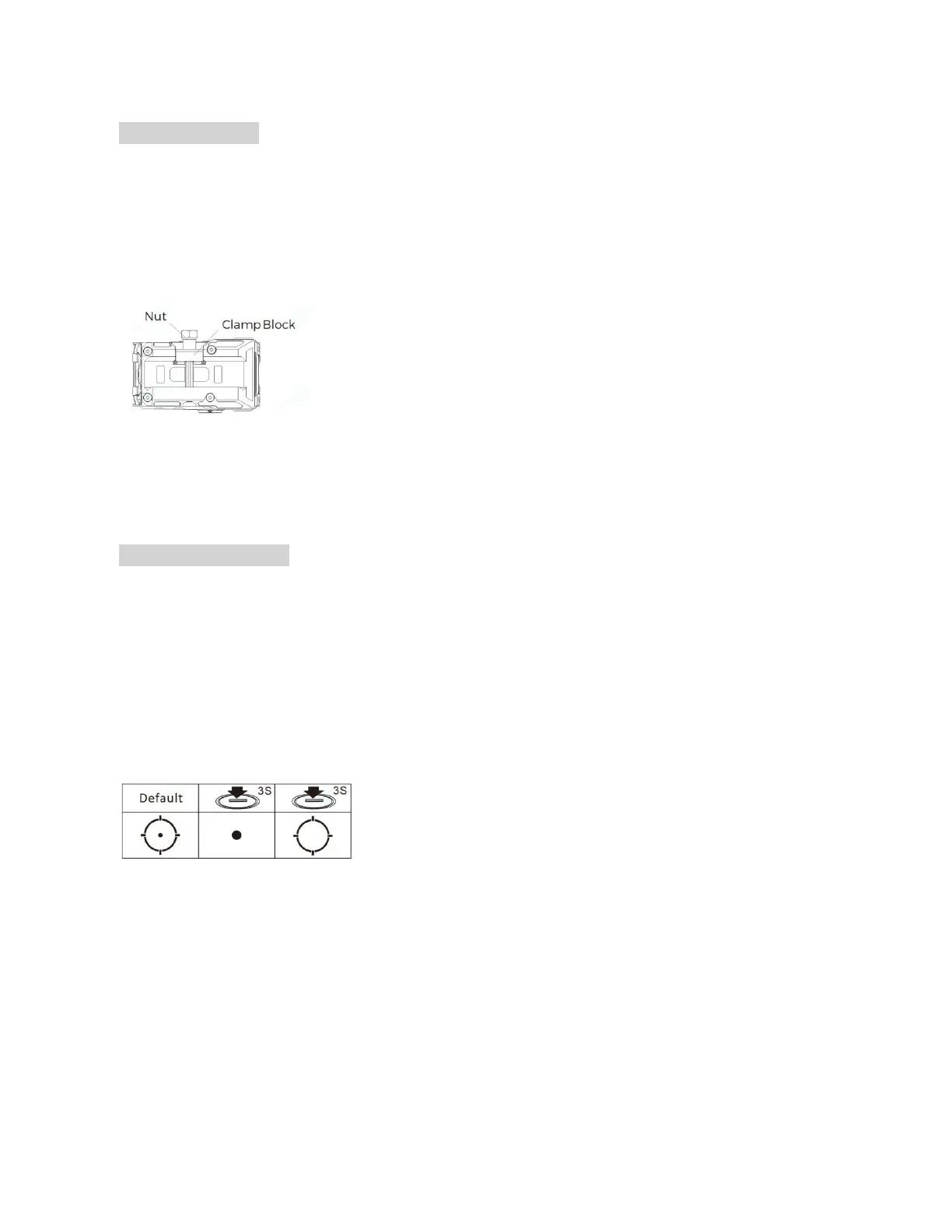
1. Use the included 11mm tool to loosen the nut by rotating counterclockwise. (Figure 4)
2. Move the clamping block to a position sufficient to connect the mount to a Picatinny rail.
3. Apply forward pressure to the DRS-NV and then tighten the 11mm mounting nut to 50-65 INCH/lbs.
Figure 4
Red Dot Sight Functions
1. Multi-Reticle System
The reticle of this sight is a 2MOA dot centered in a 65MOA circle with four positioning points. The diameter of the
circle reticle represents approximately 65 inches at 100 yards (170cm at 100 meters). The default reticle for this
sight is a 2MOA dot centered in a 65MOA circle with four positioning points. Hold the "-" button down 3 seconds to
switch between the three reticles (Circle +Dot, Dot only and Circle only) in that order. (As shown in Figure 5)
Figure 5
2. Red Dot Sight Operation
The "+" and "-" operation buttons are located on the left side of the DRS-NV.
1)Switch on: Momentarily press either brightness button ("+"or"-") to turn on the red dot sight. (As shown in
Figure 6)
2)Power off: Press the “+” and "-" buttons simultaneously to turn the red dot sight OFF.



 To Next Page