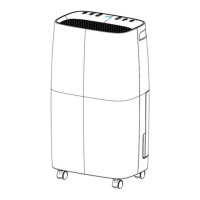
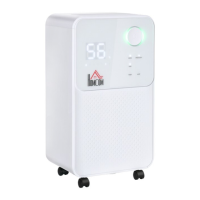
This document is an Assembly & Instruction Manual for the INcjd104_US model 821-020V80 dehumidifier. It provides comprehensive information on the product, including safety precautions, operational instructions, features, installation guidelines, and troubleshooting.
Function Description:
The dehumidifier is designed to remove excessive moisture from the air, thereby reducing relative humidity. This helps protect buildings and their contents from the adverse effects of high humidity. It features a powerful moisture removal capability and includes a Humidity Monitor to display the current air humidity. The unit can operate in various modes, including Auto mode, which automatically adjusts humidity levels, and a Continuous drying mode for constant operation. It also has a Laundry drying function, making it versatile for different household needs.
Important Technical Specifications:
The dehumidifier is designed to operate in an ambient temperature range from 5°C to 38°C (41°F to 100°F). It uses R290 as a refrigerant, which necessitates specific safety precautions during servicing due to its flammability. The unit is equipped with a 6.5L water tank for collected moisture, or it can be set up for continuous drainage. The digital display indicates ambient humidity with color codes: blue for <40%, green for 40%-60%, and red for >60%. There is a protective 3-minute time delay for the compressor to resume dehumidification.
Usage Features:
- Control Panel: The unit features an intuitive control panel with buttons for Speed, Sleep/Reset, Lock, Timer, Mode, and Power.
- Power On/Off: Pressing the power button turns the unit on or off. When on, the operation indicator lights up, and the LED shows ambient humidity.
- Modes:
- Auto Mode: Automatically adjusts fan speed and humidity based on environmental conditions. The fan and compressor start if environmental humidity is ≥ set humidity +3% and stop if ≤ set humidity -3%.
- Continuously Drying Mode: The machine runs continuously, but humidity cannot be adjusted.
- Sleeping Mode: Activates a sleep function, with the button lighting up. A long press (3 seconds) of the sleep button resets the filter.
- Timer Function: A 0-12 hour timer can be set in 1-hour intervals. "00" cancels the timer. It can be used to set the time to turn off the machine when running or turn on the machine when in standby.
- Fan Speed: In automatic mode, the fan speed can be switched between high and low.
- Humidity and Time Adjustment: "Up" and "Down" buttons allow adjustment of humidity settings (30% to 80%) and timing (01 to 24 hours).
- Child-lock (Lock): Pressing the lock button for 3 seconds activates or deactivates the child lock. The child lock is automatically canceled upon shutdown or power failure.
- Drainage:
- Manual Draining: The unit has a built-in 6.5L water tank. When full, the unit makes a buzzing sound, and the "Water Full" light turns on, stopping operation. The tank must be emptied and reinstalled for the unit to resume.
- Continuous Draining: A drain hose can be attached to the drain outlet for continuous gravity-fed drainage into a suitable container or drain area. It is crucial to ensure the drain pipe is not blocked or bent and is positioned lower than the outlet to prevent leaks.
- Portability: Equipped with castors for easy movement.
- Auto Shut-off/Auto Restart: Provides convenience and safety by automatically shutting off and restarting as needed.
- Quiet Fan: Features two speed settings for quiet operation.
- Auto-Defrost: Operates at low temperatures to prevent ice buildup.
Maintenance Features:
- Air Filter Cleaning: The air filter requires regular cleaning (every two weeks) to maintain efficiency and prevent damage to the unit. It is removable and can be rinsed under running water or cleaned with a vacuum. The unit should not be operated without the air filter.
- Water Tank Cleaning: The water tank should be cleaned with clean water. Avoid using detergents, steel wire balls, chemical dust removers, diesel, benzene, diluents, or other solvents, as these can damage the tank.
- General Maintenance: Before cleaning or maintaining the machine, it is essential to turn it off and unplug it to avoid electric shock.
- Refrigerant Circuit Maintenance: For units using R290 refrigerant, servicing must be performed by certified personnel. Specific precautions include checking the area for flammable refrigerants, ensuring proper ventilation, having fire extinguishing equipment available, and avoiding ignition sources. Electrical components should be checked for correct specification and safety.
Safety Precautions:
The manual emphasizes numerous safety precautions, including:
- Always operating the unit from a grounded power source of equal voltage, frequency, and rating.
- Unplugging the power cord during cleaning or when not in use.
- Avoiding operation with wet hands or spilling water onto the unit.
- Not immersing or exposing the unit to rain, moisture, or any other liquid.
- Not leaving the unit running unattended or tilting/turning it over.
- Not unplugging by pulling the power cord or using extension cords/adapter plugs.
- Keeping objects off the unit and avoiding climbing or sitting on it.
- Not inserting fingers or other objects into the air outlet or touching the air inlet/aluminum fins.
- Not operating a dropped, damaged, or malfunctioning unit.
- Not cleaning the appliance with chemicals.
- Keeping the unit away from fire, inflammable, or explosive objects.
- Ensuring the unit is installed according to national wiring regulations.
- Not using means to accelerate defrosting other than those recommended by the manufacturer.
- Storing the appliance in a room without continuous operation sources (e.g., open flames, gas appliances, electric heaters) and preventing mechanical damage.
- Not piercing or burning the unit, even after use.
- Being aware that refrigerants may not contain an odor.
- Protecting pipe-work from physical damage and not installing it in unventilated spaces smaller than 4m².
- Observing national gas regulations and keeping ventilation openings clear.
- Storing the appliance in a well-ventilated area where the room size corresponds to the specified operation area.
- If the unit is tipped more than 45°, allow it to set upright for at least 24 hours before startup.
- Keeping doors and windows closed for better energy saving.
- Not operating or storing the unit in direct sunlight or rain.
- Emptying the water tank before moving the device.
- Ensuring the water tank is correctly fitted for proper operation.
- Not discarding magnets and plastic rivets from the tank, as they are crucial for proper operation and overflow prevention.


 To Next Page
 General