5
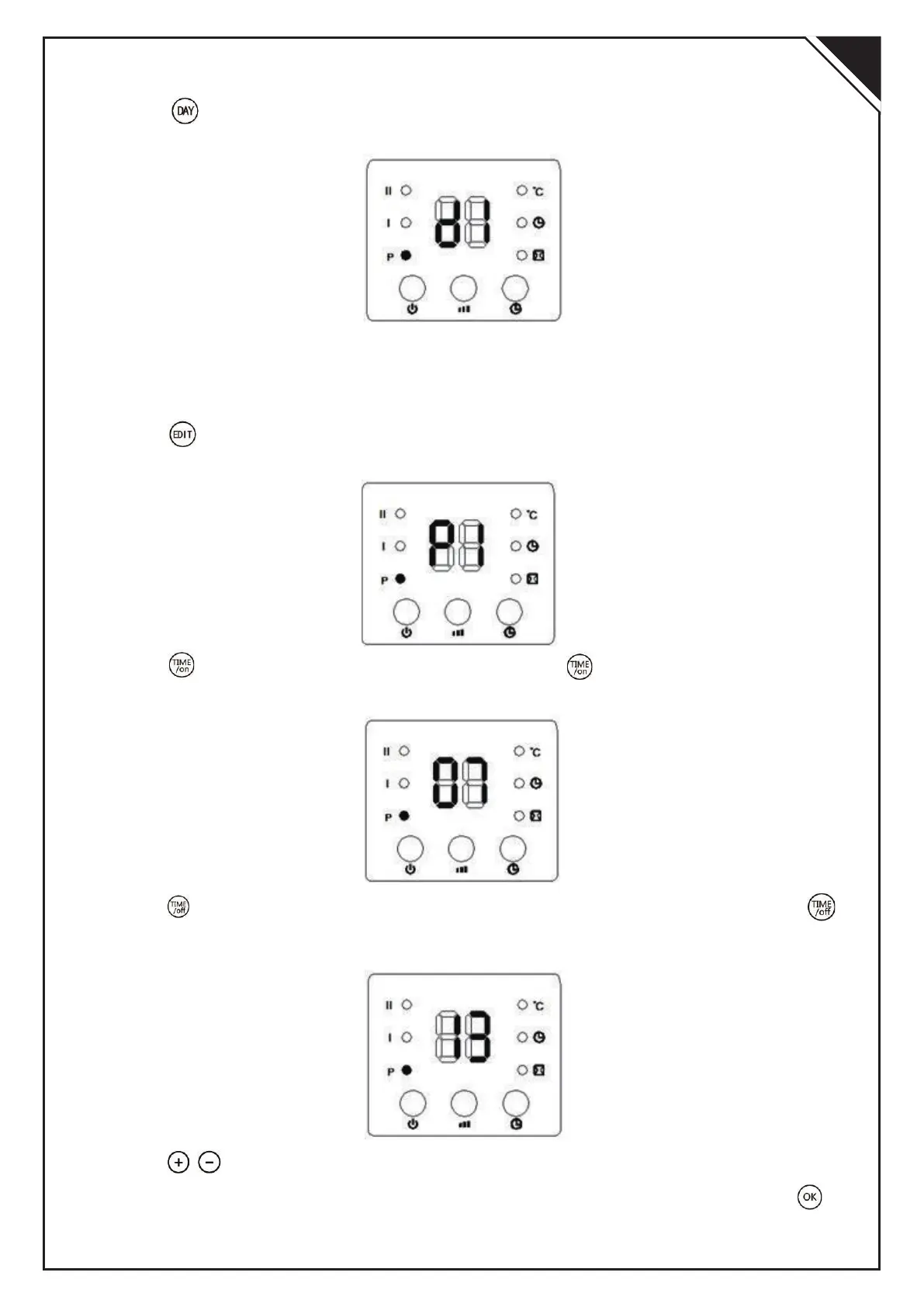
3).Press” “,the display shows d1~d7, set to working day(Monday-Sunday: d1~d7).
Such as set Monday:
Note:
For both current day & set working day:
Monday-Sunday: d1~d7
4).Press” “, the display shows P1~P6(for each day, it can be set maximum 6 time
periods).Such as setting P1:
5).Press” “,the display shows 00”as default. Press” “ continuously to set the
turn-on time. Such as set the turn-on time 7:00am (As figure );
6).Press” “,the display shows the previous step turn-on time by default. Press ” “
continuously to set the turn-off time. Such as set the shutdown time at 13:00pm:
7).Press” / “to setting the target temperature(Temperature range 10-49);
8). Repeat steps 2-7 above, you can set the whole weekly program. Then press” “to
confirmed;
EN


 To Next Page
 Loading...