2
E
QUICK START GUIDE
PLEASE NOTE – THIS DEVICE DOES NOT VIBRATE – IT USES ELECTRICAL IMPULSES, NOT VIBRATION!
For detailed operation of your Circulation Pro please refer to the comprehensive instructions within
this manual.
For a full explanation of setting the intensity, refer to page 13
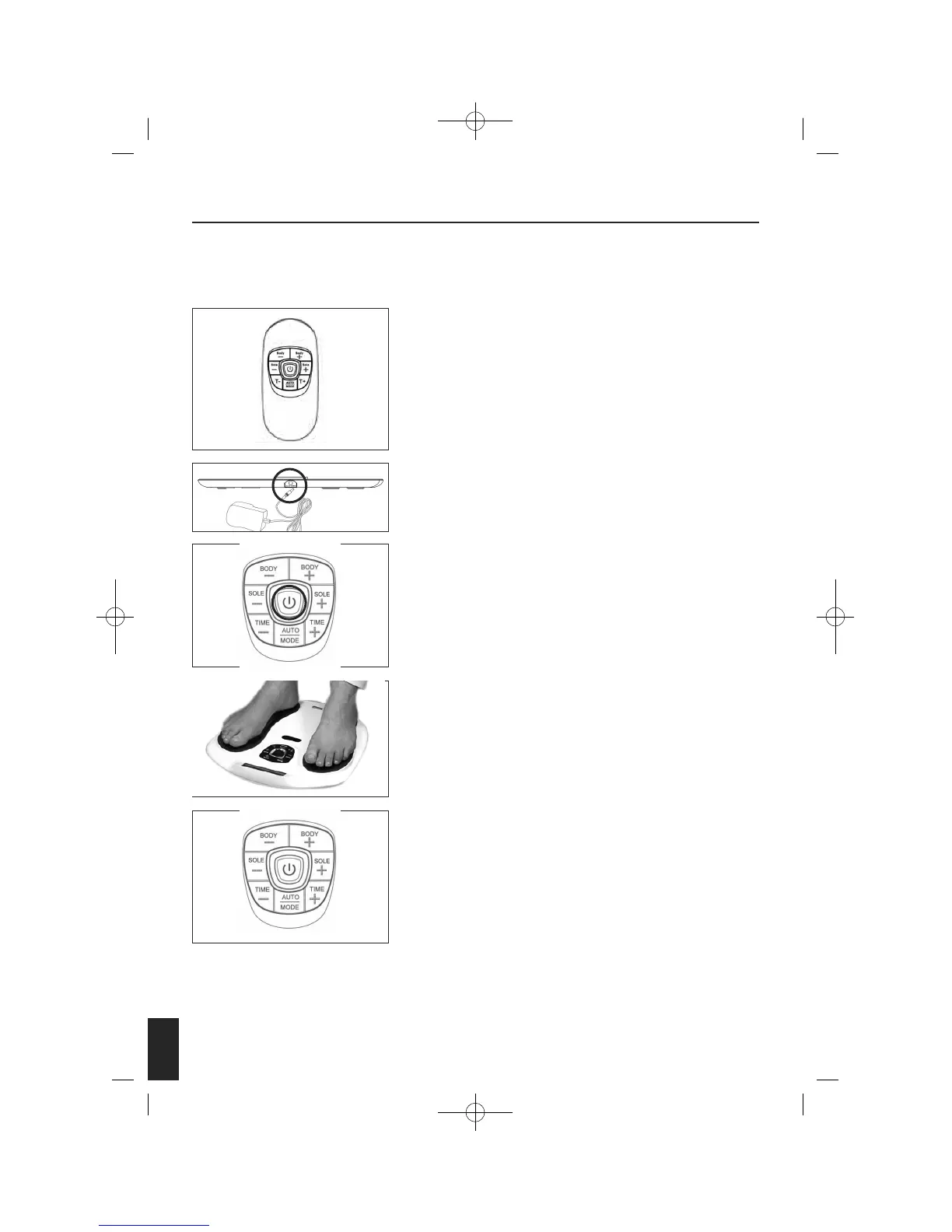
Remove your Circulation Pro from the packaging. Take out the
Remote Control and remove the screw from the back door using the
screwdriver provided. Then insert 2 AAA batteries into the
compartment as per indication. Then screw the battery door closed.
Please refer to page 15 for a step-by-step guide on changing the
battery on the remote control.
Connect the DC adapter to a suitable power outlet and plug the
small DC socket into the device.
Turn on the power. The central display will light up orange and
go off.
Remove your footwear and socks or stockings. PLACE YOUR BARE
FEET ONTO THE FOOT PADS. YOUR RIGHT FOOT ON THE RIGHT FOOT
PAD AND YOUR LEFT FOOT ON THE LEFT FOOT PAD. BOTH FEET
NEED TO BE ON THE DEVICE FOR IT TO WORK.
Sit in a comfortable chair. Place your bare feet on the left and right
foot plates. Increase the intensity levels for the foot by pressing the
“SOLE+” or press “SOLE – “ to decrease the intensity. The intensity
level ranges from 0-99, slowly increase the level until you begin to
feel the micro-current stimulation.
1
2
3
4
5
4


 To Next Page