10
Connect communications cables
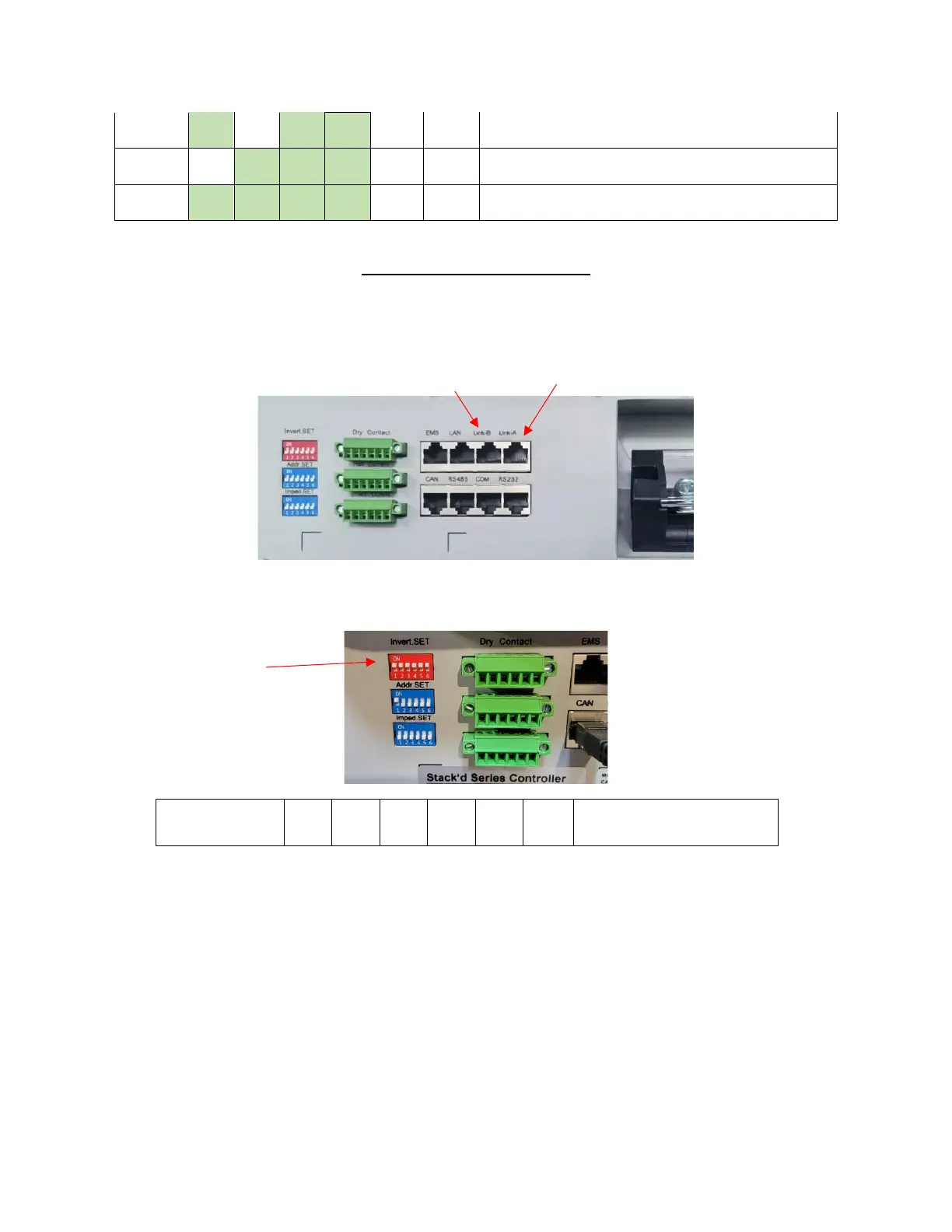
Use standard CAT5/Ethernet cable to connect system communications in parallel.
Link-A port on Master to Link-B on Slave 1, Link-A port on Slave 1 to Link-B on Slave 2, etc.
Once master and slaves are connected, and once the master is connected (via communications) to
inverter, power on all slaves. Set master inverter switch to detect # of systems in parallel:
62 OFF ON ON ON ON ON
Find Address: used when more
than one system is connected
Turn on Master Controller to detect total # of Stack’d systems. Master Controller will then display the #
of systems in parallel. Once detected, turn Master off, change inverter switches on Master to match
inverter of choice, and power back on.
With all battery systems on and connected to BUS bars/inverter, flip inverter’s battery breaker to ON
position.
Complete



 To Previous Page