Page 14 of 16
6.2 Using the Misting generator
Caution:
Be careful when using the fan with the mist function on some types of surfaces as
depending on the environmental conditions (i.e. humid days) the mist may cause
the surface to become wet and slippery. Keep the surface dry at all times to prevent
any injury from slipping over etc.
• To use the Misting Function, after setting the desired Fan speed and setting the
timer knob to either the “ON” position or by rotating to set a timer setting, press the
“MIST” button of the fan control panel.
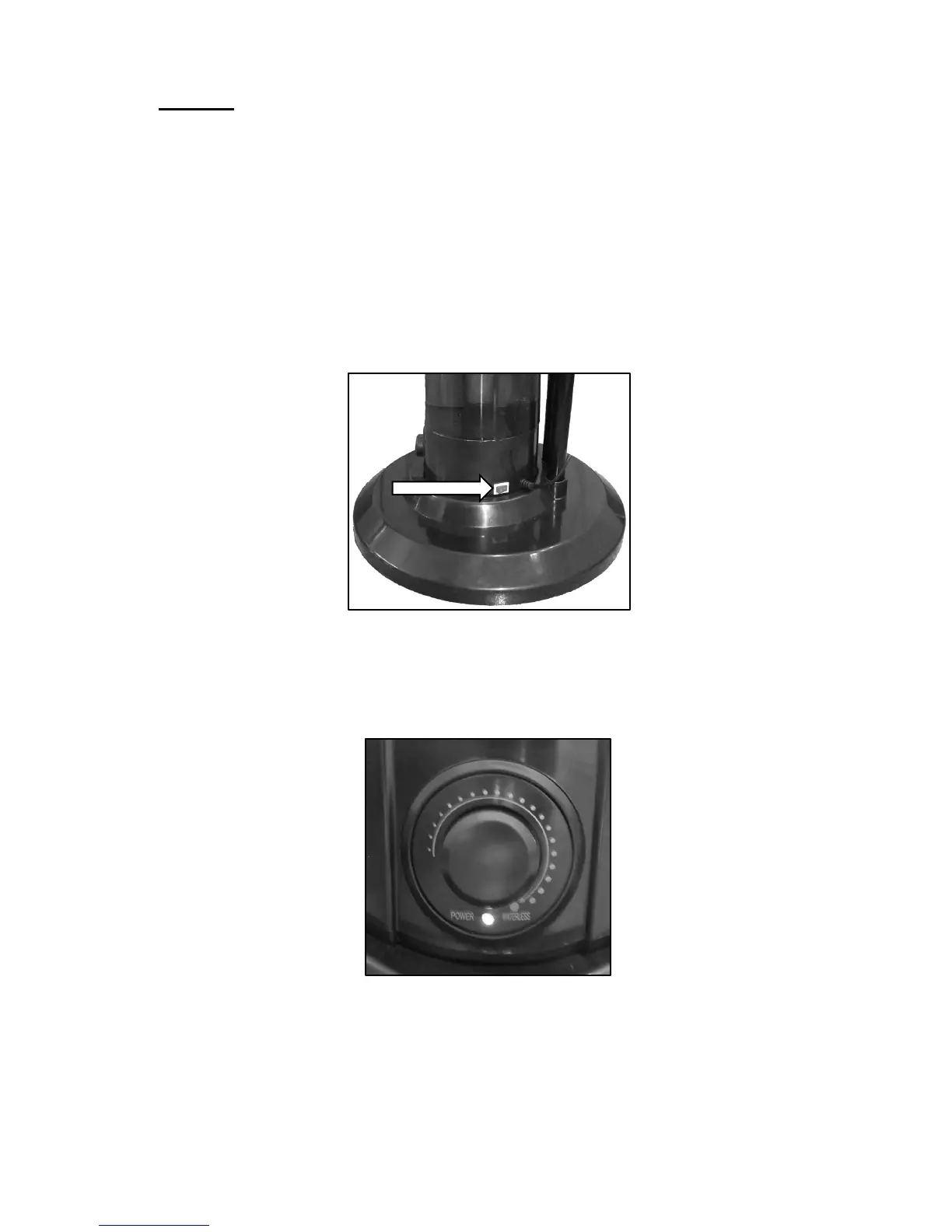
• On the Misting Generator, switch the On / Off Switch to the On “I” Position
• At this point, mist will start to be generated.
• On the front of the Mist Generator is a variable mist control. For less mist, rotate
the knob anticlockwise. For Maximum mist, rotate fully clockwise.
• There is also an indicator light to show when the Mist Generator has run out of
water.
• During Normal use and while generating mist, the light will illuminate “Green”
• If the Mist Generator runs out of water, this light will illuminate “Red”


 To Next Page