p.7
NO SOUND FROM TV
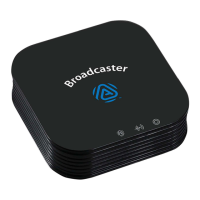
。Make sure the Broadcaster Audio Input Indicator is Green and audio
is properly output from the TV.
。
Press the MFB button on the Broadcaster to play a tone on the
Headphones. This confirms that the Broadcaster and Headphones
are powered on and connected.
。Some TVs have external audio outputs disabled by default. You
must mute its built-in audio or explicitly enable external audio outputs.
。
Unplug the cable from the HDMI ARC port on the TV. Most TVs will
not output sound to other audio ports if HDMI ARC is in use.
。
If using optical TOSLINK connection, set TV audio output to PCM or
LPCM. Do not select AUTO, Dolby, Surround or Bit Stream.
。
Start video streaming service, e.g. Netflix or Amazon Prime, BEFORE
setting audio output to PCM.
。
Contact HomeSpot customer support if you are using Samsung or
LG Smart TV and unable to get sound from the TV despite all efforts.
TIPS: It worked before but suddenly stopped working or no sound.
。
Some TVs reset all its settings to factory defaults after an automatic system
update, which may happen in the background. In that case, go through the
TV audio settings recommendation again.


 To Next Page