9
7. PREPARATION FOR USE
1. Please plug in the adaptor, which is equipped with the unit.
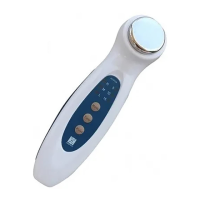
2. Please put some jelly or cosmetic on the unit's probe or skin.
3. Press the "timer" button to turn on the unit.
The unit's default time is 5 minutes and intensity is low level, with power indicator lights.
4. Press "timer" button to choose the suitable timer setting ; "5" , "10" or "15" minutes.
There are 3 intensity levels to choose ; when the level is "15" press "timer" button to turn off the
unit, power indicator is off.
5. Press "mode" button to choose the suitable intensity level ; "L", "M" or"H"
To pause during use, please turn off the unit.
DON'T CONTINUE THE POWER OUTPUT.
6. Press "pulse" button to choose the output ; continuous or intermittent ( on time 0.5 seconds off time
0.5 seconds).
7. When the setting time is up, the unit will auto turn off.


 To Next Page