6
IN
OUT
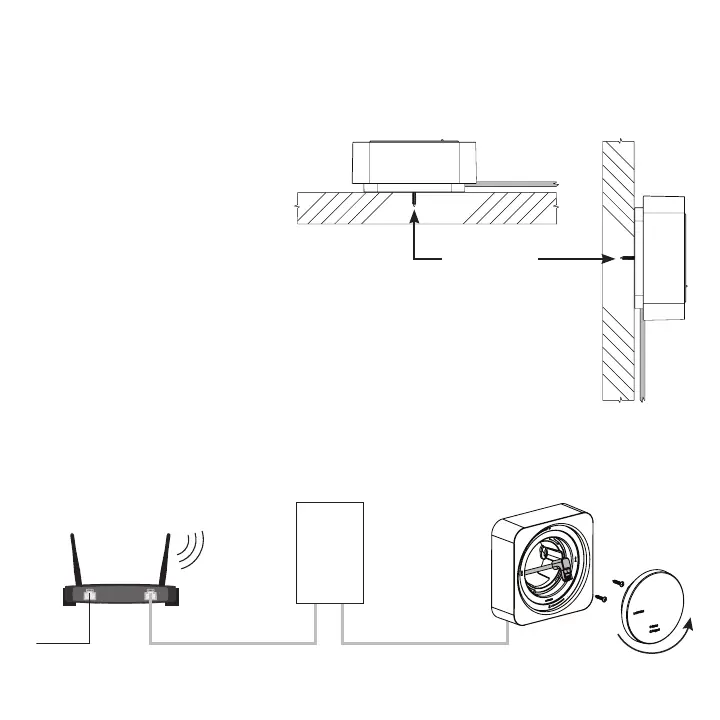
Step 4c — Installation using the Shelf-Mount Adapter
(P/N: L-SMNT-WH, sold separately)
WiFi router
PoE injector or switch Wireless processor
Internet
VerticalHorizontal
Wall
Level
Surface
#6 (M3) screw
recommended
(2 included)
• Hold the adapter to the wall in
the desired location
• Using a pencil, mark the location
of the screw holes
• If using drywall, prep for anchors
• Partially drive two (2) screws
at least 1/4 in (6.3 mm) into the
wall or the drywall anchors
• Feed right-angle connector of
the 6 ft (1.8 m) Ethernet cable
through the adapter BEFORE
tightening screws
• Tighten screws
• Plug in Ethernet cable and attach
processor to PoE-enabled
network switch or PoE injector
• Attach processor to adapter


 To Next Page