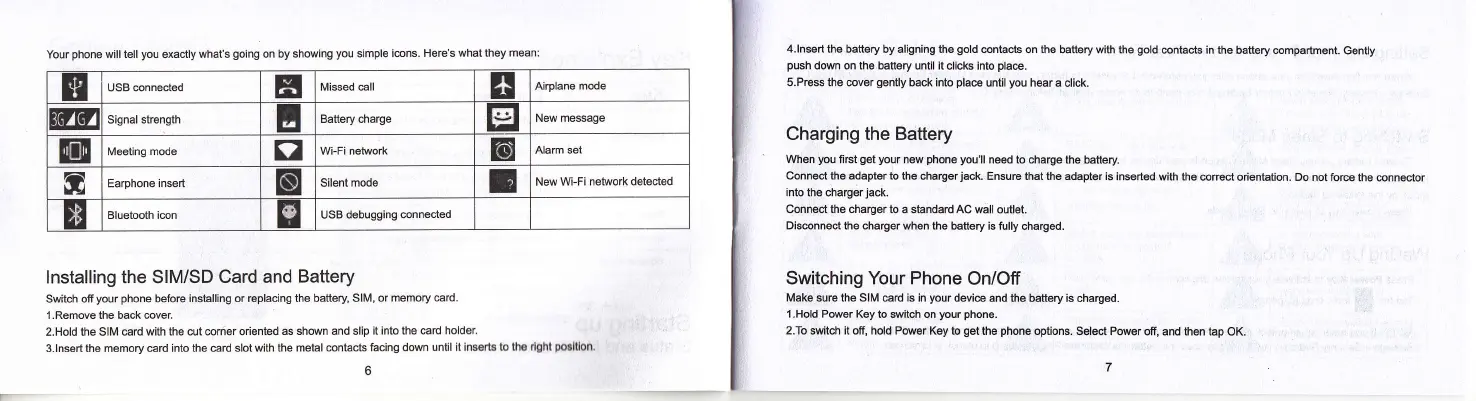
Your
phone
will tell
you
exactly what's
going
on
by showing
you
simple
i@ns. Here's what they
mean:
EI
USB connected
E
Missed call Airplane
mode
Signal strength
E
Battery charge
I
New message
EiE
Meeting
mode
g
Wi-Fi network
E
Alam set
0
Earphone
insert
I
Silent mode
E
New
Wi-Fi network detected
E
Bluetooth icon
USB debugging connected
lnstalling the SIM/SD
Card and
Battery
Switch ofiyour
phone
before
installing or replacing the battery
SlM, or memory €rd.
l.Remove the back @ver
2.Hold the SIM
card with the cut @rner oriented
as shown and slip
it into the card holder
3.lnsert the memory card
into the card slot wiih the metal
contacts facing down
until it inssrts to ths rlghl
polltlon,
t
4.lnsert the
battery by aligning the
gold
contacts on the
battery with the
gold
@ntacts in
the battery @mpartment.
Gently
push
down on the battery until it clicks into
place.
s.Press the @ver
gently
back into
pla@
until
you
hear
a click.
Charging the Battery
When
you
flret
get your
new
phone you'll
need
to charge the battery
Connect the adapter to the
chargerjack. EnsuE that the adapter is inserted
with the correct
o.ientation. Do not for@
the connector
into the chargerjack.
Connect the
charger to a standard AC wall outlet.
Disconnect the charger when the
battery is fully charged.
Switching Your Phone
On/Off
Make sure the SIM €rd is in
your
device and
the battery is charged.
'l.Hold
Power
Key to switch on
your phone.
2.To switch it off, hold Power
Key to
get
the
phone
options. Select Power
off, and then tap OK.



 To Next Page