Setting Up Your Phone for the First Time
When
you
first
power
on
your phone
afrer
you purchase
it or
reset it
to
factory
settings
(see
chapter
Sorting out Your Phone
Settings
-
Privacy: Reset to Factory Settings),
you
need to do some settings befoE using it.
Switching to Sleep Mode
To
save
battery
power,
Sleep
Mode suspends
your
device to
a
low-powerconsumption state while the display is off. Your devi@
also
goes
into Sleep Mode by itselfwhen the display is automatically turned offafter a certain
period
of time. You €n start sleep
mode
by
the following method.
Press Power Key to switch to Sleep Mode.
Waking
Up
Your
Phone
Press Power Key to activats
your
screen display.
Tao rhe
I
imn, orag to the up.
NOTE: lfyou have set an unlock
pattem,
PIN
or
password
for
your phone
(see
chapter Sorting out Your Phone
Settings
-
Security Settings)
you'll
need to dEw the
pattem
or enter the P|N/password to unlock
your
screen.
8
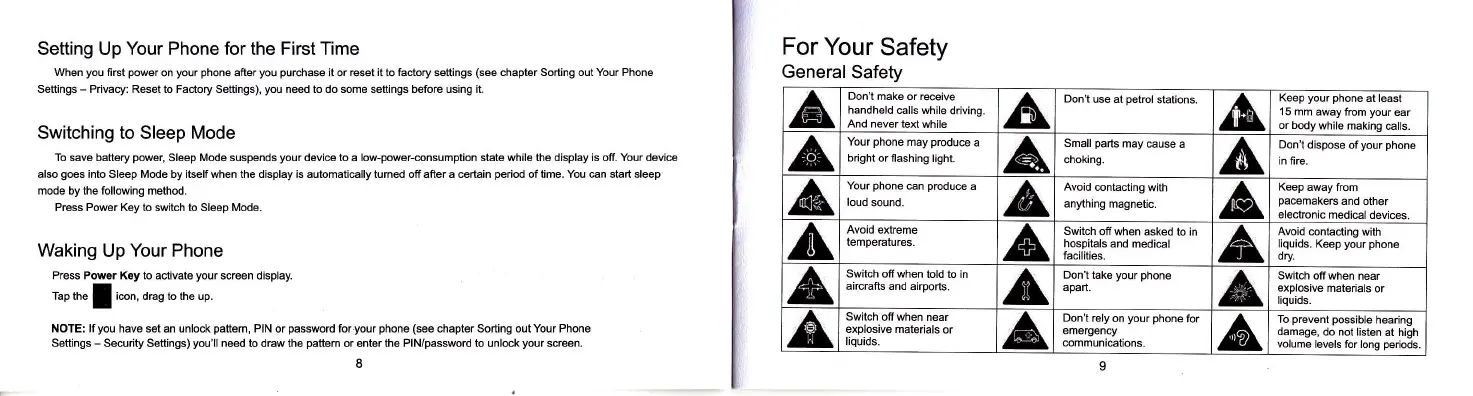
For
Your
Safety
General
Safety
^6,
Don't make or receive
handheld
calls while
driving
And never
text while
A
Don't
use at
petrol
stations.
^&'
Keep
your phone
at least
15 mm away
from
your
ear
or body
while making
@lls.
A,
Your
phone
may
produ@
a
bright
or flashing light.
^A
Small
parts
may
@use a
choking.
6,
Don't
dispose ofyour
phone
in fire.
^&,
Your
phone
can
produce
a
loud
sound.
A
Avoid @ntacting
with
anything
magnetic.
^6,
Keep
away from
pa@makeE
and other
electronic
medi@l devices.
xt
Avoid
extreme
tempeEtures.
^A
Switch
off when asked
to in
hospitals
and medical
facilities.
A
Avoid contacting
with
liquids.
Keep
your phone
dry
&,
Switch off when
told to in
aircrafts and airports.
A
Don't take
your phone
apart.
A
Swilch offwhen
near
explosive
materials
or
liquids.
A
Switch offwhen near
explosive materials
or
liquids.
A
Don't rely
on
your
phone
for
emergency
communications.
6,
To
prevent
possible
hearing
damage,
do not
listen at high
volume
levels for long
periods
o



 To Next Page
 Loading...