11
Operating instructions
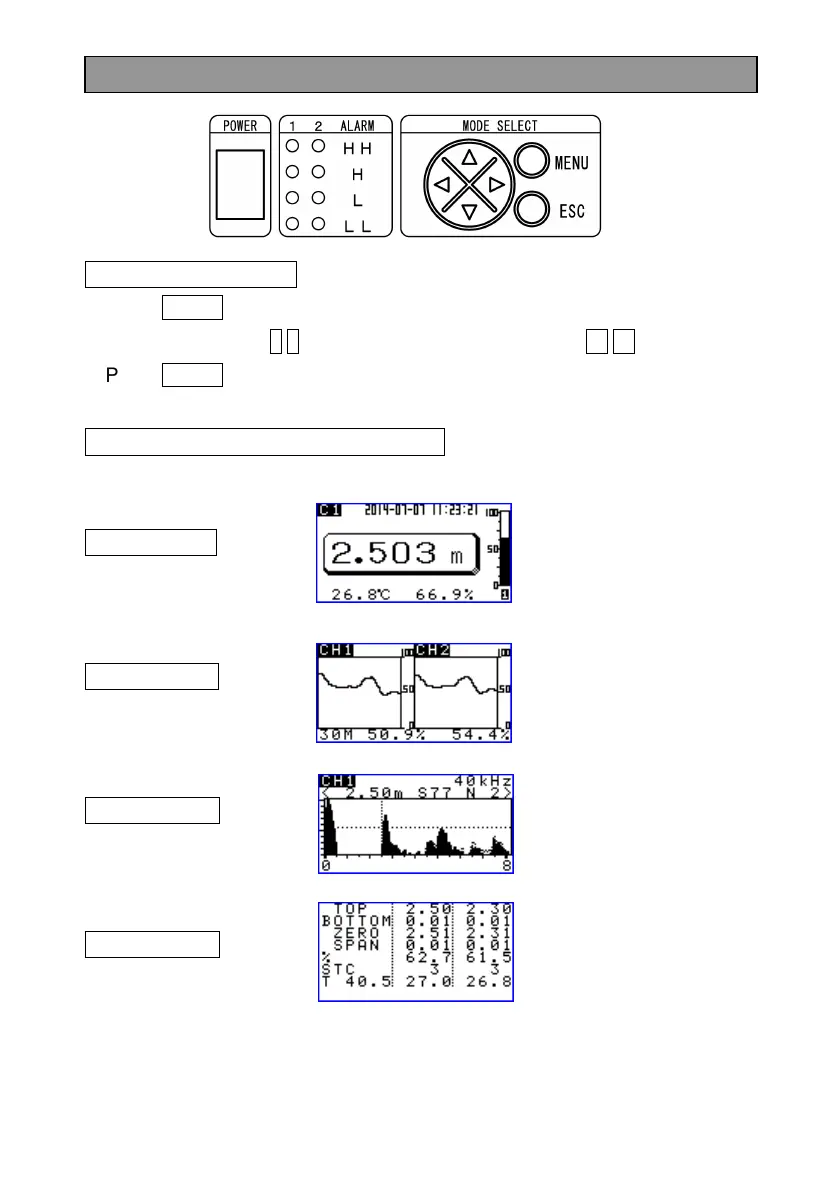
Basic key operations
Press MENU key to move to MENU display.
Select the item by ↑ ↓ keys and change the setting by ← → keys.
Press MENU key to exit MENU display.
How to read the LCD display screen
Select 1 display mode from the following 4 display modes.
DISPMODE A
(Standard display)
Refer to P12 and P13.
DISPMODE B
(Trend display)
Refer to P14.
DISPMODE C (Ultrasonic A mode display)
Refer to P15 to P18.
DISPMODE D
(Character display)
Refer to P19.


 To Next Page
 Loading...