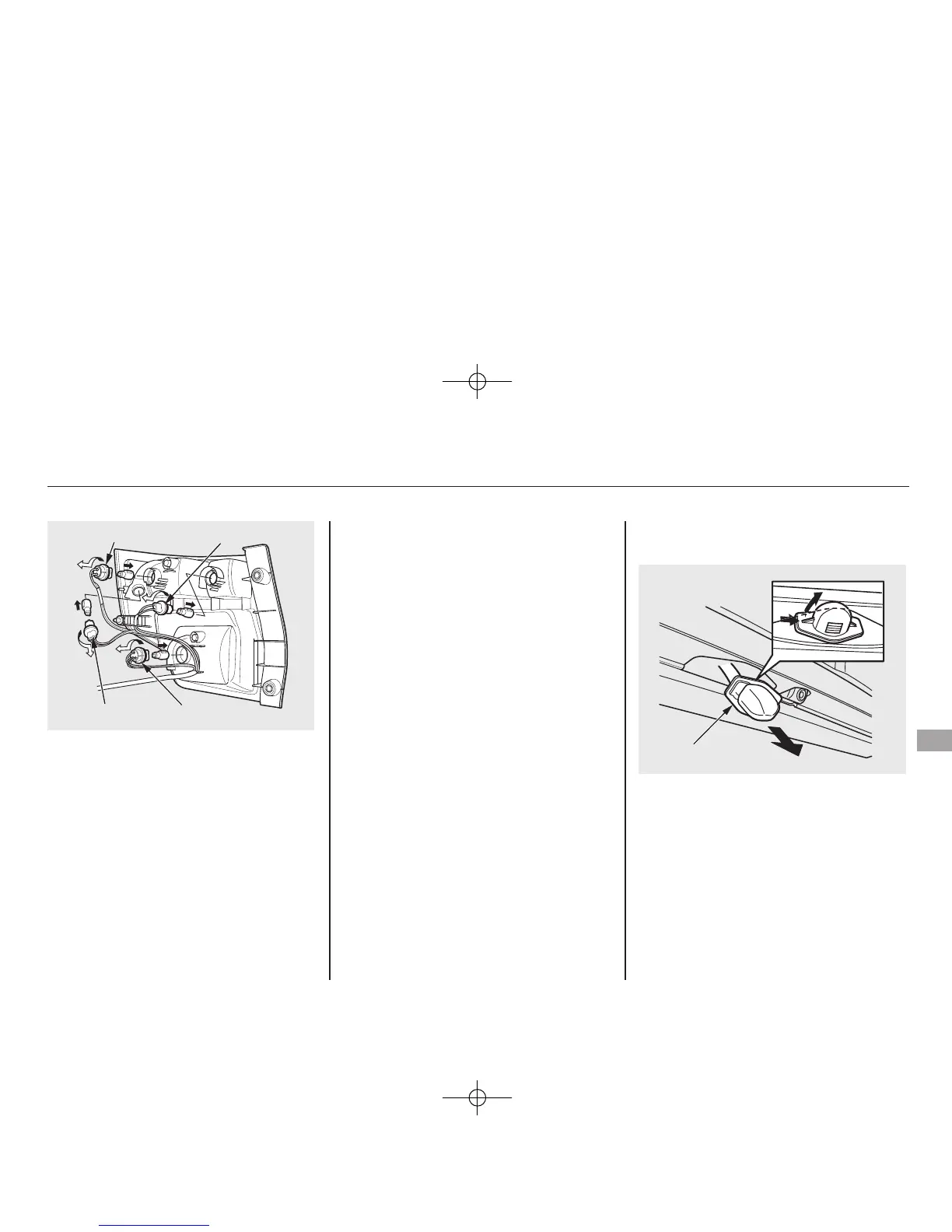
3. Remove the socket by turning it
one-quarter turn counterclockwise.
4. Pull the bulb straight out of its
socket. Push the new bulb straight
into the socket until it bottoms.
5. Reinstall the socket into the light
assembly by turning it clockwise
until it locks.
6. Test the lights to make sure the
new bulb is working.
7. When reinstalling the taillight
assembly, first place the two pins
in the holes in place. Tighten the
two mounting screws.
Replacing a Rear License Plate
Bulb
1. Remove the license light assembly
by pushing the left edge of the
lens toward the right and pulling
the assembly out.
2. Pull the bulb straight out of its
socket. Push the new bulb in until
it bottoms in the socket.
SOCKET SOCKET
SOCKETSOCKET
LENS
CONTINUED
Lights
207
Maintenance
10/08/06 08:34:41 11 ELEMENT MMC North America Owner's Man 50 31SCV680 enu















 To Next Page