6
Bluetooth
®
pairing setting
III ED, Ⅳ ED type only
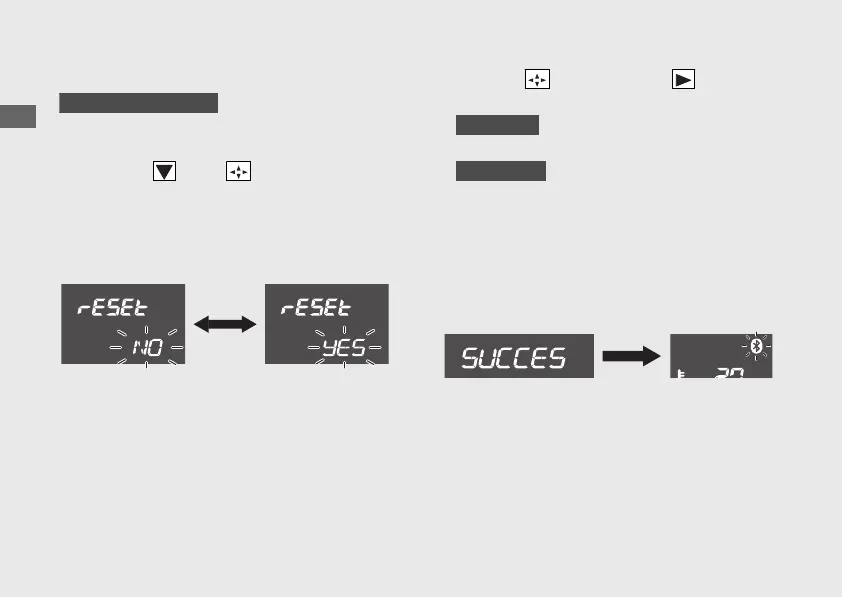
You can reset the Bluetooth
®
pairing
information.
a
Press the of the sel switch to select
“YES” or “no”.
u
If you do not want to reset the
Bluetooth
®
pairing information, select
"no".
b
Press the sel switch to the .
Bluetooth
®
pairing setting is set.
Select "no"
Display will return to the ordinary display.
Select "YES"
After resetting, "SUCCESS" is displayed
and the pairing mode is started.
u When the pairing mode is started, the
display will return to the ordinary display
and the Bluetooth
®
indicator blinking will
start.
20221109171351_32K2LA000_eng_BOOK Page 39 Wednesday, November 09 2022 17:20:28 JST
Operation Guide
36
Instruments (Continued)





 To Next Page