USB Socket
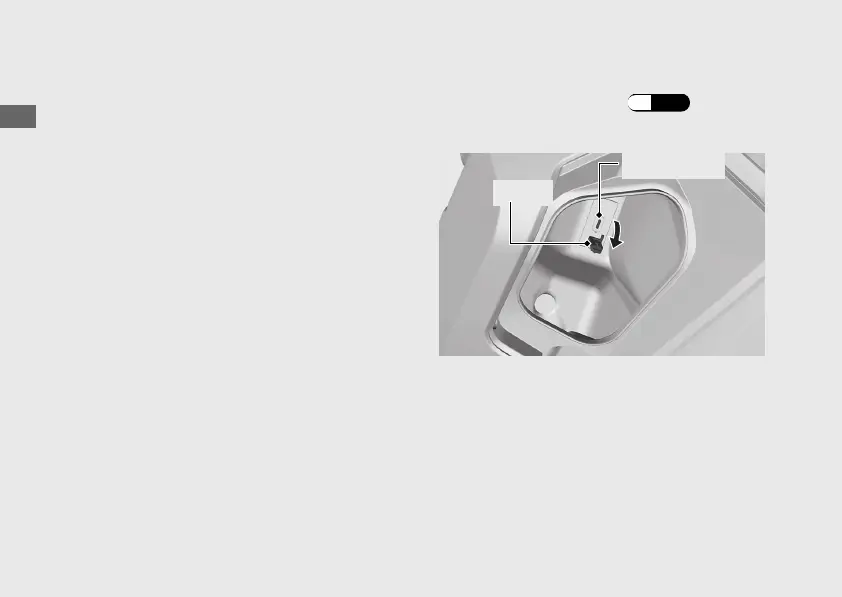
The USB socket is located in the glove box.
Use USB devices at your own risk. In no event
shall Honda be liable for any damage to your
USB device when in use.
Only USB devices within the following
specifications can be connected.
USB C type rated capacity is
15 W (5 V, 3.0 A).
u The USB socket is for charging only.
Do not connect USB devices that exceed the
rated capacity. They may not be charged
properly even if connected.
For information on usage or malfunction of
the USB device you connect, refer to its
instruction manual.
To connect your USB device
a
Open the glove box lid. (P.76)
b
Open the cover to access the USB socket.
c
Connect a certified USB cable to the USB
socket.
20221109171351_32K2LA000_eng_BOOK Page 73 Wednesday, November 09 2022 17:20:28 JST
Operation Guide
70
Cover
USB socket



 To Next Page