This document provides a comprehensive user's guide for the CRF1100A/A2/A4/D2/D4 accessory, covering various components, their functions, technical specifications, usage, and maintenance.
Common Features
Added accessories can affect a motorcycle's stability, performance, and safe riding speed.
Comfortable Pillion Step
Function Description: The comfortable pillion step provides a footrest for the passenger.
Maintenance Features:
- When this accessory becomes dirty, rinse it thoroughly with cool water to remove loose dirt, then wipe with a clean cloth or sponge.
- Do not use a brush to clean this accessory as it may scratch the surface.
- Never use organic solvents such as gasoline, thinner, and benzene to clean this accessory. Also do not use acid or alkaline cleaners to clean this accessory.
- Wipe up spilled brake or battery fluid at once as they may damage the surface.
- Do not try to remove the comfortable pillion step to the inside after it stops.
Accessory Socket
Function Description: The accessory socket provides a power outlet for various devices.
Technical Specifications:
- The maximum power rating of connected accessories is 24W (12V, 2A).
Usage Features:
- Use accessories with an engine running to avoid discharging the battery.
- Do not use a cigarette lighter, as this can cause a malfunction.
- Cover the socket with the cap when the accessory socket is not used to prevent entry of foreign objects.
- Do not use the accessory socket when the motorcycle is being washed.
- Carefully secure any connected devices, as vibrations may cause them to shift unexpectedly.
- Make sure that the cable of devices connected to the accessory socket does not disturb the steering operation or riding. Do not pinch the cable to prevent from being damaged.
DCT Pedal Shift
Function Description: The DCT pedal shift allows for manual gear changes.
Maintenance Features:
- Do not disassemble the DCT pedal shift.
Deflector
Maintenance Features:
- When this accessory becomes dirty, rinse it thoroughly with cool water to remove loose dirt, then wipe with a clean cloth or sponge.
- Do not use a brush to clean this accessory as it may scratch the surface.
- Never use organic solvents such as gasoline, thinner, and benzene to clean this accessory. Also do not use acid or alkaline cleaners to clean this accessory.
- Wipe up spilled brake or battery fluid at once as they may damage the surface.
Gear Change Pedal
Operating Instructions:
- The gear change pedal for this accessory can do the same operations as N-D shift, shift up shift (+), and shift down shift (-).
- Only the operating instructions of the gear change pedal are described in this manual. Please make sure that you read the owner's manual together.
Usage Features:
- When Stopping: Lower the gear change pedal from the neutral (N) to switch to D mode.
- Raise the gear change pedal to switch to neutral (N).
- When Riding: Raise the gear change pedal to shift up a gear and lower the gear change pedal to shift down a gear.
- Shifting gears can not be made when operating the gear change pedal while pressing the shift switch, or operating the shift switch while shifting with the gear change pedal.
Engine Guard
Maintenance Features:
- When this accessory becomes dirty, rinse it thoroughly with cool water to remove loose dirt, then wipe with a clean cloth or sponge.
- Do not use a brush to clean this accessory as it may scratch the surface.
- Never use organic solvents such as gasoline, thinner, and benzene to clean this accessory. Also do not use acid or alkaline cleaners to clean this accessory.
- Wipe up spilled brake or battery fluid at once as they may damage the surface.
Front Fog Light
How to Use the Fog Light:
- Turn the ignition switch to ON.
- Select the FOG of pop-up information using the Fn switch.
- Push forward or pull backward the Fn lever to select the "ON" of the FOG.
Fog Light Indicator:
- Comes on when the "ON" of FOG.
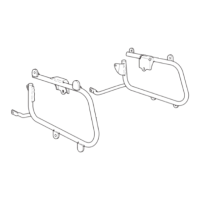
Front Side Pipe
Maintenance Features:
- Do not attempt to move the motorcycle with holding front side pipe and also to apply extra pressure on them. It may damage the motorcycle and front side pipe.
- When this accessory becomes dirty, rinse it thoroughly with cool water to remove loose dirt, then wipe with a clean cloth or sponge.
- Do not use a brush to clean this accessory as it may scratch the surface.
- Never use organic solvents such as gasoline, thinner, and benzene to clean this accessory. Also do not use acid or alkaline cleaners to clean this accessory.
- Wipe up spilled brake or battery fluid at once as they may damage the surface.
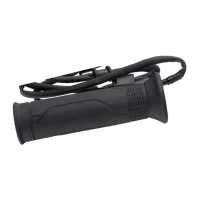
Grip Heater
How to Use the Grip Heater:
- For operating instruction, see the Owner's Manual.
High Windscreen
Usage Features:
- Reduce speed when running in strong wind.
- Replace this accessory with a new one if it is damaged or discolored excessively.
Maintenance Features:
- When this accessory becomes dirty, rinse it thoroughly with cool water to remove loose dirt, then wipe with a clean cloth or sponge.
- Do not use a brush to clean this accessory as it may scratch the surface.
- Never use organic solvents such as gasoline, thinner, and benzene to clean this accessory. Also do not use acid or alkaline cleaners to clean this accessory.
- Wipe up spilled brake or battery fluid at once as they may damage the surface.
- If the motorcycle is left covered for an extended period of time, park in the shade. Parking an uncovered motorcycle in direct sunlight can cause the windscreen to deform due to heat buildup under the cover.
- Handle this accessory with care.
- It can be damaged when it is bent excessively or is subject to strong shock or impact.
- Select a firm, level surface when you park the motorcycle.
- Also bear in mind that strong wind can cause the motorcycle to topple to the ground.
Low Seat / High Seat
Maintenance Features:
- When this accessory becomes dirty, rinse it thoroughly with cool water to remove loose dirt, then wipe with a clean cloth or sponge.
- Do not use a brush to clean this accessory as it may scratch the surface.
- Never use organic solvents such as gasoline, thinner, and benzene to clean this accessory. Also do not use acid or alkaline cleaners to clean this accessory.
- Wipe up spilled brake or battery fluid at once as they may damage the surface.
Main Stand
Usage Features:
- Before starting your motorcycle, check that the side stand and the main stand are fully retracted.
- Always choose a flat ground when setting the main stand.
- Always use the parking brake when parking the CRF1100A/A2/D2/D4 and using the main stand.
How to Use the Main Stand:
- Park safely on a level ground and stop the engine.
- Setting the main stand.
- Let down the main stand, stand on the left side of the motorcycle. Hold the left handle grip and the pillion step holder or rear frame, push down with the left foot, stand with your right foot and, simultaneously, pull up and back.
Knuckle Guard Extension
Maintenance Features:
- When this accessory becomes dirty, rinse it thoroughly with cool water to remove loose dirt, then wipe with a clean cloth or sponge.
- Do not use a brush to clean this accessory as it may scratch the surface.
- Never use organic solvents such as gasoline, thinner and benzene to clean this accessory. Also do not use acid or alkaline cleaners to clean this accessory.
- Wipe up spilled brake or battery fluid at once as they may damage the surface.
- Handle this accessory with care.
- It can be damaged when it is bent excessively or is subject to strong shock or impact.
Pannier Case
Technical Specifications:
- The weight of the cargo must not exceed the following maximum weight capacity: Each pannier case 6.0 kg (13.2 lb).
Usage Features:
- Load weight equally on both sides to minimize imbalance. If the weight is not loaded equally on both sides or if it exceeds the maximum weight capacity of this accessory, handling is proportionally affected, resulting in serious accident or injury.
- Do not store valuables or fragile articles in the pannier cases.
- Be sure that the panniers are installed securely before riding.
- Before riding, confirm that lid is closed and remove the key.
- To prevent burns, allow the engine, exhaust system, radiator, etc., to cool before installing and removing the accessory.
- The pannier case is hot while the engine is running and after it has been stopped (after riding etc.).
- Especially the lower part of the pannier case on the right side is close to the muffler and thus becomes very hot, for that reason it should not be touched for some time.
- The pannier cases are not perfectly watertight, and water may enter when washing the motorcycle, when it rains, etc.
- Always install pannier cases on both the left and the right side.
- Don't place a heavy object on the opened lid or apply an excessive force from the top of opened lid.
- Open and close the lid gently.
Maintenance Features:
- If the pannier case gets dirty, slightly push and clean it with a sponge or a shop towel moistened with a neutral detergent, remove the detergent with clean water, and then wipe them dry with a clean sponge or shop towel.
- Never use organic solvents such as gasoline, thinner and benzene to clean this accessory. Also do not use acid or alkaline cleaners to clean this accessory.
- Wipe up spilled brake or battery fluid at once as they may damage the surface.
How to Install the Pannier Cases:
- Insert the key and release the lock by turning the key clockwise.
- Pull the release lever up as shown.
- Install the pannier case as shown.
- First engage at the rubber and then install at the two holes.
- Push the release lever as shown.
- Confirm that the hook is securely attached.
How to Open the Pannier Cases:
- Insert the key and release the lock by turning the key clockwise.
- Pull the open button to open the lid as shown.
How to Close the Pannier Cases:
- Close and lock the pannier case in reverse order of opening.
- Be careful not to have the stored item pinched when the pannier case is closed.
How to Remove the Pannier Cases:
- Insert the key and release the lock by turning the key clockwise.
- Pull the release lever up as shown.
- Remove the pannier case in the reverse order of installation.
How to Store the Pannier Inner Bag:
- Open the pannier case and store the pannier inner bag.
- Close the pannier case.
- Be careful not to have the stored item pinched when the pannier case is closed.
Pannier Case (Aluminum)
Technical Specifications:
- The weight of the cargo must not exceed the following maximum weight capacity: Each pannier case 10.0 kg (22.0 lb).
Usage Features:
- Load weight equally on both sides to minimize imbalance. If the weight is not loaded equally on both sides or if it exceeds the maximum weight capacity of this accessory, handling is proportionally affected, resulting in serious accident or injury.
- Do not store valuables or fragile articles in the pannier cases.
- Be sure that the panniers are installed securely before riding.
- Before riding, confirm that lid is closed and remove the key.
- To prevent burns, allow the engine, exhaust system, radiator, etc., to cool before installing and removing the accessory.
- The pannier case is hot while the engine is running and after it has been stopped (after riding etc.).
- Especially the lower part of the pannier case on the right side is close to the muffler and thus becomes very hot, for that reason it should not be touched for some time.
- The pannier cases are not perfectly watertight, and water may enter when washing the motorcycle, when it rains, etc.
- Always install pannier cases on both the left and the right side.
- Don't place a heavy object on the opened lid or apply an excessive force from the top of opened lid.
- Open and close the lid gently.
Maintenance Features:
- If the pannier case gets dirty, slightly push and clean it with a sponge or a shop towel moistened with a neutral detergent, remove the detergent with clean water, and then wipe them dry with a clean sponge or shop towel.
- Never use organic solvents such as gasoline, thinner and benzene to clean this accessory. Also do not use acid or alkaline cleaners to clean this accessory.
- Wipe up spilled brake or battery fluid at once as they may damage the surface.
- The surface treatment is not processed on the aluminum part to obtain the original texture for this product. The rust may occur depending on the usage circumstances or maintenance conditions. When it gets dirty, make sure to avoid rubbing and pressing too hard, and wipe away dirty such as dirt with the hands or incrustations.
- When the surface of backrest turns white, wipe away with a shop towel or like with water.
How to Install the Pannier Cases:
- Install the pannier case as shown.
- First install the two bosses, then install the two cams.
- Installation can be done with the key position is in lock or unlock.
- Installation can be done without inserting the key.
- When the pannier case can not be installed, operate the lever and reinstall it.
- Make sure that the indicators in front and behind the pannier stay are green.
- When the indicator is red, the pannier case is not securely installed. Remove the pannier case and reinstall it.
- If the key is inserted, pull it out and install the cap.
- Check that the pannier case is installed securely by swinging the pannier case taking care not to fall the motorcycle down.
- The pannier case can come off during riding unless it is mounted securely.
How to Remove the Pannier Cases:
- Remove the cap as shown.
- Insert the key and release the lock by turning the key clockwise.
- Pull the lever as shown.
- Make sure that the indicator of pannier stay is red after pulling the lever.
- Remove the pannier cases in the reverse order of installation.
How to Open the Pannier Cases:
- Remove the cap as shown.
- Insert the key and release the lock by turning the key clockwise.
- Pull the hinge up as shown.
- Release the hinge from hinge bar as shown.
- Open the lid as shown.
How to Close the Pannier Cases:
- Confirm that the key position is as shown.
- Close the lid.
- Holding the upper part of the hinge, push the hinge down.
- Be careful not to have the stored item pinched when the pannier case is closed.
- Lock the top box by turning the key counter-clockwise.
- Remove the key.
- Make sure the lid and hinge are locked down securely.
How to Store the Pannier Inner Bag:
- Open the pannier case and store the pannier inner bag.
- Close the pannier case.
- Be careful not to have the stored item pinched when the pannier case is closed.
Quick Shifter
Function Description:
- This accessory enables the shift change without clutch operation when shifting up and down during acceleration. (Engine speed is more than 1,600 rpm on upshifting or more than 2,000 rpm on downshifting).
- This system does not function when upshifting with the throttle closed.
- This system does not function when the clutch lever is being operated.
Quick Shifter Setting:
- The Quick Shifter can be individually turned OFF (deactivate), also the shift pedal load lever for activating the Quick Shifter can be adjusted during up and down shifting.
- Turn the ignition switch to ON position.
- Pull backward and hold the PAGE switch or touch the clock area of the multi-information display.
- Select the "Settings", and then press the ENT switch.
- Select the "Function", and then press the ENT switch.
- Select the "Quickshifter", and then press the ENT switch.
:
- You can select the shift pedal load level for activating the Quick Shifter when downshifting.
- You can select "OFF" (deactivate) for downshifting with the Quick Shifter.
- Select the "Down", and then press the ENT switch.
- Push the SEL (∧ or ∨) switch the desired value is displayed.
- Return to the riding information, previous screen or Home screen.
- You can also perform the above settings by using the touch screen.
:
- You can select the shift pedal load level for activating the Quick Shifter when upshifting.
- You can select "OFF" (deactivate) for upshifting with the Quick Shifter.
- Select the "Up", and then press the ENT switch.
- Push the SEL (∧ or ∨) switch the desired value is displayed.
- Return to the riding information, previous screen or Home screen.
- You can also perform the above settings by using the touch screen.
Maintenance Features:
- Do not disassemble the quick shifter.
- If the gear position display is not normal, the shift feeling may change.
- When the shift change do not operate normally, the shift timing by clutch operation can be operated.
- If the PGM-FI malfunction indicator lamp comes on or the gear position indicator flashes "—" in the multi-information display, the Quick Shifter system may not operate. If either of the above occurs, contact your dealer as soon as possible.
Radiator Grill
Maintenance Features:
- When this accessory becomes dirty, rinse it thoroughly with cool water to remove loose dirt, then wipe with a clean cloth or sponge.
- Do not use a brush to clean this accessory as it may scratch the surface.
- Never use organic solvents such as gasoline, thinner and benzene to clean this accessory. Also do not use acid or alkaline cleaners to clean this accessory.
- Wipe up spilled brake or battery fluid at once as they may damage the surface.
Rally Step
Maintenance Features:
- When this accessory becomes dirty, rinse it thoroughly with cool water to remove loose dirt, then wipe with a clean cloth or sponge.
- Do not use a brush to clean this accessory as it may scratch the surface.
- Never use organic solvents such as gasoline, thinner and benzene to clean this accessory. Also do not use acid or alkaline cleaners to clean this accessory.
- Wipe up spilled brake or battery fluid at once as they may damage the surface.
Side Tank Pad
Maintenance Features:
- When this accessory becomes dirty, rinse it thoroughly with cool water to remove loose dirt, then wipe with a clean cloth or sponge.
- Do not use a brush to clean this accessory as it may scratch the surface.
- Never use organic solvents such as gasoline, thinner and benzene to clean this accessory. Also do not use acid or alkaline cleaners to clean this accessory.
- Wipe up spilled brake or battery fluid at once as they may damage the surface.
Tank Bag
Technical Specifications:
- The weight of the cargo must not exceed the following maximum weight capacity: Tank bag 1.5 kg (3.3 lb).
Usage Features:
- Be sure that the tank bag is installed securely before riding.
- Before riding, confirm the tank bag.
- The tank bag is not perfectly watertight, and water may enter when it rains, etc.
- Do not store valuables or fragile articles in the tank bag.
- When washing the motorcycle and when leaving the motorcycle, remove the tank bag.
- Before refueling, remove all dust, sand, etc. from fuel tank and tank bag, as otherwise the fuel tank may be damaged.
Maintenance Features:
- Never use organic solvents such as gasoline, thinner and benzene to clean this accessory. Also do not use acid or alkaline cleaners to clean this accessory.
- Wipe up spilled brake or battery fluid at once as they may damage the surface.
When the Tank Bag is Remove:
- When riding with the tank bag removed, make sure to remove the strap to return to the original state.
How to Install the Tank Bag:
- Although the illustration is of tank bag (4.5 L), use the same procedures for other models.
- Lock the buckle as shown.
- Repeat on the right side.
Top Box (38 L)
Technical Specifications:
- The weight of the cargo must not exceed the following maximum weight capacity: 6.0 kg (13.2 lb).
Usage Features:
- Be sure that the top box is installed securely before riding.
- Before riding, confirm that lid is closed and remove the key.
- The top box is not perfectly watertight, and water may enter when washing the motorcycle, when it rains, etc.
- To prevent burns, allow the engine, exhaust system, radiator, etc., to cool before installing and removing the accessory.
- Do not store valuables or fragile articles in the top box.
- Don't place a heavy object on the opened lid or apply an excessive force from the top of opened lid.
- Open and close the lid gently.
Maintenance Features:
- If the top box gets dirty, slightly push and clean it with a sponge or a shop towel moistened with a neutral detergent, remove the detergent with clean water, and then wipe them dry with a clean sponge or shop towel.
- Never use organic solvents such as gasoline, thinner and benzene to clean this accessory. Also do not use acid or alkaline cleaners to clean this accessory.
- Wipe up spilled brake or battery fluid at once as they may damage the surface.
- When the surface of backrest turns white, wipe away with a shop towel or like with water.
How to Use the Rain Cover (3.0 L Only):
- Put the rain cover on the tank bag.
How to Install the Top Box:
- Insert the key and release the lock by turning the key clockwise.
- Lift the lever as shown, and insert the retaining tab of the top box into the hole of the carrier base.
- Position the hook of the top box on the carrier base as shown.
- Secure the hook by pressing the lever down as shown.
- Lock the top box by turning the key counter-clockwise.
- Remove the key. Be sure that lever cannot be released.
- Check that the top box is installed securely by swinging the top box taking care not to fall the motorcycle down.
- The top box can come off during riding unless it is mounted securely.
How to Remove the Top Box:
- Remove the top box in the reverse order of installation.
How to Open the Top Box:
- Insert the key and release the lock by turning the key clockwise.
- Pull the hinge up as shown.
- Rising the upper part of hinge, move the hinge down as shown and open the lid.
How to Close the Top Box:
- Confirm that the key position is as shown.
- Close the lid.
- Holding the upper part of the hinge, push the hinge down.
- Be careful not to have the stored item pinched when the top box is closed.
- Lock the top box by turning the key counter-clockwise.
- Remove the key.
- Make sure the lid and hinge are locked down securely.
How to Store the Top Box Inner Bag:
- Open the top box and store the top box inner bag.
- Close the top box.
- Be careful not to have the stored item pinched when the top box is closed.
Top Box (42 L Aluminum)
Technical Specifications:
- The weight of the cargo must not exceed the following maximum weight capacity: 6.0 kg (13.2 lb).
Usage Features:
- Be sure that the top box is installed securely before riding.
- Before riding, confirm that lid is closed and remove the key.
- To prevent burns, allow the engine, exhaust system, radiator, etc., to cool before installing and removing the accessory.
- Do not store valuables or fragile articles in the top box.
- Don't place a heavy object on the opened lid or apply an excessive force from the top of opened lid.
- Open and close the lid gently.
Maintenance Features:
- If the top box gets dirty, slightly push and clean it with a sponge or a shop towel moistened with a neutral detergent, remove the detergent with clean water, and then wipe them dry with a clean sponge or shop towel.
- Never use organic solvents such as gasoline, thinner and benzene to clean this accessory. Also do not use acid or alkaline cleaners to clean this accessory.
- Wipe up spilled brake or battery fluid at once as they may damage the surface.
- The surface treatment is not processed on the aluminum part to obtain the original texture for this product. The rust may occur depending on the usage circumstances or maintenance conditions. When it gets dirty, make sure to avoid rubbing and pressing too hard, and wipe away dirty such as dirt with the hands or incrustations.
- When the surface of backrest turns white, wipe away with a shop towel or like with water.
How to Install the Top Box:
- Insert the key and release the lock by turning the key clockwise.
- Installation can be done with the key position is in lock or unlock.
- Installation can be done without inserting the key.
- Install the top box with aligning the hole of top box with the hook.
- When the top box can not be installed, operate the lever and reinstall it.
- Lower the top box until the indicator (red) is hidden as shown.
- If the key is inserted, pull it out and install the cap.
- Check that the top box is installed securely by swinging the top box taking care not to fall the motorcycle down.
- The top box can come off during riding unless it is installed securely.
How to Remove the Top Box:
- Remove the cap as shown.
- Insert the key and release the lock by turning the key clockwise.
- Pull the lever as shown.
- Remove the top box in the reverse order of installation.
How to Open the Top Box:
- Remove the cap as shown.
- Insert the key and release the lock by turning the key clockwise.
- Pull the hinge up as shown.
- Release the hinge from hinge bar as shown.
- Open the lid as shown.
How to Close the Top Box:
- Close and lock the top box in the reverse order of opening.
- Be careful not to have the stored item pinched when the top box is closed.
How to Store the Top Box Inner Bag:
- Open the top box and store the top box inner bag.
- Close the top box.
- Be careful not to have the stored item pinched when the top box is closed.
Top Box (58 L)
Technical Specifications:
- The weight of the cargo must not exceed the following maximum weight capacity: 6.0 kg (13.2 lb).
Usage Features:
- Be sure that the top box is installed securely before riding.
- Before riding, confirm that lid is closed and remove the key.
- The top box is not perfectly watertight, and water may enter when washing the motorcycle, when it rains, etc.
- To prevent burns, allow the engine, exhaust system, radiator, etc., to cool before installing and removing the accessory.
- Do not store valuables or fragile articles in the top box.
- Don't place a heavy object on the opened lid or apply an excessive force from the top of opened lid.
- Open and close the lid gently.
Maintenance Features:
- If the top box gets dirty, slightly push and clean it with a sponge or a shop towel moistened with a neutral detergent, remove the detergent with clean water, and then wipe them dry with a clean sponge or shop towel.
- Never use organic solvents such as gasoline, thinner and benzene to clean this accessory. Also do not use acid or alkaline cleaners to clean this accessory.
- Wipe up spilled brake or battery fluid at once as they may damage the surface.
- When the surface of backrest turns white, wipe away with a shop towel or like with water.
How to Install the Top Box:
- Insert the key and release the lock by turning the key clockwise.
- Insert the retaining tabs of the top box into the hole of the carrier base with the release lever in the pulled position as shown.
- Position the hook of the top box on the carrier base as shown.
- Secure the hook by push the release lever as shown.
- Lock the top box by turning the key counter-clockwise.
- Remove the key. Be sure that release lever cannot be released.
- Check that the top box is installed securely by swinging the top box taking care not to fall the motorcycle down.
- The top box can come off during riding unless it is mounted securely.
How to Remove the Top Box:
- Insert the key and release the lock by turning the key clockwise.
- Pull the release lever, lift up the top box and remove it from the carrier base.
How to Open the Top Box:
- Insert the key and release the lock by turning the key clockwise.
- Turn the knob clockwise.
- Pull the lid lever toward you and open the lid as shown.
How to Close the Top Box:
- Close and lock the top box in the reverse order of opening.
- Be careful not to have the stored item pinched when the top box is closed.
- Remove the key.
How to Store the Top Box Inner Bag:
- Open the top box and store the top box inner bag.
- Close the top box.
- Be careful not to have the stored item pinched when the top box is closed.
Visor
Maintenance Features:
- When this accessory becomes dirty, rinse it thoroughly with cool water to remove loose dirt, then wipe with a clean cloth or sponge.
- Do not use a brush to clean this accessory as it may scratch the surface.
- Never use organic solvents such as gasoline, thinner and benzene to clean this accessory. Also do not use acid or alkaline cleaners to clean this accessory.
- Wipe up spilled brake or battery fluid at once as they may damage the surface.
- Handle this accessory with care.
- It can be damaged when it is bent excessively or is subject to strong shock or impact.
Wheel Stripe
Maintenance Features:
- When this accessory becomes dirty, rinse it thoroughly with cool water to remove loose dirt, then wipe with a clean cloth or sponge.
- Do not use a brush to clean this accessory as it may scratch the surface.
- Never use organic solvents such as gasoline, thinner and benzene to clean this accessory. Also do not use acid or alkaline cleaners to clean this accessory.
- Wipe up spilled brake or battery fluid at once as they may damage the surface.
- Do not wash the motorcycle with a high-pressure washer, as this may peel off the wheel stripes.
Windscreen (Smoke)
Usage Features:
- Replace this accessory with a new one if it is damaged or discolored excessively.
Maintenance Features:
- When this accessory becomes dirty, rinse it thoroughly with cool water to remove loose dirt, then wipe with a clean cloth or sponge.
- Do not use a brush to clean this accessory as it may scratch the surface.
- Never use organic solvents such as gasoline, thinner and benzene to clean this accessory. Also do not use acid or alkaline cleaners to clean this accessory.
- Wipe up spilled brake or battery fluid at once as they may damage the surface.
- If the motorcycle is left covered for an extended period of time, park in the shade. Parking an uncovered motorcycle in direct sunlight can cause the windscreen to deform due to heat buildup under the cover.
- Handle this accessory with care.
- It can be damaged when it is bent excessively or is subject to strong shock or impact.
- Select a firm, level surface when you park the motorcycle.
- Also bear in mind that strong wind can cause the motorcycle to topple to the ground.
The following sentences show the label meaning.
The labels warn you of potential hazards that could cause serious injury.
Others provide important safety information.
Read this information carefully and don't remove the label.
If a label comes off or becomes hard to read, contact your Honda dealer for a replacement.
There is a specific symbol on each label. The meanings of each symbol and label are as follows.
- Read the use and care information in installation instructions or genuine accessory user's guide carefully. Read the LOAD LIMITS and GUIDELINES, and TYRES sections in owner's manual.
- DANGER (with RED background): YOU WILL BE KILLED or SERIOUSLY HURT if you don't follow instructions.
- WARNING (with ORANGE background): YOU CAN BE KILLED or SERIOUSLY HURT if you don't follow instructions.
- CAUTION (with YELLOW background): YOU CAN BE HURT if you don't follow instructions.
Refer to this information for the meanings of the symbols shown on the accessory.
- Never ride a motorcycle equipped with accessories and a cargo at speeds above 130 km/h (80 mph).
- Entry of water is possible when the vehicle is washed, etc.
- Be careful when placing important objects into the box.
- Also be careful with breakable and valuable items. Do not leave valuable items in the bags.
- Regarding the maximum loading capacity. Read the use and care information carefully in each of the accessory installation instructions or genuine accessory user's guide.
- Added accessories and cargo can reduce a motorcycle's stability, performance and safe riding speed. Motorcycle stability is influenced by an improper loading, worn or under-inflated tyres, the overall motorcycle condition and driving/riding conditions.
- When driving with the motorcycle, all locks of all bags must be securely locked.
- Panniers or top box may fall off if not locked properly to the carrier or stay.
- Check for secure locking before riding.
- Do not park the motorcycle with the sun shining on the backside of the unit; the reflection may damage the motorcycle parts.
- When the carrier base is used as a rear carrier without mounting the pannier case, the cargo on the carrier base in such a manner that the stability of the carrier base to slide is not impaired.
- Never use organic solvents such as gasoline, thinner and benzene to clean this accessory. Also do not use acid or alkaline cleaners to clean.
- Do not insert your fingers or your hand into the bracket installation part at the bottom of the top box. Your fingers may get caught between top box and bracket.
- Replace the windshield if clear vision is obstructed.
- Heavy cargo placed on the opened lid can damage the pannier or top box and the lid.
- Select a firm, level surface when you park the motorcycle.
- Also bear in mind that strong wind can cause the motorcycle to topple to the ground.

 Need help?
 General


 To Next Page