24
Tilling width adjustment
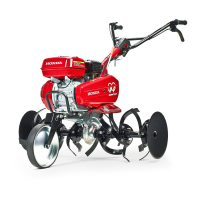
The tilling width is factory-set at the wide position. Remove the outer
rotary to narrow the tilling width.
Equalize the space difference between the tilling width and the rear
wheel tread. Also equalize the space in the right and left sides.
As the reverse-spinning outer rotary is removed to narrow the tilling
width, the tilling is only in the normal direction of rotation.
Wear heavy gloves to protect your hands.
Carry out the adjustment with the tiller on the level ground and the
engine stopped.
Disconnect the spark plug cap to prevent an accidental start-up.
Set the front wheel ‘‘For transportation’’ (see page ).
Remove or install the outer rotary. Refer to page for removal,
page for installation.
Set the front wheel at a condition other than ‘‘For transportation’’,
and ground the rotary (see page ).
Alter the rear wheel tread to adjust to the tilling width (see page ).
1.
2.
3.
4.
23
48
50
23
25


 To Next Page