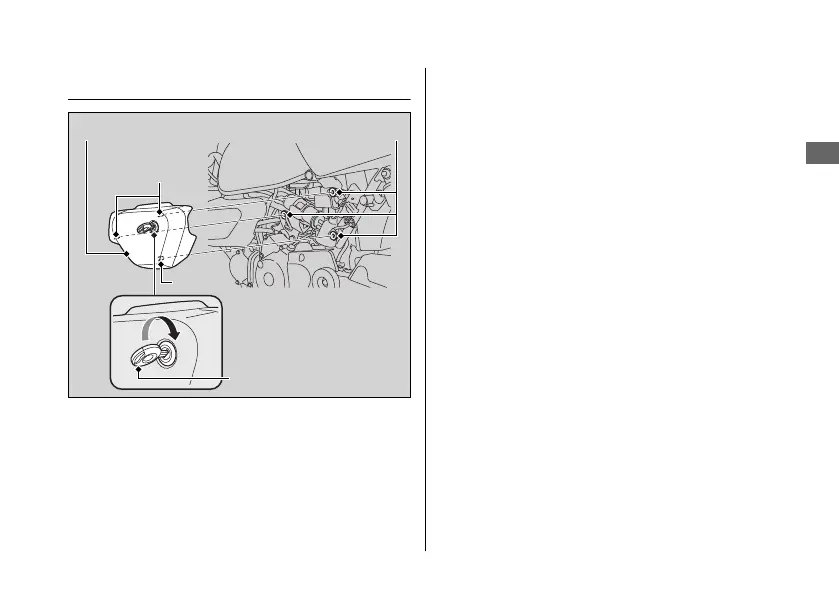
Left Side Cover
#
Removal
1.
Insert the ignition key into the lock.
2.
Carefully pull the left side cover out from
the grommets while turning the ignition
key clockwise.
#
Installation
1.
Align the prongs with the grommets.
2.
Push the left side cover into position while
turning the ignition key clockwise.
u Make sure that the left side cover is
locked securely in position by pulling it
lightly.
3.
Remove the ignition key.
Removing & Installing Body Components u Left Side Cover
Maintenance
55
Left side cover
Ignition key
Grommets
Prongs
Prong











 To Next Page