▲
▼−
−
−
CONTINUED
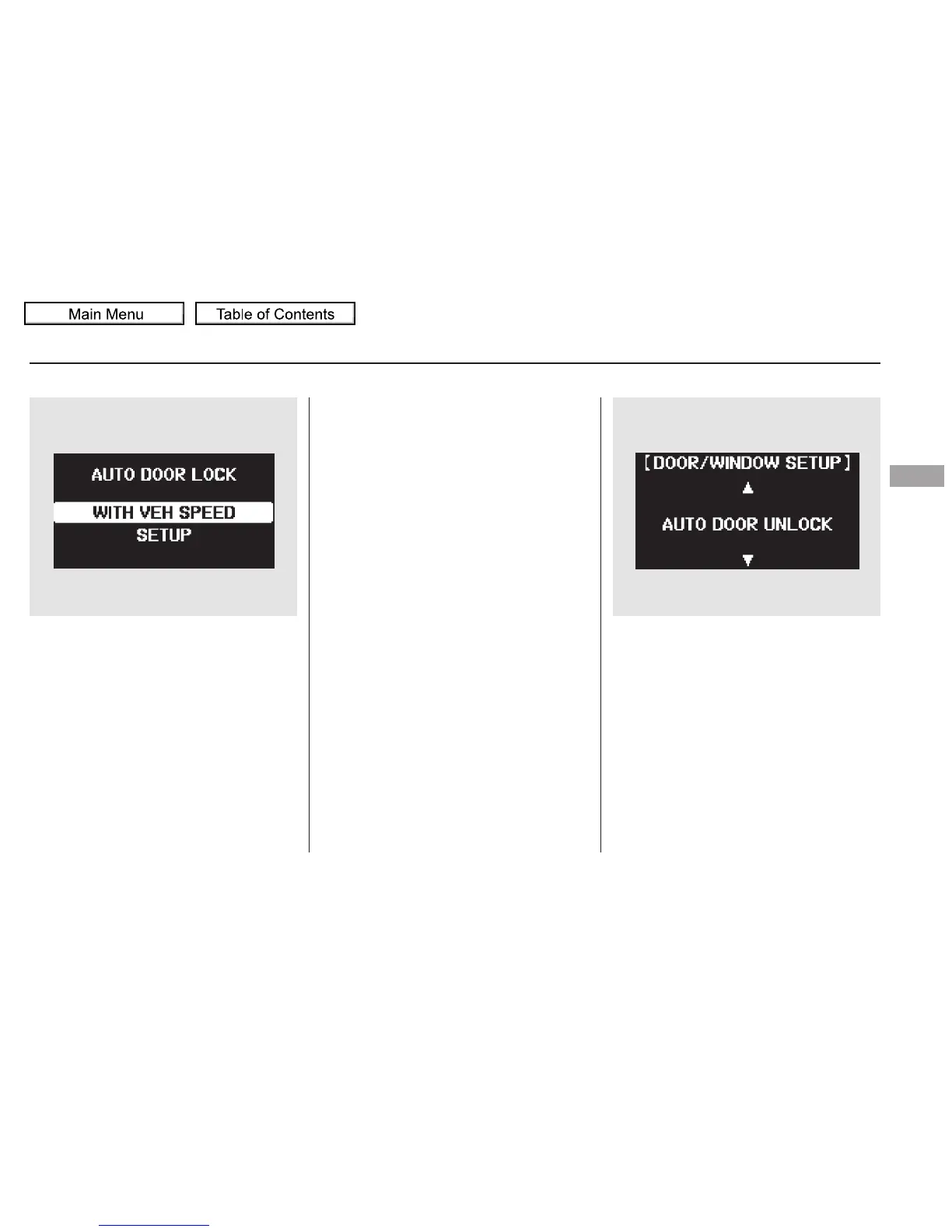
Auto Door Unlock
There are three settings you can
choose from:
You can choose this item to
customize from ‘‘DOOR/WINDOW
SETUP’’ by pressing the INFO ( /
) button repeatedly.
When your selection is successfully
completed, the display changes as
shown above, and then goes back to
the customize item screen.
If the ‘‘SETTING INCOMPLETE’’
message appears, go back to ‘‘AUTO
DOOR LOCK’’ and repeat the
procedure again.
OFF The auto door unlock mode
is deactivated all the time.
SHIFT TO P The driver’s door or
all the doors, depending on your
selection in the next step, unlock
when you move the shift lever to
Park.
IGN OFF The driver’s door or all
the doors, depending on your
selection in the next step, unlock
when you turn the ignition switch to
the LOCK (0) position.
Multi-Information Display
Instruments and Controls
117
10/01/26 18:43:19 31SZA620_122





 To Next Page