−
−
+
−
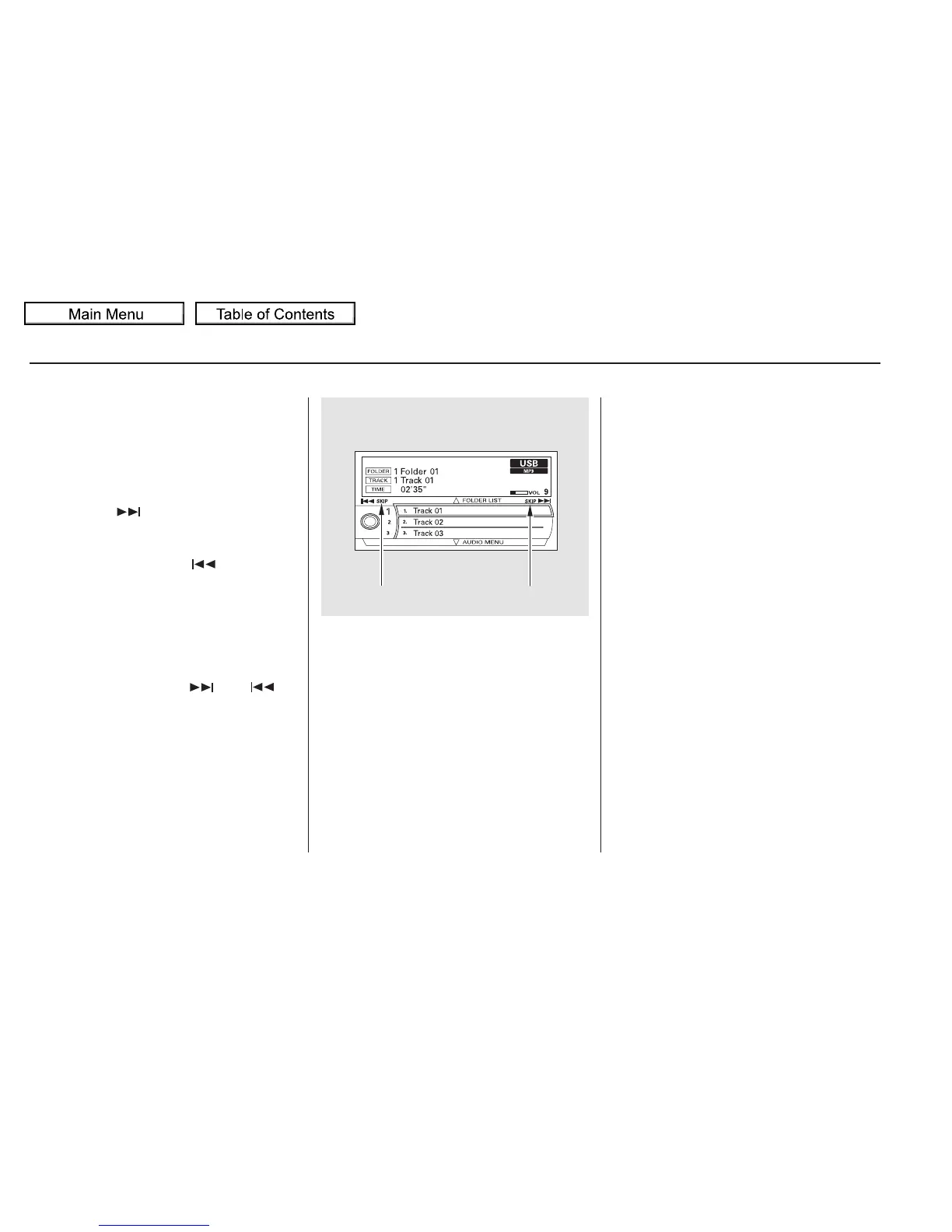
You can also change files with the
interface dial. Press the AUDIO
button to show the audio control
display on the navigation screen.
Push the selector knob to the right
side to skip to the beginning of the
next file, and to the left side to skip
to the beginning of the current file.
Pushing it to the left again skips to
the beginning of the previous file.
Use the SKIP bar or button while a
USB flash memory device is playing
to select passages and change files.
Each time you press and
releasethe sideoftheSKIPbar
or button, the system skips forward
to the beginning of the next file.
Press and release the side of
the bar or button, to skip backward
to the beginning of the current file.
Press it again to skip to the
beginning of the previous file.
To move rapidly within a file, press
andholdeitherside( or )
of the SKIP bar or button.
To select a
different folder, press and release
either side of the CATEGORY bar.
Press the side to skip to the next
folder, and press the side to skip
to the beginning of the previous
folder.
To Change or Select Files
Playing a USB Flash Memory Device (Models with navigation system)
SKIP
Folder Selection
302
SKIP DIRECTION SKIP DIRECTION
10/01/26 19:14:49 31SZA620_307








 To Next Page