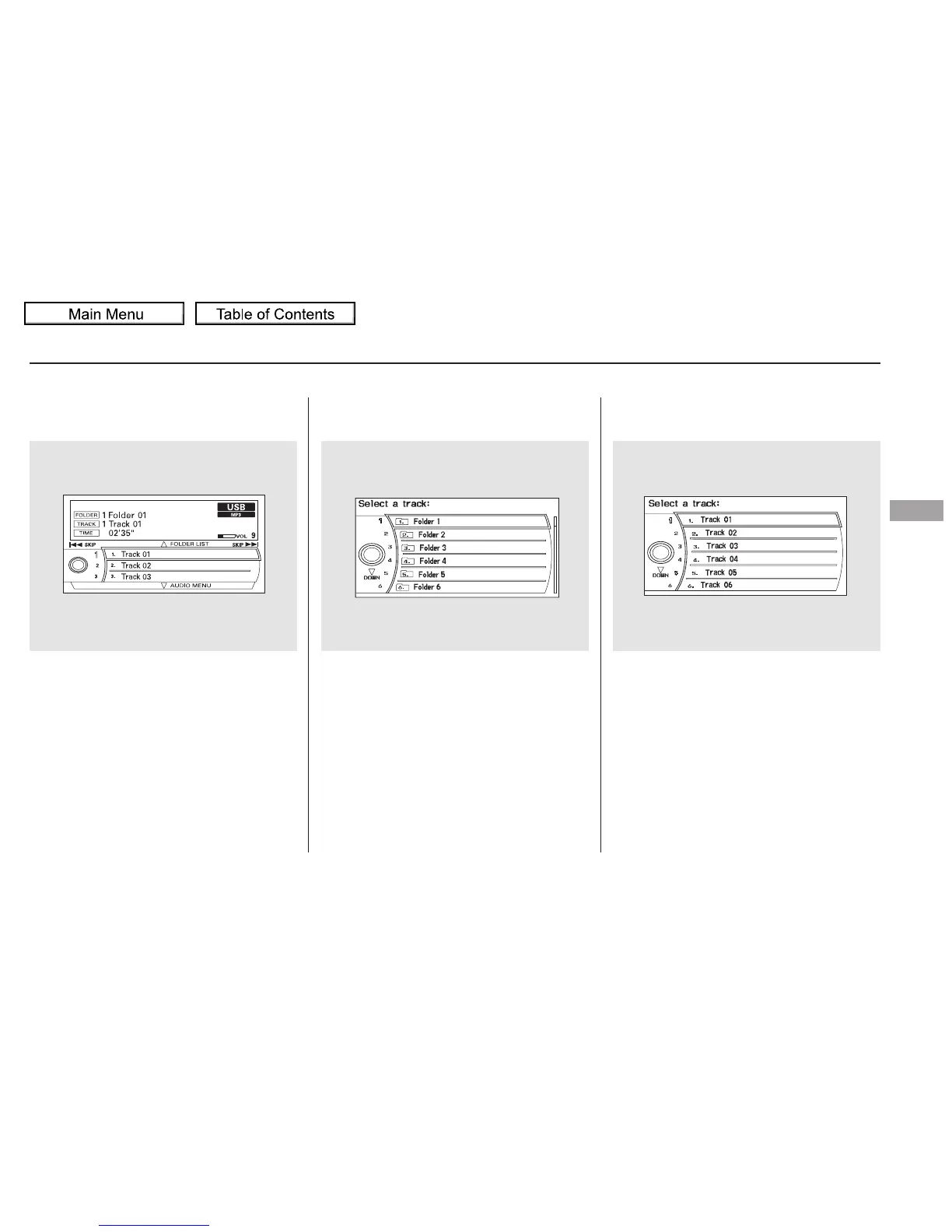
Push up the selector on the interface
dial to switch the display to the
folder list, then turn the knob on the
interface dial to select a folder.
Press ENTER to change the display
to the file list, then turn the knob on
the interface dial to select a file.
Press ENTER to set your selection.
You can also select a folder or file
fromthelistbyusingtheinterface
dial. Press the AUDIO button to
show the audio control display on the
navigation screen. To go back to the normal play
display, press the AUDIO button.
Pressing the CANCEL button goes
back to the previous screen and
pressing the MAP/GUIDE button
cancels the audio mode display.
CONTINUED
To Select a File from Folder and File
Lists
Playing a USB Flash Memory Device (Models with navigation system)
Features
303
10/01/26 19:15:00 31SZA620_308






 To Next Page