▲▼
CONTINUED
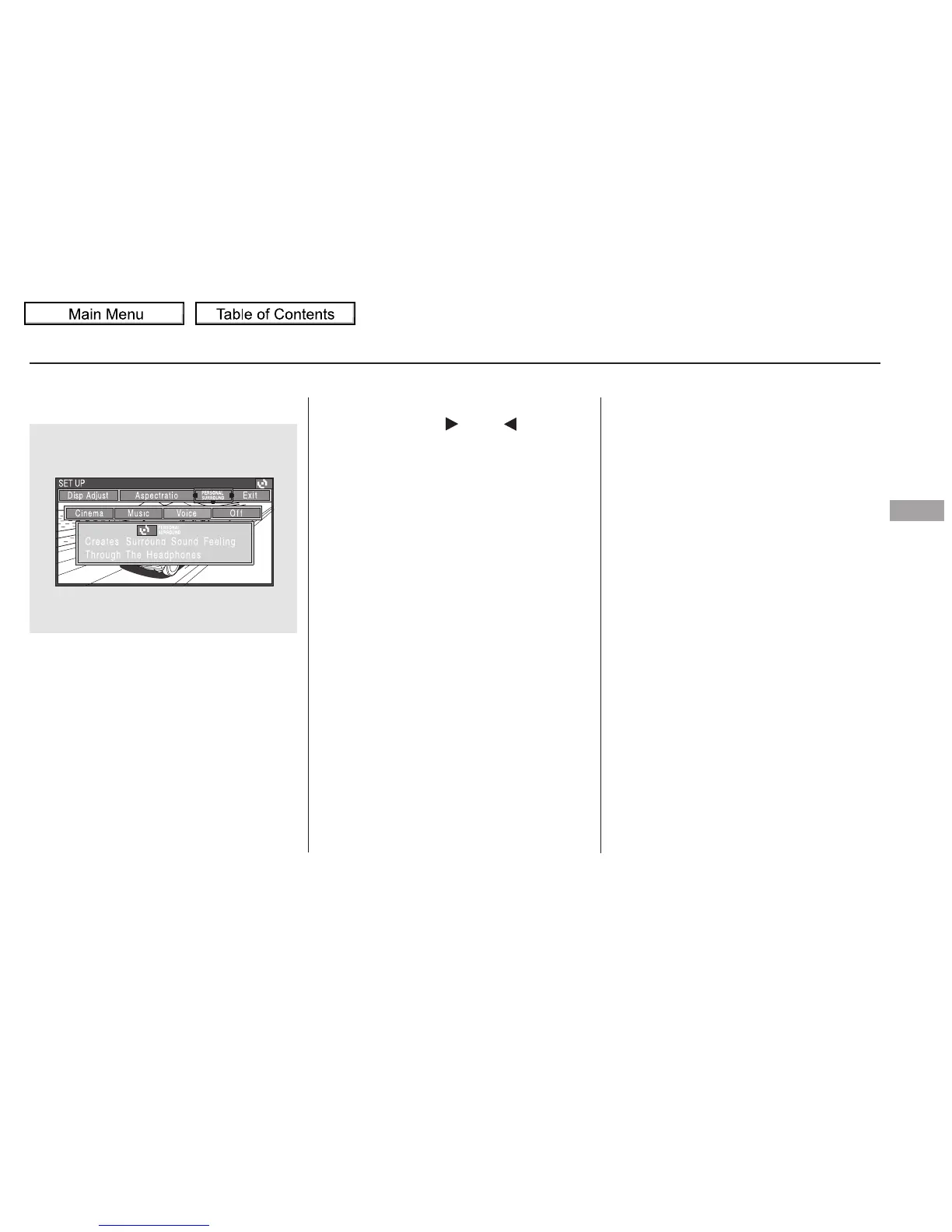
To change the Personal Surround
setting, highlight ‘‘PERSONAL
SURROUND’’ from the setup menu
with the or button and
press the ENT button. The effect
selection appears.
If you select ‘‘Off,’’ the logo
disappears, and there will be no
special sound effect.
Select ‘‘Cinema,’’ ‘‘Music,’’ or ‘‘Voice’’
by pressing the or button,
and enter your selection by pressing
the ENT button. The ‘‘PERSONAL
SURROUND’’ logo is displayed in
the upper right corner of the screen.
Personal Surround
Rear Entertainment System
Features
333
10/01/26 19:19:57 31SZA620_338














 To Next Page