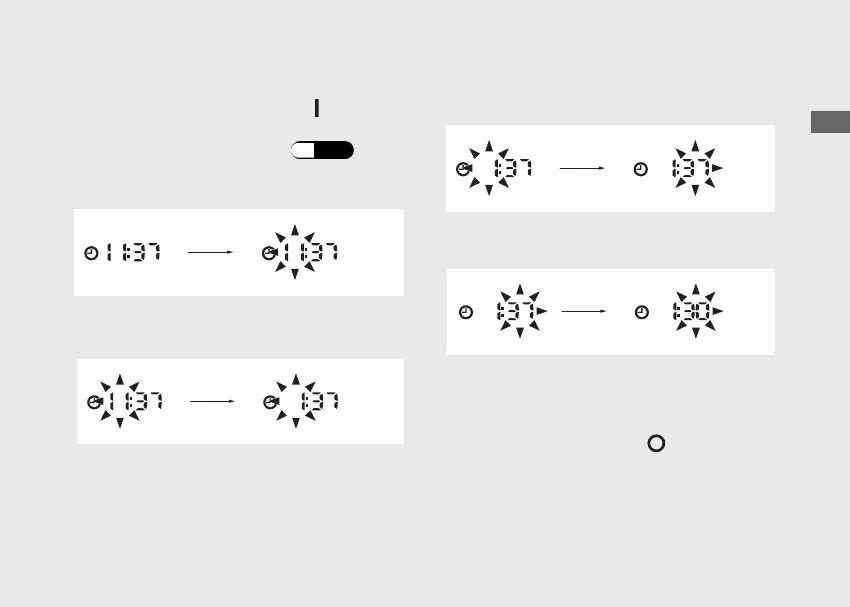
To set the clock :
a
Turn the ignition switch to the (On)
position.
b
Select the Total odometer. (P.26)
c
Press and hold the MODE button until the
hour digits start flashing.
d
Press MODE button until the desired hour is
displayed.
e
Press and hold MODE button. The minute
digits start flashing.
f
Press MODE button until the desired minute
is displayed.
g
Press and hold MODE button until the
display stops flashing. The clock is set.
u The time can also be set by turning the
ignition switch to the (Off) position.
u The display will stop flashing
automatically and the adjustment will be
cancelled if the button is not pressed for
about 30 seconds.
20230106100355_32K2FD100_eng_BOOK Page 30 Friday, January 06 2023 10:07:46 JST
Operation Guide
27



 To Next Page