Home
Quick Start Guide
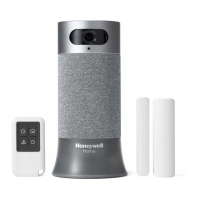
SMART HOME
SECURITY
Select “Add new device” from menu.
Choose “Smart Home Security”
App Setup Process
N
E
X
T
3
4
Follow instructions in the app
to configure your system.
1
Download Honeywell Lyric app
2
Create account or log in to
existing account
App will provide all
information on how to install
Pair Sensors
Install app
Power Base Station
The Honeywell Lyric app will be used
to guide you through placing and
configuring your new system.
See steps 1-4 to get started.
Place Base Station near power
outlet and at least 6 ft away from
router. Do not use an extension
cord to power your device. Plug in
to power up.
(Operating temp: 32°F - 104°F)
Connect Access Sensors to the Base
Station. The app will guide you through
placing and configuring your system
accessories.
Get Started
yourhome.honeywell.com

 To Previous Page
 Loading...