
 Need help?
Do you have a question about the Honeywell Home PROA7PLUS Series and is the answer not in the manual?
Explains the meaning and significance of the system's status LEDs.
Guide to navigating the system's menu structure and interface.
Details the meaning and usage of various function icons on the interface.
Describes the icons used for emergency panic functions.
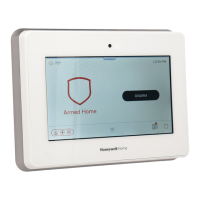
Overview of the system's physical input devices like keypads and touchscreens.
Details the system's behavior and notifications when arming.
Explains the functionality of automatic disarming via Bluetooth devices.
Step-by-step instructions for bypassing specific security zones.
Instructions on how to activate different types of panic alarms.
How to view system alerts and clear resolved issues.
Guide to accessing and configuring panel options like sound, brightness, and screen.
Overview of menu categories including Favorites, Devices, Sensors, and Settings.
Instructions for adding automation devices to a Favorites list.
Details on managing and configuring Z-Wave devices and modes.
Viewing sensor details and configuring chime sounds for sensors.
Instructions for connecting the system to Wi-Fi networks.
Guide to managing user access, codes, and permissions.
Accessing system diagnostics, information, and running tests.
Detailed steps for conducting weekly system operational tests.
Explanation of the functions assigned to each button on the wireless key fob.
 General
| Brand | Honeywell Home |
|---|---|
| Model | PROA7PLUS Series |
| Category | Security System |
| Language | English |





 To Next Page