EasyManua.ls Logo

Honeywell 1-Heat/1-Cool - TH5110D1022 Large R - User Manual

Honeywell 1-Heat/1-Cool - TH5110D1022 Large R
28 pages
Print Icon
To Next Page IconTo Next Page
Loading...
OPERATING INSTRUCTIONS
Patents Pending
® U.S. Registered Trademark
© 2004 Honeywell International Inc.
All Rights Reserved
69-1713
Operating Instructions
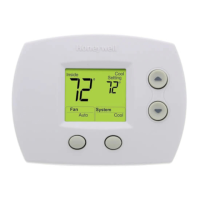
TH5110D
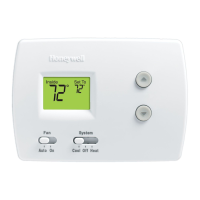
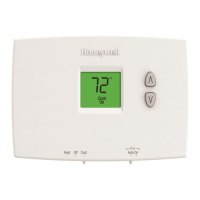
Non-programmable Thermostat
The TH5110D Thermostat provides electronic control of 24 Vac single-
stage heating and cooling systems or 750 mV heating systems.
For assistance with your Honeywell product please visit
www.honeywell.com/yourhome
or call Honeywell Customer Care
toll free at 1-800-468-1502.
Read and Save these Instructions
69-1713.fm Page 1 Tuesday, June 8, 2004 10:33 AM

Questions and Answers

  • N
    nguyenmatthewJul 29, 2025
    Why is my Honeywell 1-Heat/1-Cool - TH5110D1022 Large R display blank?
    • D
      deborah08Jul 29, 2025
      If your Honeywell Thermostat display is blank, there might be a few reasons. First, check the circuit breaker to ensure it hasn't tripped. Also, verify that the power switch for your heating or cooling system is turned on. Make sure the furnace door is securely closed. If your thermostat uses batteries, ensure that fresh AAA alkaline batteries are correctly installed.
  • K
    kpetersonAug 2, 2025
    What to do if my Honeywell 1-Heat/1-Cool - TH5110D1022 Large R Thermostat heating system does not turn on?
    • L
      Lisa TranAug 2, 2025
      If your heating system isn't turning on, first, make sure the system is set to Heat by pressing the System button. Check that the heat temperature setting is higher than the room temperature and that “Heat On” is steadily displayed. Also, check the circuit breaker and the power switch for the heating/cooling system. Ensure the furnace door is closed securely. Wait five minutes to see if the heating system responds.
  • S
    Sarah WilliamsonAug 6, 2025
    What to do if my Honeywell 1-Heat/1-Cool - TH5110D1022 Large R cooling system does not turn on?
    • T
      Tyler SnyderAug 6, 2025
      If the cooling system isn't activating, set the system to Cool using the System button. Verify that the cool temperature setting is below the room temperature and that “Cool On” is steadily displayed. Check the circuit breaker and the power switch for the heating/cooling system. Ensure the furnace door is securely closed. Allow five minutes for the cooling system to respond.
  • X
    xdanielsAug 11, 2025
    Why is “Heat On” flashing on my Honeywell 1-Heat/1-Cool - TH5110D1022 Large R Thermostat display?
    • J
      Jacqueline MillerAug 11, 2025
      If “Heat On” is flashing on your Honeywell Thermostat display (for heat pump systems only), the compressor minimum-off timer is active. Please wait up to five minutes for the heating system to turn on.
  • M
    Michael ColemanAug 15, 2025
    Why is “Cool On” flashing on my Honeywell Thermostat display?
    • A
      Allen Garcia MDAug 15, 2025
      If “Cool On” is flashing on the display, the compressor minimum-off timer is active. Allow up to five minutes for the cooling system to activate.
  • W
    wvillaAug 19, 2025
    Why “Heat On” is not showing on my Honeywell 1-Heat/1-Cool - TH5110D1022 Large R?
    • G
      Gregory HuntAug 20, 2025
      If “Heat On” isn't showing on your Honeywell Thermostat, set the System setting to Heat and ensure the temperature setting is above the current room temperature.
  • K
    Kenneth GibsonAug 25, 2025
    Why “Cool On” is not showing on my Honeywell Thermostat?
    • S
      smithelizabethAug 25, 2025
      If “Cool On” isn't displayed on your Honeywell Thermostat, make sure the System setting is set to Cool and the temperature setting is below the room temperature.

Summary

Features

Honeywell Thermostat Components

Thermostat Diagram and Buttons

Identifies physical parts and buttons of the thermostat for user interaction.

Thermostat Display Explanation

Explains the meaning of icons and text displayed on the thermostat screen.

Operating Your Honeywell Thermostat

Setting the System Mode

Instructions for selecting heating, cooling, auto, or off modes on the thermostat.

Configuring Fan Operation

Guide to choosing between automatic and continuous fan operation modes.

Adjusting Temperature Settings

Steps to adjust the desired heating or cooling temperature setpoints.

Replacing Honeywell Thermostat Batteries

Battery Replacement Procedure

Step-by-step instructions for safely replacing the thermostat's batteries.

Honeywell Thermostat Battery Tips

Honeywell Thermostat Compressor Protection

Honeywell Auto Changeover Feature

Enabling Auto Changeover Mode

How to set the thermostat system to utilize the Auto Changeover mode.

Setting Auto Temperature Levels

Steps for setting distinct heat and cool temperatures when in Auto mode.

Honeywell Thermostat Replacement Parts

Troubleshooting Honeywell Thermostat Issues

Resolving Display and System Errors

Solutions for blank displays or when heating/cooling systems fail to respond correctly.

Understanding System Status Lights

Interpreting "Heat On" or "Cool On" indicators and troubleshooting related system behavior.

Honeywell Customer Assistance and Support

Honeywell Thermostat Limited Warranty

Honeywell 1-Heat/1-Cool - TH5110D1022 Large R Specifications

General IconGeneral
BrandHoneywell
Model1-Heat/1-Cool - TH5110D1022 Large R
CategoryThermostat
LanguageEnglish

Related product manuals