EasyManua.ls Logo

Honeywell Chronotherm T8665A - User Manual

Honeywell Chronotherm T8665A
12 pages
Print Icon
To Next Page IconTo Next Page
Loading...
® U.S. Registered Trademark
Copyright © 2002 Honeywell • • All Rights Reserved
INSTALLATION INSTRUCTIONS
69-1535-3
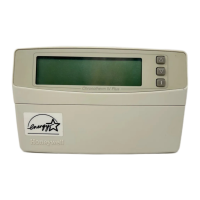
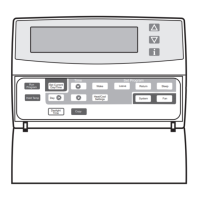
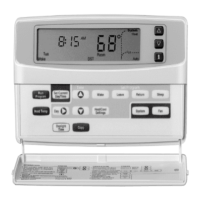
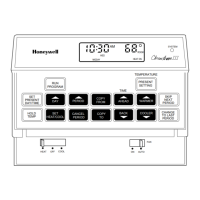
T8665A Chronotherm
®
IV
Deluxe Programmable
Wireless Thermostat
APPLICATION
The T8665 Chronotherm® IV Wireless Thermostat
provides electronic control of 24 Vac heating and cooling
systems. It must be used with a W8665 Receiver
Module. Refer to Table 1 for a general description of the
thermostat. The T8665A Thermostats are battery-
powered.
MERCURY NOTICE
If this control is replacing a control that contains
mercury in a sealed tube, do not place your old
control in the trash.
Contact your local waste management authority
for instructions regarding recycling and the
proper disposal of the old thermostat.
INSTALLATION
Accessory Required (Not Included)
Select one of the receiver modules for your application:
W8665A Receiver Module (RM) for single zone
applications.
W8665E RF Zone™ Panel for up to three zones.
When Installing this Product...
1. Read these instructions carefully. Failure to follow
the instructions can damage the product or cause
a hazardous condition.
2. Check the ratings given in the instructions and on
the product to make sure the product is suitable for
your application.
3. Installer must be a trained, experienced service
technician.
4. After completing installation, use these instructions
to check out the product operation.
Location
Install the thermostat about 5 ft (1.5m) above the floor in
an area with good air circulation at average temperature.
See Fig. 1.
Do not install the thermostat where it can be affected by:
drafts, or dead spots behind doors and in corners.
hot or cold air from ducts.
radiant heat from sun or appliances.
concealed pipes and chimneys.
unheated (uncooled) areas such as an outside wall
behind the thermostat.
Wallplate Installation
The thermostat can be mounted horizontally on the wall.
1. Position and level the wallplate (for appearance
only). The thermostat functions correctly even
when not level.
2. Use a pencil to mark the mounting holes. See Fig.
2.
3. Remove the wallplate from the wall and drill two
3/16 in. holes in the wall (if drywall) as marked. For
firmer material such as plaster, drill two 7/32 in.
holes.
4. Gently tap anchors (provided) into the drilled holes
until flush with the wall.
5. Position the wallplate over the holes.
6. Loosely insert the mounting screws into the holes.
7. Tighten the mounting screws.
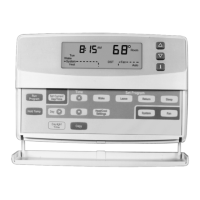
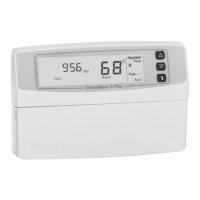
Table 1. T8665A Thermostat Description.
T8665 System Changeover System Selection Fan Selection Comments
A Heat-Cool Automatic Heat-Off-Cool-Auto On-Auto System and fan
selections are entered at
keyboard.

Questions and Answers

  • D
    Dr. Donna RoseJul 28, 2025
    Why is my Honeywell Thermostat heating not working?
    • M
      Mary WilsonJul 28, 2025
      Several factors could be preventing your Honeywell Thermostat from activating the heat. First, ensure the system selection is set to 'Heat'. Also, the thermostat might be in a minimum off time mode; wait up to five minutes to see if the system responds. Check that the heating setpoint is set higher than the current room temperature. If a flame icon is displayed, troubleshoot the W8665 Receiver Module or the heating equipment. If no flame icon is displayed, raise the heating setpoint above room temperature or verify the W8665 is set up to receive signals from your thermostat.
  • C
    Colton PowellAug 1, 2025
    Why is my Honeywell Chronotherm T8665A cooling not turning on?
    • T
      tjacksonAug 2, 2025
      Several reasons may prevent your Honeywell Thermostat from activating the cooling. Ensure the system selection is set to 'Cool'. The thermostat may be in a minimum off time mode, so wait up to five minutes for the system to respond, or reconfigure the minimum off time in Installer Setup number 33. Check that the cooling setpoint is set below the current room temperature. If a snowflake icon is displayed, troubleshoot the cooling equipment or the W8665 Receiver Module. If no snowflake icon is displayed, verify the W8665 is set up to receive signals from the thermostat.
  • L
    Lisa SchaeferAug 5, 2025
    How to fix a Honeywell Chronotherm T8665A Thermostat with a blank display?
    • C
      Claudia WatsonAug 6, 2025
      If your Honeywell Thermostat display is blank, it's likely a power issue. Check if the batteries are present and installed correctly. If they are, try replacing them. If the display remains blank after replacing the batteries, replace the thermostat.
  • M
    Michael CainAug 10, 2025
    Why is the temperature wrong on my Honeywell Chronotherm T8665A Thermostat?
    • G
      Gloria FergusonAug 10, 2025
      An incorrect temperature display on your Honeywell Thermostat could be due to a few reasons. The room temperature display may have been reconfigured, so enter Installer Setup number 37 to reconfigure it. Alternatively, the thermostat might be configured for the wrong temperature scale (°F or °C); adjust this in Installer Setup number 14. Finally, the thermostat's location could be a factor; consider relocating the thermostat to a better spot.
  • M
    morgan51Aug 14, 2025
    What to do if my Honeywell Thermostat temperature settings won't change?
    • M
      Mrs. Jill SmithAug 15, 2025
      If you're unable to adjust the temperature settings on your Honeywell Thermostat, it could be due to temperature limits or setpoint stops. Check that your desired heating setting is within 40 to 90°F (4.5 to 32°C) and cooling is within 48 to 99°F (7 to 35°C). Also, check Installer Setup numbers 34 and 35 to reconfigure the setpoint stops, if necessary.
  • E
    Edward BeardAug 19, 2025
    Honeywell Chronotherm T8665A on but no air coming out, what's wrong?
    • T
      Tracie HunterAug 19, 2025
      If your Honeywell Thermostat's system on indicator is displayed but no warm or cool air is coming from the registers, the fan operation might be incorrectly set for conventional heat instead of electric heat; reconfigure the fan operation in Installer Setup number 2. If you have conventional heating equipment, wait a minute after seeing the on indicator, then check the registers. It is also possible that the heating or cooling equipment is not operating; verify its operation in self-test.
  • J
    Jane ReedAug 23, 2025
    Why is my Honeywell Thermostat backlight dim?
    • S
      Sharon StarkAug 25, 2025
      A dim backlight on your Honeywell Thermostat often indicates that the batteries are weakening. Wait until the Replace Battery indicator illuminates and then replace the batteries. Alternatively, you can replace the batteries immediately.

Summary

Product Application and Installation Overview

MERCURY NOTICE

Important notice regarding the disposal of mercury-containing thermostats.

INSTALLATION INSTRUCTIONS

Instructions for installing the T8665A Chronotherm IV Wireless Thermostat.

Accessory Required (Not Included)

Details on essential accessories needed for installation.

Thermostat Location Guidelines

Guidance on selecting the optimal placement for the thermostat.

Wallplate Installation Procedure

Step-by-step instructions for mounting the wallplate.

Mounting the Thermostat

Thermostat Operation and Setup

Using Thermostat Keys

Explanation of the functions of each key on the thermostat.

Setting up Signal Transmission to Receiver

Steps to configure the thermostat to communicate with the receiver module.

Single Zone Setup

Procedure for setting up a single T8665A with a W8665A receiver.

Multizone Setup

Procedure for setting up multiple T8665A units with a W8665E panel.

Thermostat Settings Configuration

System and Fan Settings Configuration

How to adjust system mode (Heat/Cool/Auto) and fan operation.

Programmed Temperature Settings

Default temperature schedules for Wake, Leave, Return, and Sleep periods.

Installer Setup Configuration

Installer Setup Safety Caution

Important warning regarding system compatibility during setup.

Installer Setup Important Notes

Key considerations and notes for performing installer setup.

Setting Current Day and Time

Timer Settings Management

Viewing and Resetting Timer Settings

How to view and reset active timers on the thermostat.

Installer System Test Procedure

Installer System Test Safety Caution

Warning about potential compressor damage during system tests.

Installer System Test Notes

Instructions for navigating and exiting the system test.

Thermostat Information Display

Troubleshooting Guide

FCC Compliance Statement

Honeywell Chronotherm T8665A Specifications

General IconGeneral
Schedule7-Day Programmable
TypeProgrammable
Power Source24 VAC
Display TypeLCD
CompatibilitySingle Stage Heating and Cooling Systems
Stages1
DisplayDigital
Voltage24VAC
Hold FeatureYes

Related product manuals