EasyManua.ls Logo

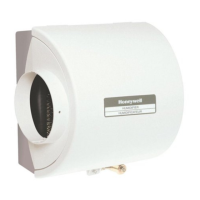
Honeywell HE280 - User Manual

Honeywell HE280
40 pages
Print Icon
To Next Page IconTo Next Page
Loading...
69-2685ES-01
INSTALLATION GUIDE/OWNER’S MANUAL
HE240, HE280
Humidifier and
Installation Kit
M33322
SAVE THIS DOCUMENT
FOR FUTURE REFERENCE
69-2685ES_A.book Page 1 Friday, March 9, 2012 11:57 AM

Other manuals for Honeywell HE280

Questions and Answers

  • M
    Mr. Raymond WolfeAug 6, 2025
    What to do if my Honeywell HE280 Humidifier is leaking water?
    • C
      chelsea44Aug 6, 2025
      If your Honeywell Humidifier is leaking water, the issue could be leaking joints. Shut off the water supply and tighten the connections. Also, verify that brass tubing inserts are used. Another potential cause is a leaking saddle valve; ensure the rubber pad is installed on the saddle valve.
  • D
    david20Aug 11, 2025
    Why is my Honeywell Humidifier not producing enough humidity?
    • T
      Tiffany MendozaAug 11, 2025
      If your Honeywell Humidifier isn't producing enough humidity, consider the following: * Ensure the furnace blower is operating correctly by checking the circuit breaker, power, wiring, humidity control setting, and pressure switch tubing. If issues persist, contact a professional heating contractor. * Minimize drafts by keeping doors and windows closed, closing the fireplace damper when not in use, minimizing exhaust fan operation, and sealing around doors and windows. * Check that the damper is set to the 'winter' position to enable humidification.
  • C
    christensendawnAug 16, 2025
    Why is my Honeywell HE280 producing low humidity?
    • Z
      zphillipsAug 16, 2025
      Several factors can cause low humidity with your Honeywell Humidifier. The furnace blower might not be operating, so check the circuit breaker or fuse, ensure the furnace power is on, verify wiring connections, check the humidity control setting, and inspect the pressure switch tubing. Rapid air changes and drafts can also contribute, so keep doors and windows closed, close the fireplace damper when not in use, minimize exhaust fan running time, and seal around doors and windows. Finally, ensure the damper is set to the "winter" position to allow humidification.
  • L
    larrygordonAug 21, 2025
    How to fix air leakage in Honeywell Humidifier?
    • A
      Allison Crawford DDSAug 21, 2025
      To fix air leakage in your Honeywell Humidifier, check duct joints and seal them with foil tape.
  • B
    Benjamin ShannonAug 26, 2025
    Why is there no water draining from my Honeywell HE280 Humidifier?
    • D
      David HooperAug 26, 2025
      If there is no water draining from your Honeywell Humidifier, several components need checking. Start by verifying the control circuit wiring and all connections. Then, turn the humidistat up and down to listen for a clicking sound. Confirm the outlet has power, and if other wiring components are okay, turn on the furnace fan and listen for the solenoid to click while adjusting the humidistat. Check the plumbing connections for kinks. Ensure the saddle valve pierces the water line and is open. Remove the humidifier cover to check if water flows into the distribution tray. Finally, verify the drain tubing is free from obstructions.
  • E
    Emily SmallAug 31, 2025
    What to do if my Honeywell HE280 is causing high humidity?
    • S
      Steve CruzAug 31, 2025
      If your Honeywell Humidifier is causing high humidity, which leads to condensation on walls, turn off the humidity control and water until the condensation evaporates. If you notice heavy condensation on windows, lower the humidity control to reduce moisture from activities like bathing or cooking. If the problem continues, you may need to improve ventilation.

Summary

Safety Information

Safety Definitions and Precautions

Explains hazard terms (Warning, Caution) and lists critical safety precautions for safe operation.

Welcome and Product Overview

Introduction and Benefits

Congratulates the user and outlines benefits of the humidifier for health, comfort, and home protection.

How Your Humidifier Works

Explains the principle of evaporation and how the humidifier circulates moist air.

Model Specific Features

Highlights specific features like water savings technology in the HE280 model.

Application Overview

Lists the components included in the installation kit.

Preparing for Installation

Included Accessories

Lists all accessories provided in the installation kit, detailing quantities and types.

Required Tools

Lists the necessary tools for installing the humidifier.

Determining Humidifier Location

Best Location for Humidifier

Provides guidance on selecting the optimal placement for the humidifier on the HVAC ductwork.

Typical Installation Locations

Illustrates common locations for humidifier installation on HVAC systems.

Humidistat Location and Electrical Outlet

Selecting Location for Humidistat

Details how to choose the best placement for the humidistat on the return plenum or wall.

Locating Closest 120 V Electrical Outlet

Guides users on finding or installing a suitable 120V power source for the humidifier.

Installation Procedure

Preparing the Duct Opening

Instructions for marking and cutting the opening in the duct using a template.

Disassembling the Humidifier

Steps to take apart the humidifier unit before mounting.

Mounting Humidifier and Bypass Duct

Installing Humidifier on Duct

Details on securing the humidifier housing to the prepared duct opening.

Cutting Bypass Opening

Instructions for cutting the opening for the bypass duct connection.

Connecting Bypass Ducting

Assembling Humidifier Side Plates

Steps to reassemble humidifier side plates for orientation.

Connecting and Securing Flex Duct

Guides on connecting and securing the bypass flex duct to the humidifier and ductwork.

Sealing Duct Connections

Instructions for sealing duct connections with foil tape for efficiency.

Connecting the Plumbing

Installing the Saddle Valve

Detailed steps for installing the self-piercing saddle valve to tap into the water supply.

Installing Feed Tubing

Instructions for connecting the feed water tubing from the saddle valve to the solenoid.

Plumbing and Pressure Switch

Installing Drain Tubing

Steps to connect the drain tube from the humidifier to the floor drain.

Connecting the Pressure Switch

Instructions for drilling a hole and connecting tubing for the pressure switch.

Pressure Switch Tubing Installation

Installing Pressure Switch Tubing

Details on inserting grommets, elbows, and connecting tubing to the pressure switch.

Installing the Humidistat

Mounting the Humidistat Base

Instructions for applying the template, securing the base bracket to the duct.

Connecting Humidistat Wires

Steps for connecting low-voltage wires to the humidistat leads.

Wiring the Controls

Wiring Diagram Overview

Presents wiring diagrams for connecting the solenoid valve, humidistat, and transformer for HE240 and HE280.

Connecting Wires to Controls

Step-by-step guide for connecting wires to the humidistat, humidifier, and transformer.

Testing and Operation

Testing Humidifier Operation

Checklist and steps to verify the humidifier is working correctly after installation.

Controlling Humidity Settings

Explains how to use the H8908 Humidistat and adjust settings based on temperature and activities.

Maintenance and Settings

Setting Your Humidistat

Provides a table correlating outdoor temperature with recommended humidistat control settings.

Maintaining Your Humidifier

Outlines the annual procedure for cleaning the humidifier, including pad replacement.

Humidifier Cleaning and Pad Replacement

Cleaning Your Humidifier

Detailed steps for flushing, cleaning, and reassembling the humidifier for maintenance.

Replacement Humidifier Pads

Information on when and how to replace humidifier pads, including part numbers.

Seasonal Operation and Troubleshooting

Vacation Mode

Instructions on how to prepare the humidifier for vacation and return.

Start of Humidification Season

Steps to bring the humidifier back to normal operation at the start of the season.

Troubleshooting Humidifier Issues

A table listing common problems, what to look for, and recommended solutions.

Troubleshooting Humidifier Issues (Continued)

Low Humidity Troubleshooting

Addresses issues causing low humidity and their corrective actions.

High Humidity Troubleshooting

Covers causes of high humidity and steps to resolve condensation issues.

Limited One-Year Warranty

Warranty Coverage

Details the warranty period, what is covered, and limitations for the product.

Warranty Contact Information

Provides contact details for customer care regarding warranty questions.

Honeywell HE280 Specifications

General IconGeneral
BrandHoneywell
ModelHE280
CategoryHumidifier
LanguageEnglish

Related product manuals