TIE-WRAP
POINT
WIRE
ROUTING
TUNNELS
TIE WRAP
NOTE
ENSURE ALL WIRING
IS ROUTED THROUGH
WIRE STRAIN
RELIEF CLIP
WIRE STRAIN
RELIEF CLIP
TIE WRAP
MOUNT
CABLE
P/N 600-00151
CABLE
P/N 600-00151
OR
LYNXGSMEXTCB-005-V0
Figure 2. LYNXR PLUS Cable Routing
Connecting the GSMV and 7845GSMR
Power for the GSMV or 7845GSMR is provided by the LYNX Series Control. Do not install the battery in the
GSMV or 7845GSMR. Connecting the battery will significantly decrease the backup battery life of the LYNX
Series controls.
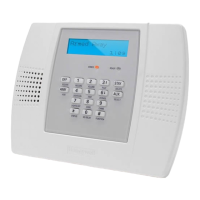
1. Connect the connector of the cable (P/N 600-00151) to the communications port on the LYNX PLUS, LYNXR-I or
LYNXR-2 as in Figure 3. For the LYNX PLUS ensure that the cable is properly routed as shown on Figure 2.
2. Connect the four stripped wires from cable (P/N 600-00151) to the GSMV or 7845GSMR as shown in Figure 3.
3. Connect a jumper wire between Terminal 2 and 3 on the GSMV or 7845GSMR as shown in Figure 3.
LYNXR-I /
LYNXR-2
SERIES
7845GSMR
OR
GSMV
GSM/GSML
Port
LYNXGSMEXTCB-006-V0
TB 1
8765 111094321
BLACK
GREEN
RED
YELLOW
BLACK
GREEN
RED
YELLOW
Jumper
Wire
Yellow
Red
Green
CABLE
P/N 600-00151
2 3 41
1110
LYNX PLUS
Power Line
Carrier
Connector
Battery
Connectors
GSM/GSML
Port
Standard
Super Hi
SALCLASSIC
BLACK
GREEN
RED
YELLOW
CABLE
P/N 600-00151
ECP +
ECP In
GND
ECP Out
OR
Figure 3. 7845GSMR or GSMV Connections
Ê800-07760@Š
800-07760 10/10 Rev. A
2 Corporate Center Drive, Suite 100
P.O. Box 9040, Melville, NY 11747
Copyright © 2010 Honeywell International Inc.
www.honeywell.com/security


 To Previous Page
 Loading...