EasyManua.ls Logo

Honeywell Lynx Plus Series - User Manual

Honeywell Lynx Plus Series
64 pages
Print Icon
To Next Page IconTo Next Page
Loading...
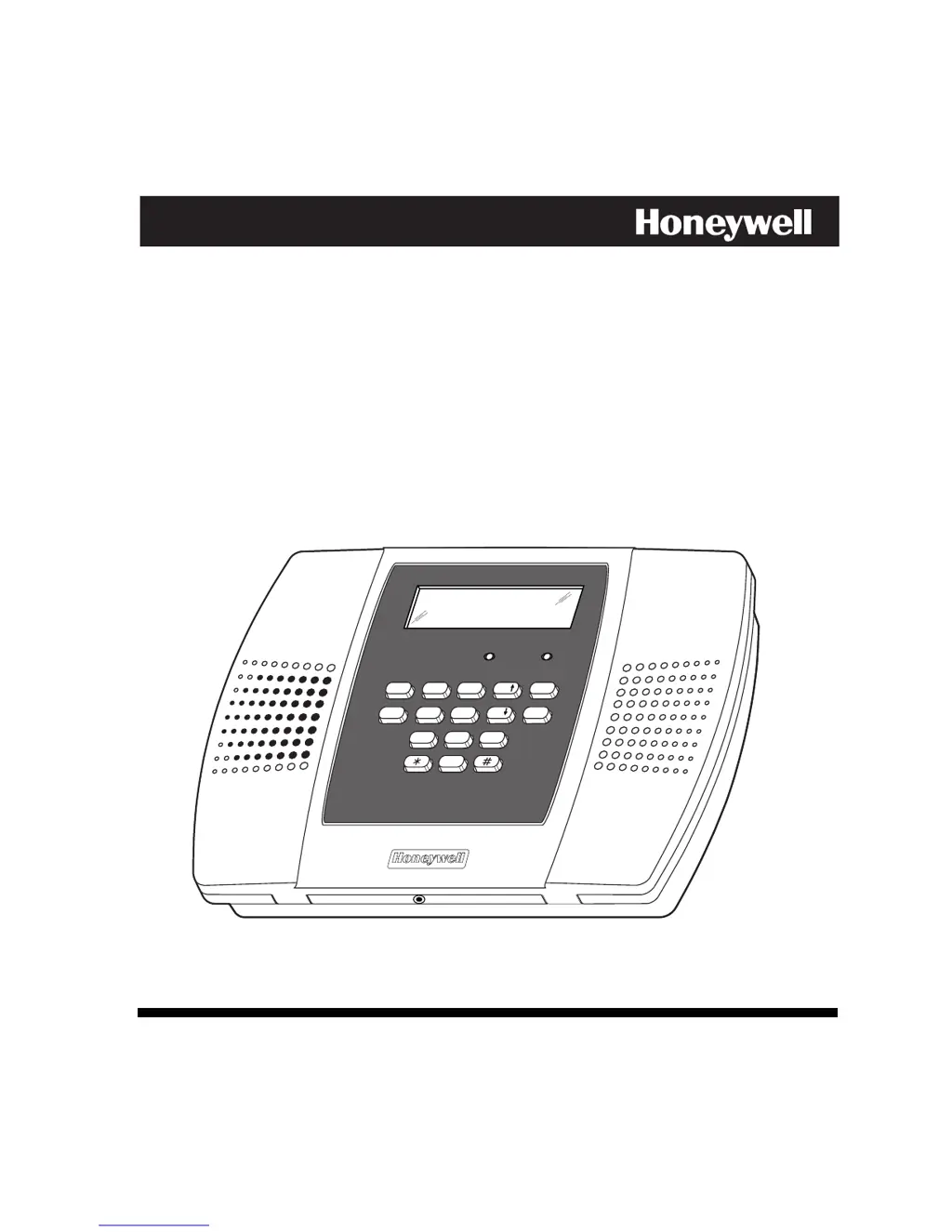
Lynx Plus Series
Security System
User Guide
BYPASS
NO DELAY
RECORD
TEST
FUNCTION
STATUS
VOLUME
PLAY
CODE
LIGHTS ON
LIGHTS OFF
CHIME
ESCAPE
ADD
DELETE
SELECT
OFF
STAY
132
AWAY
AUX
4 65
ARMED READY
7
9
8
0
800-03858 9/09 Rev. A

Other manuals for Honeywell Lynx Plus Series

Questions and Answers

  • T
    Tammy StephensAug 18, 2025
    Why is my Honeywell Security System keypad beeping?
    • W
      William LewisAug 18, 2025
      If your Honeywell Security System keypad is beeping periodically, it could be due to several reasons: * The system might be in Test mode. To exit, enter your code followed by OFF. * A transmitter low battery might have occurred and is being displayed. Enter your code followed by OFF and then replace the battery. * A supervision fault might have occurred. Check the indicated transmitter and restore communication to the receiver to cancel the condition. * The system battery might be low. Replace the system battery.
  • D
    Debbie BaileyAug 21, 2025
    What to do if I see a low battery message on my Honeywell Lynx Plus keypad?
    • A
      Anthony DunnAug 21, 2025
      If you are getting a low battery message on the keypad of your Honeywell Security System, it could be due to several reasons: * The system battery itself might be low or missing, in which case you should replace it. * The remote RF keypad/button battery may be low, so replace the battery in the RF keypad. * The transmitter for a specific zone might have a low battery, so replace the battery in the displayed transmitter. * A standard- or high-capacity battery might be connected to the wrong receptacle; ensure it is properly connected.
  • K
    Kimberly ReyesAug 23, 2025
    Why does my Honeywell Security System say 'No AC'?
    • R
      rcortezAug 23, 2025
      If the Honeywell Security System displays 'No AC', it could be due to an interrupted AC power supply. Check the transformer connection and the powerline circuit breaker to ensure they are functioning correctly.
  • R
    Robert PrattAug 26, 2025
    How to fix Honeywell Lynx Plus Security System when it does not arm properly and the READY light is not on?
    • P
      peter03Aug 26, 2025
      If the Honeywell Security System doesn't arm properly and the READY light is off, it's likely due to open or faulted zones. Inspect these zones and ensure they are intact. If you prefer, you can use Bypass arming to circumvent the faulted zones.
  • R
    reidbrianAug 27, 2025
    Why is the digital communicator message from my Honeywell Lynx Plus not being received?
    • J
      Jacob David PhDAug 28, 2025
      If the Honeywell Security System's digital communicator message is not being received, possible causes include: * The system is in Test mode, so remove it from Test mode. * The telephone connection isn't secure, so check all connections. * The digital communicator is malfunctioning; test with a different CONTROL PANEL. * The telephone number in the program requires a prefix or access code; program the prefix or access code into the CONTROL PANEL. * The telephone call to the central monitoring station requires operator assistance. Note that the system cannot work in this situation.
  • K
    Kayla ReevesAug 30, 2025
    What to do if my Honeywell Security System doesn't respond to keystrokes on the keypad?
    • E
      Elizabeth SimpsonAug 30, 2025
      If your Honeywell Security System doesn't respond to keystrokes on the keypad, it could be because: * 'CC' is displayed, meaning you should wait until the download session is finished. * 'd1' is displayed, meaning you should wait for initialization to finish, or bypass this time by pressing '#' + '0.'
  • C
    christopherbrownSep 1, 2025
    Why is my Honeywell Lynx Plus giving intrusion alarms for no apparent reason?
    • J
      Joshua ColemanSep 1, 2025
      If the Honeywell Security System is giving intrusion alarms for no apparent reason, it could be due to: * A protected door or window was opened while the system was armed. Check with all occupants of the protected home. * Improper user operation of exit/entry delays. Check the setting of entry and exit delays. * Magnets are located too far from switches, and/or doors and windows are not properly aligned. Check all openings for proper switch and magnet orientation.
  • E
    Elizabeth MitchellSep 3, 2025
    How to troubleshoot Honeywell Lynx Plus when the transmitter signal is not received at the control?
    • A
      athompsonSep 3, 2025
      If a transmitter signal is not being received at the control for your Honeywell Security System, consider the following: * The transmitter may not be properly powered, so check or change the transmitter's battery. * The transmitter might be located too far from the RF receiver, so move either the transmitter or the RF receiver. * There could be metal shielding between the transmitter and RF receiver. Check for large metal obstructions and relocate the transmitter if necessary. * The transmitter may be malfunctioning. Verify by activating the control with another, similar transmitter. If it works, return the defective transmitter. * The transmitter number (zone) may not be programmed. Verify the programming.
  • T
    Tyler CrossSep 5, 2025
    Why is my Honeywell Lynx Plus's detector alarming for no apparent reason?
    • E
      Edward RubioSep 6, 2025
      If your Honeywell Security System's detector alarms for no apparent reason, it could be due to: * Dust or dirt in the sensing chamber. Clean the unit's sensing chamber with a vacuum cleaner per the unit's instructions. * Improper location. See the unit's instructions for locations to avoid and relocate as necessary. * The unit malfunctioning. Replace the detector.
  • D
    Donald GriffinSep 8, 2025
    Why is my Honeywell Security System detector's siren sounding?
    • J
      Jennifer JamesSep 8, 2025
      If your Honeywell Security System's detector siren sounds, it could be due to: * The unit not receiving the required power. Check for proper installation of the battery. Try a new battery. * The unit malfunctioning. Replace the detector.

Summary

System Overview

False Alarm Prevention Features

Features designed to prevent false alarms, such as Exit/Entry Delays and Auto Stay.

General Operation

Explanation of zones, fire protection, burglary protection, security codes, and alarm signaling.

Quick View of System Functions

Remote Phone Control Operation

Commands for remote system control via phone.

Securing the Premises

Checking System Status

How to check the system's current status using the STATUS key.

Arming the System

Instructions for arming the system in Stay and Away modes.

Entry;Exit Delays

Explanation of Exit Delay and Entry Delay times for user convenience.

Disarming the System

How to disarm the system and silence alarms.

User Functions

Remote Phone Control Feature

How to access and control the system remotely via phone.

Fire Alarm System

General Information

How the fire alarm system operates and what to do in case of fire.

System Functions (Core Operations)

Security Codes

How to add, delete, or change user security codes.

Testing the System

How to enter and exit test mode to check system operation.

Trouble Messages

Explanations of common trouble condition displays and their meanings.

Insurance and Warnings

System Limitations and Warnings

Discussion of system limitations, potential compromises, and safety warnings.

Honeywell Lynx Plus Series Specifications

General IconGeneral
Wireless Frequency345 MHz
Control Panel TypeSelf-contained
ZonesUp to 40 zones
KeypadIntegrated
CommunicationPOTS, optional GSM, IP
Alarm SounderBuilt-in alarm sounder
Remote ControlYes, via Total Connect 2.0 app
KeyfobsSupports keyfobs
Siren Output95dB built-in siren
CompatibilityCompatible with Honeywell 5800 series wireless devices

Related product manuals