Need help?
Do you have a question about the Honeywell PM23c and is the answer not in the manual?
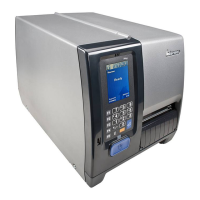
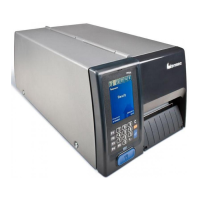
Introduces the PM23c, PM43, and PM43c printers, highlighting their rugged design and integrated interfaces.
Details the key features of the printers, including print speeds, interface ports, and supported command languages.
Provides instructions for connecting the printer to a power source and initiating the startup sequence.
Discusses thermal transfer ribbon usage, including how to determine winding and load it correctly.
Details the process of downloading and installing the necessary printer drivers on a PC.
Explains the methods for connecting the printer to a PC via serial, USB, or parallel cables.
Covers connecting the printer to a network using Ethernet or wireless interfaces.
Outlines the various methods available for configuring printer settings, including web page and menus.
Provides common printer issues, categorized by Print Quality, Networking, and RFID, with solutions.
Details methods to reset the printer to its factory default settings.
Guides on downloading and installing firmware updates to improve printer functionality and fix bugs.
Provides general guidelines and specific procedures for cleaning the printer's components.
 General
| Color | No |
|---|---|
| Print technology | Direct thermal |
| Maximum resolution | 203 x 203 DPI |
| Maximum print height | - mm |
| Maximum printing width | 56 mm |
| Certification | RoHS Compliant, CE (EN55022 Class A), FCC Class A, UL/cUL, D Mark and CCC |
| Internal memory | 128 MB |
| Built-in barcodes | 1D, 2D |
| Image formats supported | BMP, GIF, PCX, PNG |
| Page description languages | DP, DPL, IPL, ZPL II |
| Display | LCD |
| Control type | Touch |
| Product color | Gray |
| Backlight display | Yes |
| Wi-Fi | - |
| USB 2.0 ports quantity | 1 |
| Connectivity technology | Wired |
| Ribbon width | 61 mm |
| Ribbon length | 229 m |
| Maximum label width | 68 mm |
| Maximum roll diameter | 213 mm |
| Languages support | CHI (SIMPL), CHI (TR), DEU, ENG, ESP, FRE, ITA, KOR, POR, RUS |
| Storage temperature (T-T) | -20 - 70 °C |
| Operating temperature (T-T) | 5 - 40 °C |
| Operating relative humidity (H-H) | 20 - 80 % |
| AC input voltage | 100 - 240 V |
| AC input frequency | 45 - 65 Hz |
| Power consumption (standby) | 9 W |
| Harmonized System (HS) code | 84433210 |
 Weight and Dimensions
| Depth | 431.84 mm |
|---|---|
| Width | 205.5 mm |
| Height | 181 mm |
| Weight | 9500 g |

 To Next Page