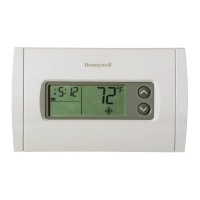
RTH221 1/8
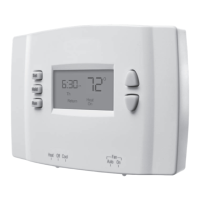
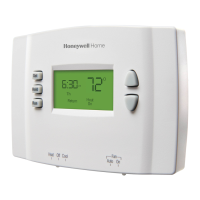
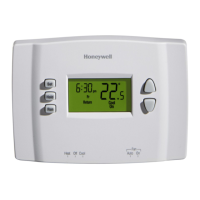
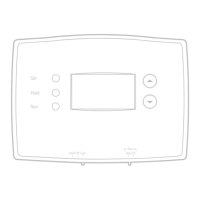
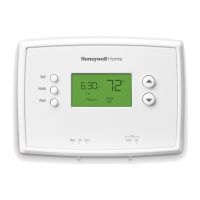
1.1 Controls
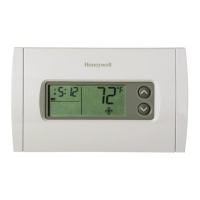
1.2 Display screen
1.3 Setting the clock
Press the Set button. The message Set Time will
appear on the screen and the time display will flash.
Press the or button to set the time.
Press the Run button to save the changes & exit.
(The changes are also saved if you do not press any
button for 60 seconds.)
NOTE: The clock has lost its settings when the time display flashes. If
the thermostat is following the programmed schedule, it will use the
temperature settings programmed for the Wake period until you re-
adjust the clock.
1.4 System switch
Use the System switch to place the system in one of the following
modes.
• Cool: System is in Cooling mode.
• Off: System is off.
• Heat: System is in Heating mode.
CAUTION: EQUIPMENT DAMAGE HAZARD
Do not use Cooling mode when the outdoor temperature
is below 50 °F (10 °C).
1.5 Fan switch
Use the Fan switch to select the fan operation.
• Auto: The fan runs only when heating or cooling is actually taking
place (commonly used setting).
• On: The fan runs continuously.
1.6 Temperature setting
Press the or button once to display the setpoint temperature.
Press either button more than once to change the setpoint.
The ambient (measured) temperature is normally displayed. To view
the setpoint temperature, press either of the temperature adjustment
buttons once. The setpoint temperature will appear for five seconds.
1.7 Built-in compressor protection
Your thermostat has a feature that helps prevent damage to the
compressor of your air conditioning system. Because damage can
occur if the compressor is restarted too soon after shutdown, this
feature forces the compressor to wait five minutes before restarting.
During the wait time, the message Cool On flashes on the screen.
When the safe wait time has elapsed, the message stops flashing
and the compressor turns on.
2.1 Using the schedule
Press the Run button to follow the programmed schedule. You can
have up to four periods in one day. Each period can be programmed
with a different temperature setting.
To program a period, you need to set its start time and its two
temperature settings (one when the thermostat is in cooling mode
and another one when it is in heating mode). The same period and
settings are repeated every day.
For maximum energy savings without sacrificing comfort, you can
program the schedule such that the temperature is at an economical
level when you sleep or are away during the day and at a comfortable
level when you are awake and at home.
2.2 Factory settings
Operation
1.
System switch
Fan switch
Temperature
adjustment buttons
Press to run (follow)
programmed schedule
Press to override schedule
and hold temperature
Press to set clock
or schedule
Temperature
Setpoint indicator
Appears when the setpoint
temperature is displayed.
Clock
Schedule period
Temporary schedule override
Permanent
schedule override
1
When Cool On is flashing, this means the compressor protection is engaged
(see section 1.7).
System status
• Cool On: Cooling is activated.
1
• Heat On: Heating is activated.
Low-battery warning
Programmed schedule
2.
Wake Morning temperature
Leave Daytime temperature
Return Evening temperature
Sleep Night temperature
Period Start time Heat Cool
Wake 6:00 a.m. 70 °F (21 °C) 75 °F (24 °C)
Leave 8:00 a.m. 62 °F (16.5 °C) 83 °F (28.5 °C)
Return 6:00 p.m. 70 °F (21 °C) 75 °F (24 °C)
Sleep 10:00 p.m. 62 °F (16.5 °C) 78 °F (25.5 °C)
RTH221
User Guide
Programmable Thermostat
69-2062EFS-01

 Need help?
 General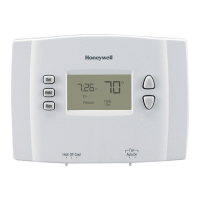


 To Next Page