EasyManua.ls Logo

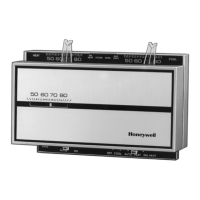
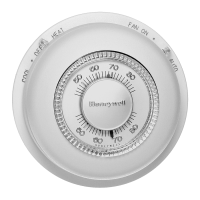
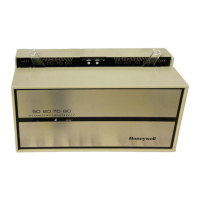
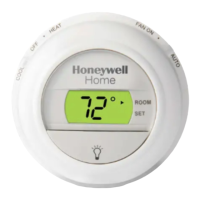
Honeywell T8700B - User Manual

Honeywell T8700B
12 pages
Print Icon
To Next Page IconTo Next Page
Loading...
1
69-1181
OWNER’S GUIDE
69-1181
T8700B
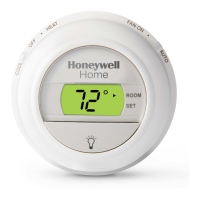
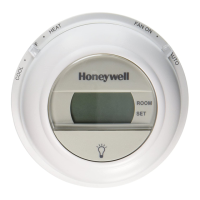
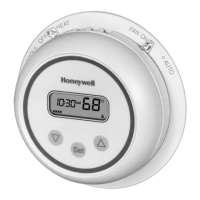
An Electronic Round
Programmable Thermostat

Other manuals for Honeywell T8700B

Questions and Answers

  • J
    James CastilloAug 13, 2025
    Why is my Honeywell Thermostat not turning on my heating/cooling equipment?
    • J
      Juan SmithAug 13, 2025
      Your heating or cooling equipment might not be operating due to several reasons: * Lack of AC power: Check the On/Off switch, fuse or circuit breaker, and ensure the 24V connection is secure at both the thermostat and the furnace/air conditioner. Also, verify the wiring is correct using the appropriate wiring diagram. * The thermostat itself may be inoperative: Refer to the Checkout section. * Incorrect wiring: Double-check the wiring. * The heating/cooling equipment might be faulty: Consult the equipment manufacturer's instructions. * The system switch on the thermostat is in the wrong position: Reset the System switch.
  • C
    Charles MyersAug 17, 2025
    What to do if my Honeywell T8700B Thermostat display is blank?
    • K
      Kimberly StevensAug 17, 2025
      If your Honeywell Thermostat's display is blank, it could be due to: * No power to the thermostat: Check the power supply. * Incorrect mounting: Refer to the installation instructions for correct mounting of the thermostat on the wallplate.
  • H
    hmaysAug 21, 2025
    How to fix Honeywell T8700B Thermostat when I cannot change the temperature?
    • M
      Melissa WebbAug 21, 2025
      If you cannot change the temperature setting on your Honeywell Thermostat, it may be because the upper or lower temperature setpoints have been reached. The temperature setting range is 40°F (4°C) to 99°F (37°C). Check your temperature setpoints.
  • L
    Lawrence FisherAug 25, 2025
    Why is the temperature display incorrect on my Honeywell T8700B Thermostat?
    • D
      Dakota HallAug 26, 2025
      If the temperature display on your Honeywell Thermostat is incorrect, it might be configured incorrectly for °F or °C. Reconfigure the display by referring to the Installer Set-up section for instructions on how to change the display.
  • H
    Hannah MitchellAug 28, 2025
    What does a flashing snowflake mean on my Honeywell T8700B Thermostat?
    • T
      Timothy PayneAug 28, 2025
      A flashing snowflake on your Honeywell Thermostat indicates that the minimum-off timer is operating for cooling. Wait five minutes or follow the steps in the Checkout section.
  • K
    Kimberly JacobsSep 1, 2025
    What to do if my Honeywell T8700B Thermostat has a partial display?
    • J
      Jennifer HurstSep 1, 2025
      If your Honeywell Thermostat is showing a partial display, it could be because: * It is still in the installer setup mode: See the Installer Setup section for instructions on how to exit. * The thermostat is damaged: Replace the thermostat.
  • E
    Eric HallSep 5, 2025
    Why does my Honeywell Thermostat keep losing time?
    • D
      David AndrewsSep 5, 2025
      If your Honeywell Thermostat is losing time, it's likely because the power to the thermostat was interrupted for longer than 20 minutes. Reset the clock by referring to the instructions in the 'Setting The Clock' section.
  • J
    Joshua ClarkSep 8, 2025
    Why does my Honeywell T8700B only show the time and not the temperature?
    • M
      michaelreidSep 8, 2025
      If your Honeywell Thermostat is only displaying the time and not the temperature, it indicates that the power to the thermostat is currently interrupted. Check the power supply to the thermostat.

Summary

SETTINGS

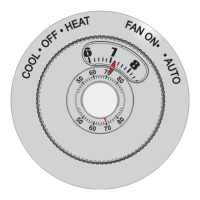
Setting Fan and Heat System Switches

Instructions on adjusting the fan and heat system switches on the thermostat wallplate.

PROGRAMMING

Preprogrammed Time and Temperature Settings

Overview of the thermostat's default time and temperature schedules for WAKE and SLEEP periods.

OPERATING YOUR THERMOSTAT

Display Temperature Setting

How to view the current temperature setting and how it is displayed on the thermostat.

Temporary Change

Procedure for making a temporary adjustment to the temperature setting, effective until the next program period.

Hold Function

Method to indefinitely hold the thermostat at a specific temperature setting by programming WAKE and SLEEP to the same value.

ENERGY SAVINGS

Honeywell T8700B Specifications

General IconGeneral
BrandHoneywell
ModelT8700B
CategoryThermostat
LanguageEnglish

Related product manuals