EasyManua.ls Logo

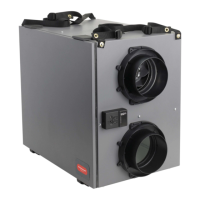
Honeywell TrueFRESH ERV - User Manual

Honeywell TrueFRESH ERV
68 pages
Print Icon
To Next Page IconTo Next Page
Loading...
Tools required to install ERV/HRV
Aluminum foil tape (UL181B)
Standard screwdriver
Crescent wrench
Hex driver (1/4 in.)
Accessories (not included)
6 in. diameter insulated duct
6 in. diameter duct
Two 6 in. diameter weather hoods
E F
D
OPTIONAL CONTROLS SOLD SEPARATELY
G1 G2 G3
G6
A1 A2 B C
E
F
D
ERV/HRV VNT5150H1000 or VNT5150E1000 or
ERV/HRV VNT5200H1000 or VNT5200E1000
Heat/Energy Recovery Core (1)
Filter (2)
Professional Installation Guide
Duct Collars (4)
Installation Kit
Optional Controls: 1- Vision Pro IAQ, 2 - True IAQ,
3 - Dehumidistat H8908D, 4 - Prestige IAQ,
5 - 20/40/60 Minute Boost Control, and
6 - W8150 Ventilation Control
A1
A2
B
C
G
G5G4
Tools requ
ired to install ERV/HRV
A
luminum foil tape (UL181B)
Standard screwdr
iver
C
rescent wrench
H
ex driver (1/4 in.)
Accessories (not included)
6 in
. diameter insulated duct
6 in
. diameter duct
Two
6 in. diameter weather hoods
E F
D
OPTIONAL CONTROLS SOLD SEPARATELY
G1 G2 G3
G6
A1 A2 B C
E
F
D
ERV/HRV VNT5150H1000 or VNT5150E1000 or
ERV/HRV VNT5200H1000 or VNT5200E1000
Heat/Energy Recovery Core (1)
Filter (2)
Professional Installation Guide
Duct Collars (4)
Installation Kit
Optional Controls: 1- Vision Pro IAQ, 2 - True IAQ,
3 - Dehumidistat H8908D, 4 - Prestige IAQ,
5 - 20/40/60 Minute Boost Control, and
6 - W8150 Ventilation Control
A1
A2
B
C
G
G5G4
Tools required to install ERV/HRV
Aluminum foil tape (UL181B)
Standard screwdriver
Crescent wrench
Hex driver (1/4 in.)
Accessories (not included)
6 in
. diameter insulated duct
6 in. diameter duct
Two
6 in. diameter weather hoods
E F
D
OPTIONAL CONTROLS SOLD SEPARATELY
G1 G2 G3
G
6
A1 A2 B C
E
F
D
ERV/HRV VNT5150H1000 or VNT5150E1000 or
ERV/HRV VNT5200H1000 or VNT5200E1000
Heat
/Energy Recovery Core (1)
Filter (2)
Professional Installation Guide
Duct Collars (4)
Installation Kit
Optional Controls: 1- Vision Pro IAQ, 2 - True IAQ,
3 - Dehumidistat H8908D, 4 - Prestige IAQ,
5 - 20/40/60 Minute Boost Control, and
6 - W8150 Ventilation Control
A1
A2
B
C
G
G
5
G
4
PROFESSIONAL INSTALLATION GUIDE.
GUIDE D’INSTALLATION PROFESSIONNELLE.
ERV/HRV Ventilation Systems
INCLUDED IN THIS BOX
69-2480EF-01
PROFESSIONAL INSTALLATION GUIDE.
GUIDE D’INSTALLATION PROFESSIONNELLE.
ERV/HRV Ventilation Systems
INCLUDED IN THIS BOX
69-2480EF-01
69-2480EF-05
PROFESSIONAL INSTALLATION GUIDE.
GUIDE D’INSTALLATION PROFESSIONNELLE.
TrueFRESH™ ERV/HRV Ventilation Systems
Systèmes de ventilation VRÉ/VRC TrueFRESH
INCLUDED IN THIS BOX

Table of Contents

Questions and Answers

  • A
    Angela ArnoldJul 31, 2025
    What to do if my Honeywell Ventilation Hood is making the air too humid?
    • M
      Melissa HoodJul 31, 2025
      If your Honeywell Ventilation Hood is producing air that is too humid, you can try the following: 1. Reduce the humidity level on the controller. 2. Ensure your clothes dryer is vented to the outdoors. 3. Consider that high humidity may be due to outside temperature conditions. 4. Verify the balancing of the ERV/HRV unit.
  • S
    sarahsmithAug 10, 2025
    How to fix air that is too dry from my Honeywell Ventilation Hood?
    • J
      Jennifer AllenAug 10, 2025
      If your Honeywell Ventilation Hood is producing air that is too dry, you can try the following: 1. Increase the humidity level on the dehumidistat. 2. Switch the ventilation mode from continuous to intermittent. 3. Consider installing a humidifier.
  • E
    edwardsmichelleAug 21, 2025
    What to do if my Honeywell Ventilation Hood unit is not running?
    • Y
      Yolanda NovakAug 21, 2025
      If your Honeywell Ventilation Hood isn't running, please check the following: 1. Verify the polarization of the electrical receptacle. 2. Verify the breaker in the electrical box. 3. Ensure that the external control or mode selector are activated to call for ventilation. 4. Unplug the unit and verify that the external controls are wired correctly to the wiring terminal block.

Summary

About the Ventilation System

System Benefits

Overview of the advantages and key features of the ERV/HRV system.

Determine Ventilation Needs

Guidance on calculating required fresh air ventilation for a home.

Unit Specifications

Technical details and physical dimensions of the ERV/HRV units.

External Control Options

Description of compatible thermostats and controllers for the system.

Installation Guide

Install to Fit Your Application

Guidance on selecting the correct installation configuration for your home.

Installation Steps Overview

Step-by-step instructions for physically installing the ERV/HRV unit.

Automatic Defrost Operation

Explanation of the unit's automatic defrost feature to prevent ice buildup.

Wiring and Connections

Instructions and diagrams for electrical connections to the unit and controls.

Control Panel and Operation

Control Panel Functions

Description of the control panel's selector switch and speed buttons.

Balancing Steps

Procedure for balancing the ERV/HRV unit airflow using the control panel.

Balancing Reset and Checkout

How to reset balancing settings and perform final system checkout.

Maintenance and Cleaning

Maintenance Schedule

Recommended maintenance tasks for filters, unit interior, and recovery cores.

Cleaning Procedures

Step-by-step guide for cleaning the ERV/HRV unit and its components.

Parts Information

Parts Illustration

Exploded view of the ERV/HRV unit showing component identification.

Honeywell Parts and OS List

Honeywell OS and Parts List

List of available Honeywell OS numbers and replacement parts with part numbers.

Warranty Information

5-Year Limited Warranty

Details of the product's five-year limited warranty coverage and claims.

Honeywell TrueFRESH ERV Specifications

General IconGeneral
TypeEnergy Recovery Ventilator (ERV)
Airflow50-200 CFM (adjustable)
Voltage120V
Filter TypeMERV 8
DimensionsVaries by model
WeightVaries by model

Related product manuals