WEBVISION™
27 95-7769—01
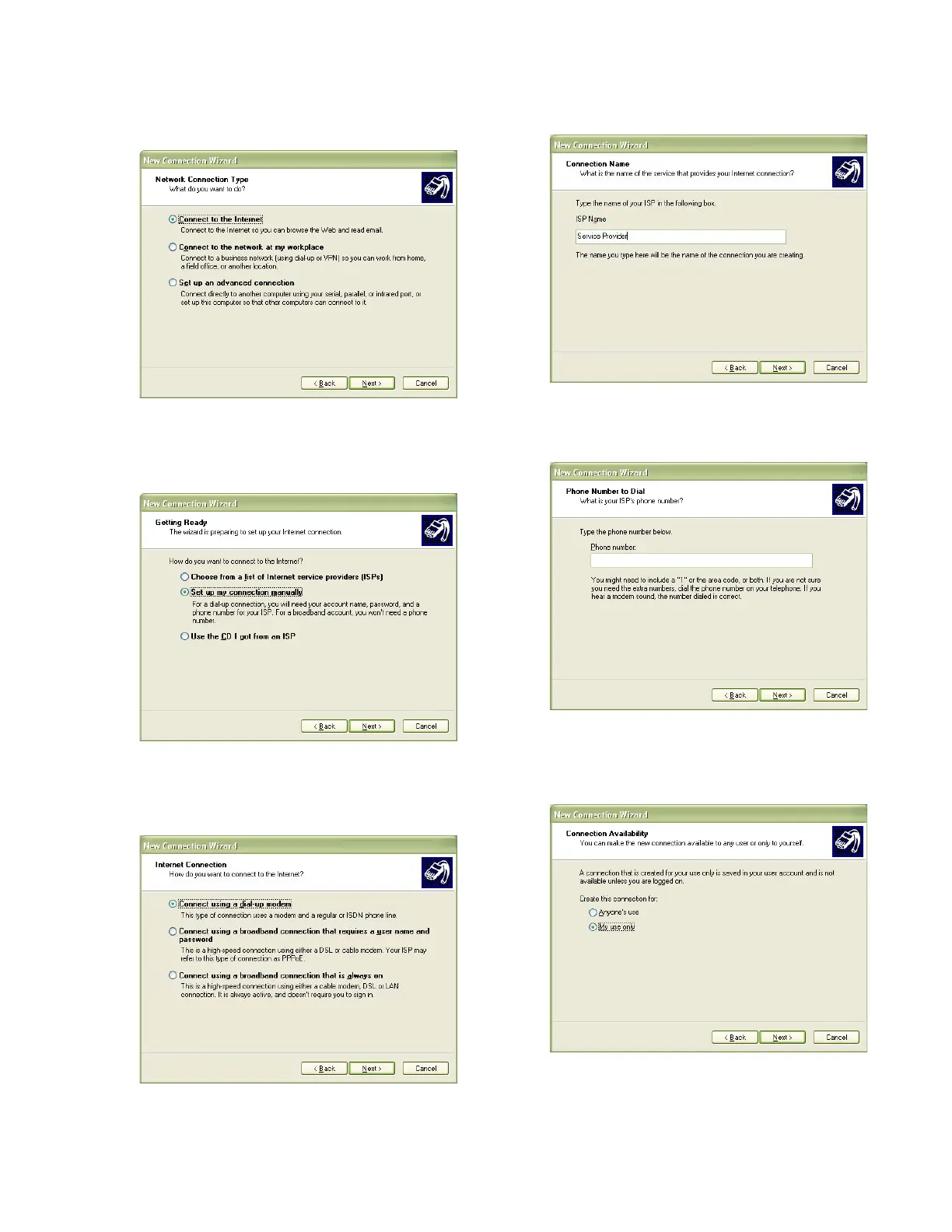
4. Select the Connect to the Internet option and click
Next.
Fig. 35. Network Connection Type screen.
5. Select the Set up my connection manually option and
click Next.
Fig. 36. Setup my connection manually - button
6. Select the Connect using a dial-up modem option and
click Next.
Fig. 37. Connect using a dial-up modem button.
7. Type the name of the service provider and click Next.
Fig. 38. Connection Name - Service Provider.
8. Type your phone number and click Next.
Fig. 39. Phone Number to Dial screen.
9. Select the required option for connection availability and
click Next.
Fig. 40. Connection Availability screen.



 To Next Page