4. Never use sleeping battery devices without a central controller.
5. Dont poll FLIRS devices.
6. Make sure to have enough mains powered device to benefit from the meshing
Association - one device controls an other device
Z-Wave devices control other Z-Wave devices. The relationship between one device controlling another device is called association. In order to control a different
device, the controlling device needs to maintain a list of devices that will receive controlling commands. These lists are called association groups and they are
always related to certain events (e.g. button pressed, sensor triggers, ...). In case the event happens all devices stored in the respective association group will
receive the same wireless command wireless command, typically a 'Basic Set' Command.
Association Groups:
Group Number
Maximum
Nodes
Description
1 5 Association Group 1 supports Lifeline, Binary Switch Report
2 5 Association Group 2 supports Basic Set and is controlledby pressing the ON or OFF button
with the local load
3 5 Association Group 3 supports Basic Set and is controlledby double pressing the ON or OFF
button
Configuration Parameters
Z-Wave products are supposed to work out of the box after inclusion, however certain configuration can adapt the function better to user needs or unlock further
enhanced features.
IMPORTANT: Controllers may only allow configuring signed values. In order to set values in the range 128 ... 255 the value sent in the application shall be the
desired value minus 256. For example: To set a parameter to 200 it may be needed to set a value of 200 minus 256 = minus 56. In case of a two byte value the
same logic applies: Values greater than 32768 may needed to be given as negative values too.
Parameter 19: Alternate Exclusion
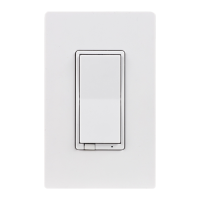
0 (default) - Press any button on the device 1 - Press 2 times ON button and then 2 times OFF button, LED will flash 5 times if done successful
Size: 1 Byte, Default Value: 0
Setting Description
0 Press any button on the device
1 Press 2 times ON button and then 2 times OFF button, LED will flash 5 times if done successful
Parameter 3: LED Indication Configuration
Size: 1 Byte, Default Value: 0
Setting Description
0 LED ON when device is OFF, LED OFF when device is ON
1 LED ON when device is ON, LED OFF when device is OFF
2 LED Always OFF
3 LED Always ON
Technical Data


 To Next Page
 Loading...