Getting started
8
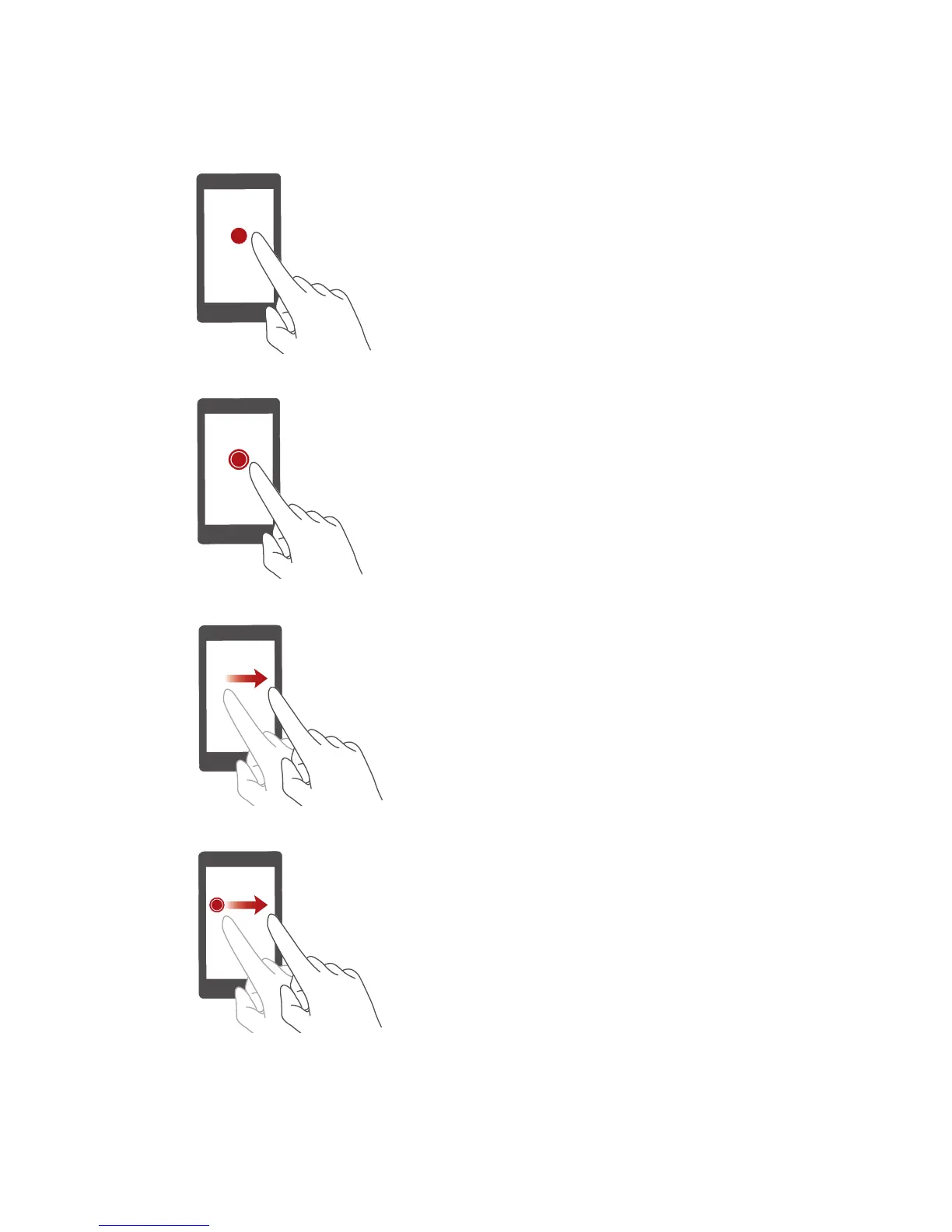
Touchscreen gestures
Touch
: Tap an item once. For example,
touch an application to select or open it.
Touch and hold
: Touch and leave your
finger on the screen for 2 seconds or more.
For example, touch and hold a blank area on
the home screen to enter editing mode.
Flick
: Move your finger vertically or
horizontally across the screen. For example,
you can flick left or right under
Notifications
of the notification panel to dismiss a
notification. Flick vertically or horizontally to
go to other home screens, scroll through a
document, and more.
Drag
: Touch and hold an item and then
move it to another position. You can
rearrange applications and widgets on the
home screen this way.


 To Next Page