9
Getting started
Motion control
Motion control lets you control your phone using simple motions. For
example, mute the phone by turning over your phone or answer and make
calls quickly.
1.
On the home screen, touch
Settings
.
2.
Under
All
, touch
Motion control
.
3.
On the
Motion control
screen, select an option, and select a motion to
enable it.
•
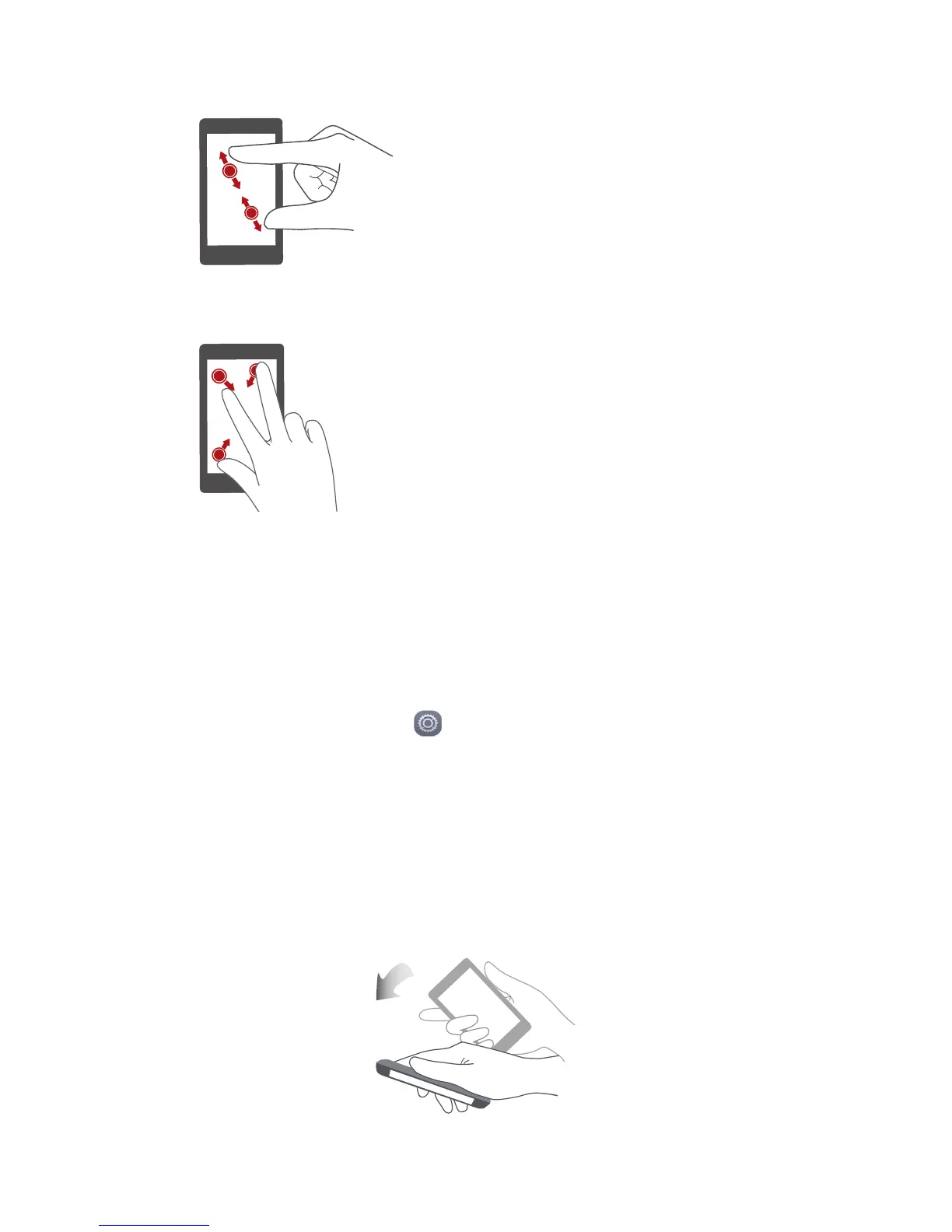
Flip
: Mute sounds and stop vibration from incoming calls, alarms, and
timers.
Spread apart and pinch together
: Spread
two fingers apart to zoom in, and pinch
them together to zoom out on a map, web
page, or picture.
Pinch three fingers together
: On the
home screen, pinch three fingers together to
display screen thumbnails.


 To Next Page