EasyManua.ls Logo

Hootoo HT-IP211HDP - User Manual

Hootoo HT-IP211HDP
25 pages
Print Icon
To Next Page IconTo Next Page
Loading...
Website: www.hootoo.com
NORTH AMERICA
E-mail: support.ca@hootoo.com(Canada)
support@hootoo.com (United States)
Tel: 1-888-456-8468 (Monday-Friday: 9:00 – 17:00 PST)
Address: 2228 Junction Ave, San Jose, CA 95131
EUROPEAN UNION
E-mail: support.uk@hootoo.com (United Kingdom)
support.de@hootoo.com (Germany)
support.fr@hootoo.com (France)
support.es@hootoo.com (Spain)
support.it@hootoo.com (Italy)
EU Importer: ZBT International Trading GmbH, Lederstr 21a,
22525 Hamburg, Deutschland
ASIA PACIFIC
E-mail: support.jp@hootoo.com (Japan)
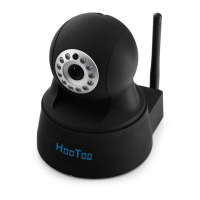
IP CAMERA
Model: HT-IP211HDP
ADVANCED USER MANUAL
For Windows

Other manuals for Hootoo HT-IP211HDP

Question and Answer IconNeed help?

Do you have a question about the Hootoo HT-IP211HDP and is the answer not in the manual?

Summary

Overview

1.1 Key Features

Highlights the main capabilities and specifications of the IP camera, including resolution, audio, and connectivity.

1.2 Read Before Use

Advises users to read the manual for correct setup and provides contact information for assistance.

1.3 Package Contents

Lists the items included in the camera package, such as the camera, resource CD, and mounting bracket.

1.4 Product Diagram

Illustrates the physical components of the IP camera with labels for ports and features.

Access the IP Camera

2.1 Access the Camera in LAN

Explains how to access the camera within the local network using HTTP and HTTPS protocols.

2.1.1 Wired Mode

Details the steps for connecting the camera via a wired network cable for initial access.

2.2 Using the VLC player

Guides on how to stream and view the camera's feed using the VLC media player via RTSP.

2.3 Wireless mode

Provides instructions for connecting the IP camera to a Wi-Fi network.

Surveillance Software GUI

3.1 Main Interface and Operations

Covers the main interface, live viewing, recording, snapshots, preset positions, and image/other adjustments.

3.2 Parameter Settings

Detailed configuration options for Camera, Network, and Event settings.

3.3 System Settings

System-level configurations including user management, time settings, initialization, device info, and logs.

Remote Viewing on a Windows PC

IPCamClient Software Installation

Guides on downloading and installing the IPCamClient software for remote viewing on Windows PCs.

Frequently Asked Questions

5.1 How to change password for the camera?

Explains how to change the password for accessing the camera via webpage or P2P software.

5.2 How to set up the remote view for the camera?

Details remote viewing setup using P2P software and troubleshooting connectivity issues.

5.3 Camera Search Troubleshooting

Troubleshooting steps for when the camera is not found by the software after network connection.

5.4 Camera cannot connect wireless

Troubleshooting common issues when the camera fails to connect to a Wi-Fi network.

5.4.1 Could not get any Wi-Fi SSID from the software?

Steps to resolve issues with not finding Wi-Fi SSIDs in the software.

5.4.2 Could not access Wi-Fi after filling in the Wi-Fi password and unplug the network cable?

Troubleshooting steps for Wi-Fi connection loss after unplugging the network cable.

Specifications

General Specifications

Details the general hardware specifications of the HooToo IP Camera, including sensor, lens, and IR features.

Video Specifications

Lists video compression, resolution, frame rate, bitrate, and image enhancement settings.

Audio and Alarm Features

Details audio features like two-way audio and input/output, plus alarm functionalities.

Warranty and Support

7.1 HooToo Warranty

Details the terms and duration of the product warranty provided by HooToo.

7.2 Support Contact

Provides contact methods for inquiries, comments, and technical support.
Summary

Overview

1.1 Key Features

Highlights the main capabilities and specifications of the IP camera, including resolution, audio, and connectivity.

1.2 Read Before Use

Advises users to read the manual for correct setup and provides contact information for assistance.

1.3 Package Contents

Lists the items included in the camera package, such as the camera, resource CD, and mounting bracket.

1.4 Product Diagram

Illustrates the physical components of the IP camera with labels for ports and features.

Access the IP Camera

2.1 Access the Camera in LAN

Explains how to access the camera within the local network using HTTP and HTTPS protocols.

2.1.1 Wired Mode

Details the steps for connecting the camera via a wired network cable for initial access.

2.2 Using the VLC player

Guides on how to stream and view the camera's feed using the VLC media player via RTSP.

2.3 Wireless mode

Provides instructions for connecting the IP camera to a Wi-Fi network.

Surveillance Software GUI

3.1 Main Interface and Operations

Covers the main interface, live viewing, recording, snapshots, preset positions, and image/other adjustments.

3.2 Parameter Settings

Detailed configuration options for Camera, Network, and Event settings.

3.3 System Settings

System-level configurations including user management, time settings, initialization, device info, and logs.

Remote Viewing on a Windows PC

IPCamClient Software Installation

Guides on downloading and installing the IPCamClient software for remote viewing on Windows PCs.

Frequently Asked Questions

5.1 How to change password for the camera?

Explains how to change the password for accessing the camera via webpage or P2P software.

5.2 How to set up the remote view for the camera?

Details remote viewing setup using P2P software and troubleshooting connectivity issues.

5.3 Camera Search Troubleshooting

Troubleshooting steps for when the camera is not found by the software after network connection.

5.4 Camera cannot connect wireless

Troubleshooting common issues when the camera fails to connect to a Wi-Fi network.

5.4.1 Could not get any Wi-Fi SSID from the software?

Steps to resolve issues with not finding Wi-Fi SSIDs in the software.

5.4.2 Could not access Wi-Fi after filling in the Wi-Fi password and unplug the network cable?

Troubleshooting steps for Wi-Fi connection loss after unplugging the network cable.

Specifications

General Specifications

Details the general hardware specifications of the HooToo IP Camera, including sensor, lens, and IR features.

Video Specifications

Lists video compression, resolution, frame rate, bitrate, and image enhancement settings.

Audio and Alarm Features

Details audio features like two-way audio and input/output, plus alarm functionalities.

Warranty and Support

7.1 HooToo Warranty

Details the terms and duration of the product warranty provided by HooToo.

7.2 Support Contact

Provides contact methods for inquiries, comments, and technical support.

Hootoo HT-IP211HDP Specifications

General IconGeneral
BrandHootoo
ModelHT-IP211HDP
CategoryIP Camera
LanguageEnglish

Related product manuals