Need help?
Do you have a question about the Hootoo HT-IP210F and is the answer not in the manual?
Lists key capabilities and specifications of the IP camera, including video processing and network support.
Details the items included in the camera package, such as the camera, antenna, manual, and accessories.
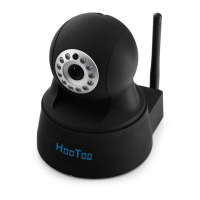
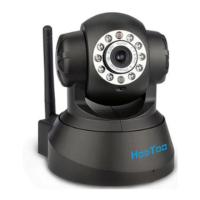
Provides visual representations and labels for the front and rear panels of the IP camera.
Explains how to use the IP Camera Tool software to find and manage cameras on the local network.
Guides users on how to access and log into the IP camera using different browsers or tools.
Details how to access the camera using Internet Explorer, including ActiveX mode and troubleshooting.
Explains how to access the camera via alternative browsers, noting limitations compared to IE.
Describes how to access the camera's interface and basic functions using a mobile phone.
Focuses on logging into the camera via ActiveX mode, mentioning different user levels.
Explains the functionality and limitations when accessing the camera with a 'Visitor' user account.
Outlines the capabilities and features available when accessing the camera with an 'Operator' user account.
Directs users to the administrator settings section for advanced configuration options.
Explains how to configure the camera to manage multiple IP cameras simultaneously.
Introduces the network configuration options available for the IP camera.
Covers setting the static IP address and other fundamental network parameters for the camera.
Guides users on connecting the IP camera to a wireless network.
Details how to configure ADSL connection settings if the camera connects directly via ADSL.
Explains how to enable UPnP for automatic port forwarding, aiding remote access.
Covers the configuration of Dynamic DNS services for remote access using domain names.
Provides essential steps for configuring port forwarding on routers to enable DDNS and remote access.
Introduces the system settings menu for managing camera configurations.
Describes how to assign a custom name or alias to the IP camera.
Details how to set the camera's date, time, and time zone, either manually or via NTP.
Explains how to create and manage user accounts (Administrator, Operator, Visitor) with different permissions.
Covers the configuration of Pan/Tilt/Zoom (PTZ) speed and patrol settings for camera movement.
Describes how to configure the behavior of the camera's indicator or pilot lamp.
Details how to back up and restore the camera's configuration settings.
Explains how to view the system log, which records user activity and events.
Guides on configuring MSN Messenger integration for remote alerts and buddy lists.
Introduces additional configuration options, including motion detection and alarm settings.
Details how to configure email alerts for events like motion detection.
Explains how to configure FTP to upload images or video clips triggered by motion detection.
Covers the configuration of alarm functions, including motion detection and sound alerts.
Explains how to configure the camera to send email alerts with snapshots upon detecting motion.
Details how to schedule specific times for alarm events and email notifications.
Explains how to enable or disable audible alarms when motion is detected.
Describes how to configure the camera to automatically record video when an alarm is triggered.
Guides on setting the storage paths for recorded video files and alarm recordings.
Details using Server Push Mode for accessing the camera via non-IE browsers, noting ActiveX limitations.
Explains how to access the camera's interface and basic functions using a mobile phone.
Addresses common issues and provides solutions for using the IP camera and its software.
Lists the default network settings and login credentials for the IP camera.
 General
| Resolution | 1280 x 720 (720P) |
|---|---|
| Night Vision | Yes |
| Image sensor | 1/4" CMOS |
| Lens | f=3.6mm |
| Aperture | F=2.0 |
| IR Distance | Up to 10m |
| Audio | Built-in microphone |
| Connectivity | Wi-Fi (802.11b/g/n) |
| Power Supply | DC 5V/1A |
| Storage | MicroSD card |
| Power | 5W |
| Operating Temperature | -10°C to 50°C |
| Operating Humidity | 10% to 80% (non-condensing) |

 To Next Page