Security Solutions Partner
14
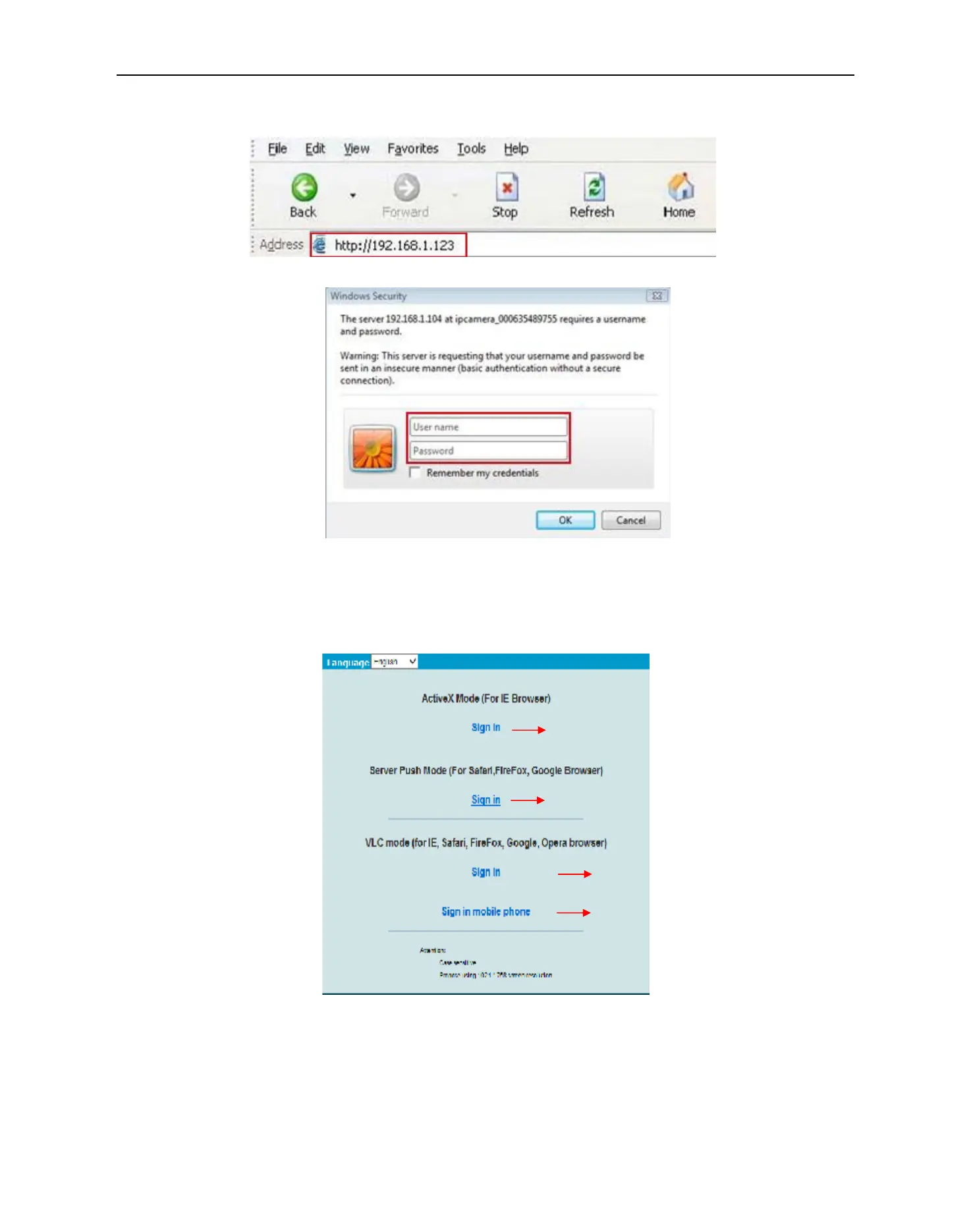
2. To access the camera by IE Browser directly, just type the camera’s IP address, for example, if the camera’s
IP address is 192.168.1.123:
Figure 2.5
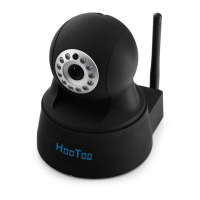
Figure 2.6
The default user name is admin, no password
Input the correct user name and password, the Sign In interface will pop-up.
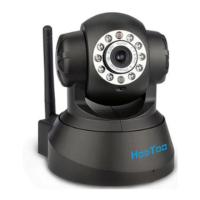
There are three modes to login (figure 2.7).
Figure 2.7
(1) Active Mode (For IE Browser): available in IE6.0 or above
(2) “Server Push Mode”: available in Firefox, Safari, and Google Chrome browser.
(3) “Sign in mobile phone”: available for Mobile phones
Access the camera on IE (Recommended)
Access the camera on Safari, Firefox,
Chrome via Server Push Mode
Access the camera via VLC Mode
Access the camera on your phone


 To Next Page