Security Solutions Partner
20
Status of Channels:
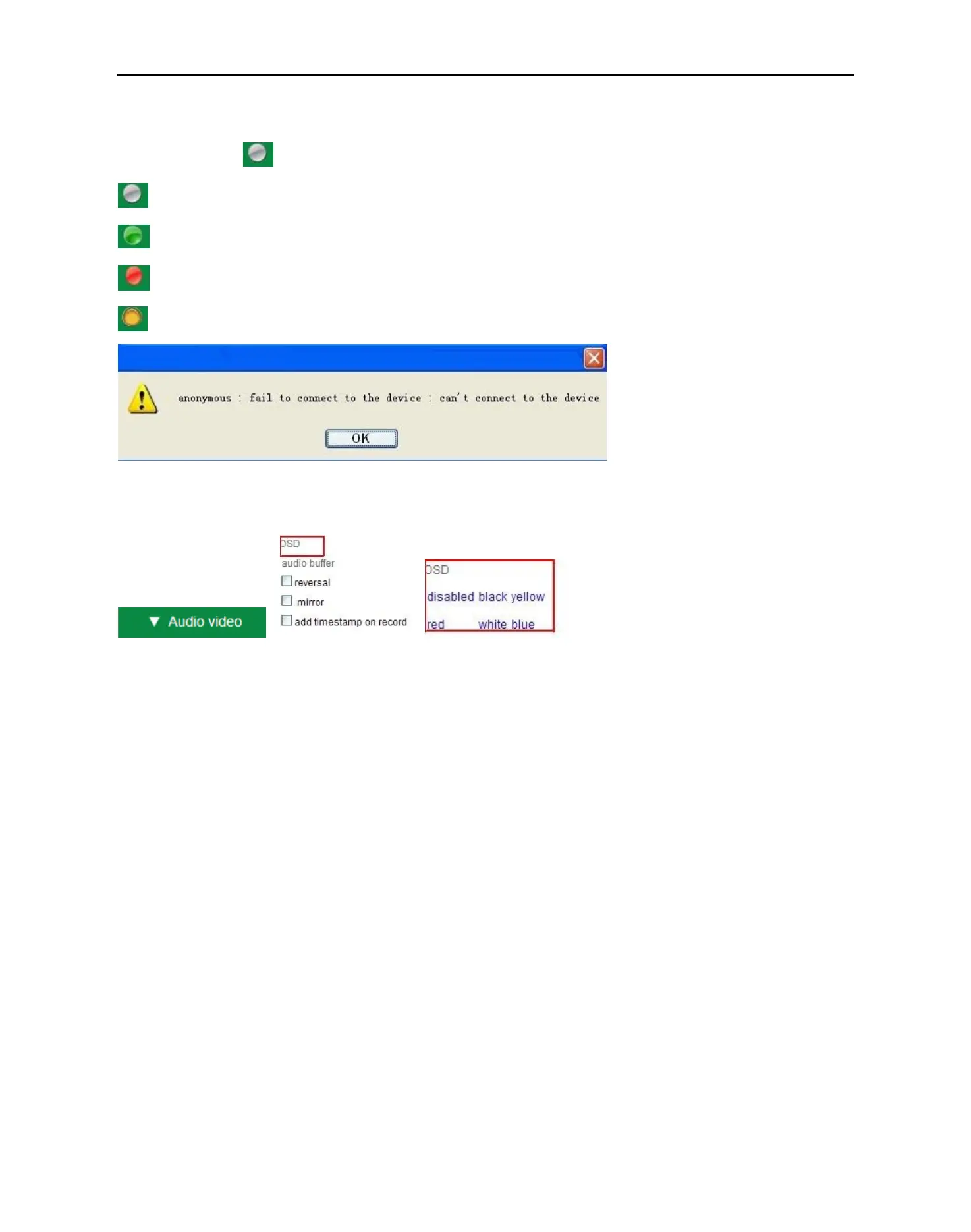
There are 9 icons at the bottom of the UI which show the status of each channel of the camera.
: Grey color, means there is no device connected to the main device from this channel.
: Green color, means the device is connected from this channel, and it works well.
: Red color, means the device of this channel is recording.
: Yellow color, means set this channel in multi-device already, but it fails to connect to the main device.
OSD Settings:
è è
Figure 3.6
OSD: Means “On-Screen Display”, click “Audio video” > “OSD”, set display date and time on the video.
Disabled: Click this one, means clear the OSD.
Color: Can set the OSD text color as black, yellow, red, white, blue etc.
Add time stamp on record: Click this, there will be time OSD on record video files.


 To Next Page