Security Solutions Partner
54
3.22 Sign in mobile phone
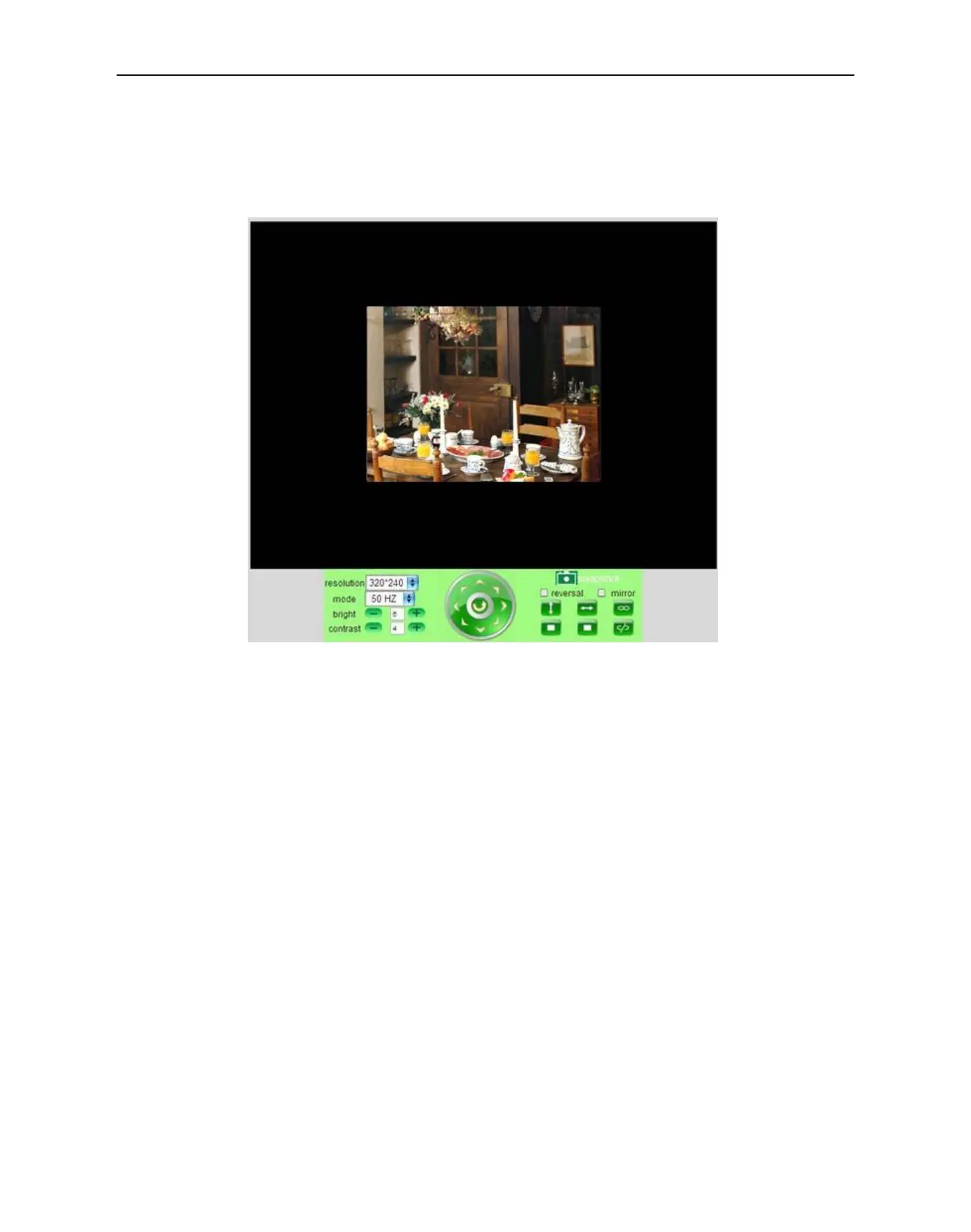
If you are using a mobile phone, choose Sign in mobile phone, log into the the camera, then you will see the
main user interface as shown below:
Figure 11.3
NOTE: Mobile phone Mode doesn’t support ActiveX.
In mobile phone mode, it only supports some easy functions, such as Resolution, Mode, Bright, Contrast,
Pan/Tilt control, Snapshot, Reversal, Mirror, IO Linkage functions


 To Next Page