14.
Maintenance (continued)
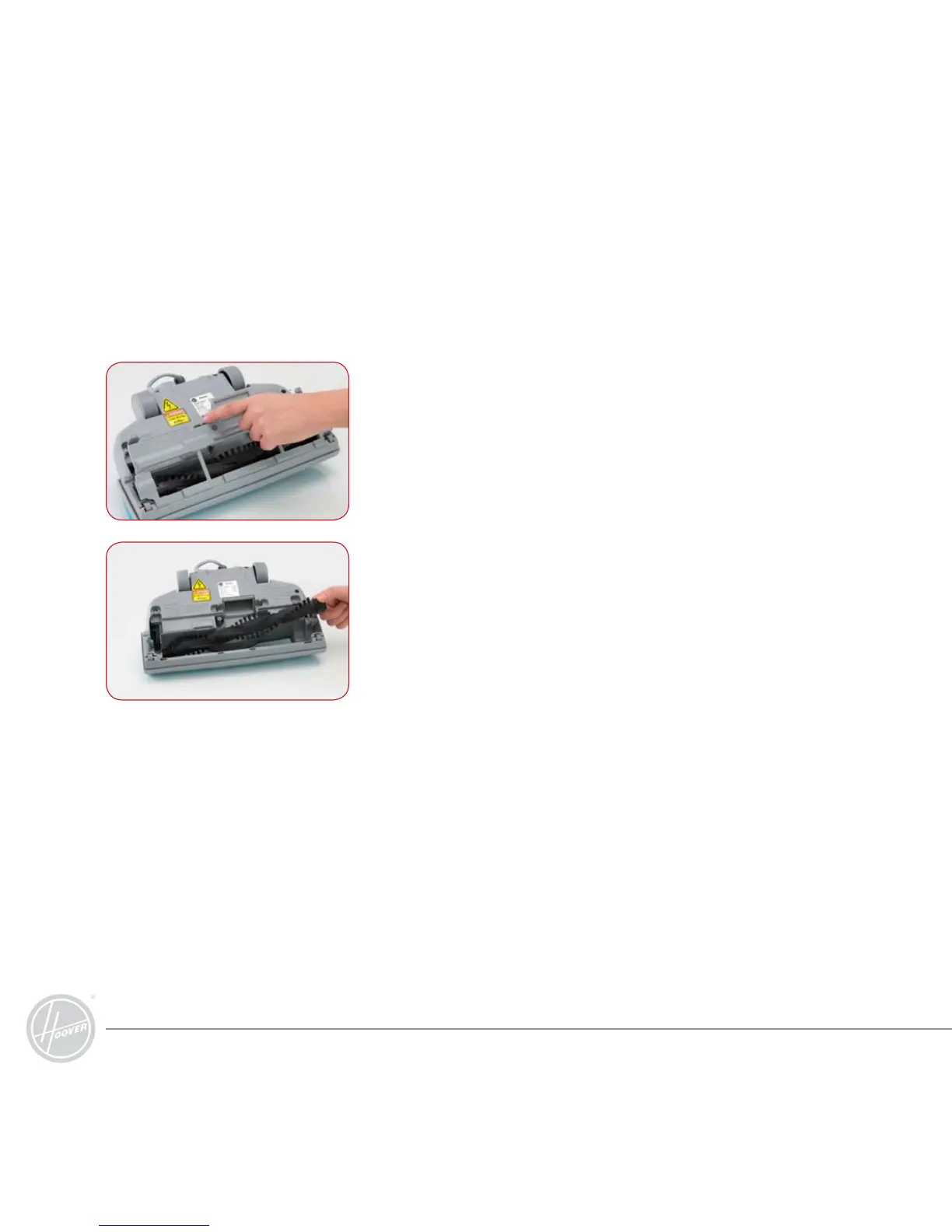
4. To remove the rotating brush, lift the right side of the brush
first from the powerhead, followed by the left side, where
the belt loops around the end cap.
5. Slide the old belt off the drive shaft and then off the end
cap. If the belt is broken, remove all the broken pieces.
6. Place the new belt over the drive shaft first and then around
the end cap. Make sure the text on the belt is outward
facing, then insert the rotating brush back in to the power
head.
7. Replace the bottom plate and insert the screw.
Changing the Motorised Powerhead Drive Belt (continued)
3. Release the 4 clips from the underside, allowing you to
remove the bottom plate.



 To Next Page