EasyManua.ls Logo

Hoover 5006PH Mode - User Manual

Hoover 5006PH Mode
9 pages
Print Icon
To Next Page IconTo Next Page
Loading...
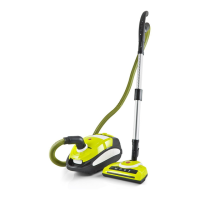
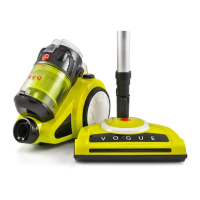
Bagged Vacuum
Cleaner with Powerhead
Compact Powerhead
for a Powerful Clean
Washable HEPA Filtration
High Efficiency Soft Start Motor

Questions and Answers

  • A
    Ashley GravesAug 1, 2025
    How to fix a Hoover 5006PH Mode that will not turn on?
    • T
      Trevor MorrisAug 1, 2025
      If your Hoover Vacuum Cleaner won't turn on, ensure the power cable is securely inserted. Remove it from the power supply and reinsert it. Also, verify that the on/off switch is in the “ON” position.
  • E
    Elizabeth FoxAug 9, 2025
    Why is the Hoover Vacuum Cleaner performance deteriorating?
    • A
      andrewmcdonaldAug 9, 2025
      If your Hoover Vacuum Cleaner's performance is declining, inspect the appliance for any obstructions. Remove any blockages discovered. Also, check the air-inlet filter for dust; regularly clean debris or replace the air-inlet and air-outlet HEPA filters every six months.
  • D
    Debra MckenzieAug 17, 2025
    What to do if my Hoover Vacuum Cleaner makes an abnormal sound?
    • M
      Michael WellsAug 17, 2025
      If your Hoover Vacuum Cleaner makes an unusual noise when turned on, immediately switch it off. Inspect the appliance for any blockages and clear them.
  • F
    fscottAug 25, 2025
    Why is the light on the suction control dial illuminated or flashing on my Hoover Vacuum Cleaner?
    • D
      dillonpaulAug 26, 2025
      The light on the suction control dial of your Hoover Vacuum Cleaner may illuminate or flash due to a full dust bag or a blockage in the hose or rod.

Summary

Before you Begin

Please read these instructions thoroughly

Ensure full benefit from your new cleaner by reading these instructions carefully for future reference.

Safety Precautions & Warnings

Assembling the Vacuum Cleaner

Fitting or Removing the Flexible Hose

Instructions for connecting and disconnecting the flexible hose from the vacuum cleaner's air inlet.

Fitting the Telescopic Tube and Accessories

Steps for attaching the telescopic tube to the handle and fitting the floor head.

Instructions for Use

Maintenance

Vacuum Cleaner Storage

Store the cleaner indoors in a cool dry location when not in use, ensuring it is disconnected from power.

Changing the Dust Bag

Procedure for removing and replacing the dust bag, ensuring correct installation for closure.

Filter Maintenance

Includes cleaning or replacing motor inlet filters and exhaust filters for optimal performance.

Hand Turbo Brush Maintenance

Cleaning the Motorised Powerhead

Changing the Motorised Powerhead Drive Belt

Troubleshooting

Problems and Solutions

Checklist and solutions for common issues like the cleaner not turning on or deteriorating performance.

Conditions of warranty

Hoover 5006PH Mode Specifications

General IconGeneral
CategoryVacuum Cleaner
TypeUpright
CordlessNo
Dust Capacity3L
FiltersHEPA
Model5006PH
AccessoriesCrevice tool, upholstery tool

Related product manuals