Maintenance
13.12.
Maintenance (continued)
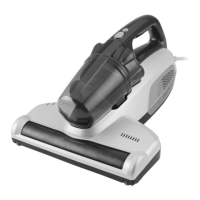
Hand Turbo Brush
Warning: Ensure the cleaner is not connected to the mains power supply when
performing any maintenance procedures.
1. Unlock the neck on the hand turbo brush by twisting anti-clockwise.
2. Push the release buttons on the side of the Hand Turbo Brush down to unlock the external
bristles. Rotate this bristle attachment upwards.
3. Remove the clear cover.
4. Remove any dirt or hair from the roller brush.
5. Replace the clear cover.
6. Lock the neck on the hand turbo brush by twisting clockwise.
7. Rotate the external bristles down and lock the side release buttons by pushing upwards.
Changing the Motorised Powerhead Drive Belt
WARNING: To reduce the risk of electric shock, turn all power off from the unit and
unplug the unit before performing any cleaning, maintenance or troubleshooting
checks. Failure to do so may result in electric shock or personal injury.
Depending on how much your vacuum is
used, the motorised powerhead drive belt will
occasionally require changing.
1. Disconnect the powerhead from the
telescopic tube.
Cleaning the Motorised Powerhead
The rotating brush must be free of debris for effective cleaning
and maximum suction. Disconnect the motorised powerhead
and turn it over to inspect the bottom. If a buildup of debris is
wound around the rotating brush, remove by carefully cutting
with scissors. Avoid damaging or cutting the bristles.
2. Turn the powerhead upside down and
remove the small screw from the centre of
the powerhead.
3. Release the 4 clips from the underside,
allowing you to remove the bottom plate.



 To Next Page