Need help?
Do you have a question about the Hoover HMC440TVX-80 and is the answer not in the manual?
This document provides user instructions for the Hoover HMC440TVX-80 microwave oven, covering its operation, safety precautions, installation, and maintenance.
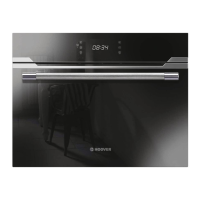
The Hoover HMC440TVX-80 is a microwave oven designed for cooking, reheating, defrosting, and grilling various food items. It utilizes modern electronic controls to adjust cooking parameters, offering a range of power levels and functions to suit different culinary needs.
Microwave Function: This core function is used for general cooking and reheating of vegetables, potatoes, rice, fish, and meat. It offers power levels of 900W, 700W, 450W, 300W, and 100W, each suitable for specific types of food, from boiling water and reheating to defrosting delicate items and softening ice cream.
Grill Function: The grill is ideal for preparing thin pieces of meat and fish, providing a browned crust. It operates at three power levels, with a maximum cooking time of 90 minutes.
Convection Function (Hot Air): This function allows for cooking meals in a similar way to a conventional oven, without activating the microwave. It's recommended to preheat the oven when using this mode. The temperature can be set between 50 and 230 degrees Celsius, and the maximum cooking time is 5 hours.
Grill with Fan Function: This combines grilling with a fan to roast meals evenly and achieve a brown crust. Like convection, the temperature can be set from 100 to 230 degrees Celsius, with a maximum cooking time of 5 hours.
Hot Air + Bottom Heat Function: This function is designed for roasting large pieces of meat, pizza, and similar items.
Double Grill Function: This function is also suitable for roasting large pieces of meat, pizza, and other dishes.
Combination Functions:
Auto Cook Programs (P01-P13): The oven includes automatic cooking programs for various food categories such as fresh vegetables, potatoes (peeled/cooked, roasted), chicken/fish pieces, bakery items (cake, apple pie, quiche), reheated drinks/soup, plated meals, sauce/stew/dish, and convenience foods (frozen pizza, oven chips, lasagna). These programs simplify cooking by pre-setting time and power based on food type and weight.
Auto Defrost Programs (d01-d02): Two auto defrost programs are available: one for meat, poultry, and fish, and another for bread, cake, and fruit. The oven will beep to indicate when food should be turned over to ensure even defrosting.
Preheating Function: This function is available for Convection, Grill fan, bottom-convection, MW-convection, MW-Grill fan, and Microwave-Bottom-convection modes. It preheats the oven to the desired temperature before food is placed inside.
Control Panel: The oven features a user-friendly control panel with dedicated buttons for power/weight, quick preheating, cancel/child lock, adjustment (plus and minus), and start/pause. The display shows time, power levels, temperature, and cooking icons.
Clock Setting: Upon electrification, the oven displays "00:00" and allows the user to set the current time between 00:00 and 23:59 using adjustment buttons.
Cooking Time Adjustment: The step quantities for adjusting cooking time vary based on the duration: 1 second for 0-1 minute, 10 seconds for 1-5 minutes, 30 seconds for 5-15 minutes, 1 minute for 15-60 minutes, and 5 minutes for 60-90 minutes.
Child Lock Function: To prevent accidental operation, especially by children, the oven can be locked by pressing the "Cancel/Child lock Button" and "Adjustment button" simultaneously for 3 seconds. An indicator light confirms the lock is active. The same action unlocks the oven.
Display Specifications:
Turntable System: The oven includes an enamel tray and turntable ring assembly. The enamel tray must always be used during cooking, and food should be placed on it. The tray roller should point to one of the shaft arms for proper placement.
Cleaning: Regular cleaning is essential for maintaining the oven's performance and lifespan.
Cleanliness and Lifespan: Failure to maintain the oven in a clean condition can lead to the degradation of its surface, adversely affecting the appliance's lifespan and potentially creating a hazardous situation.
Troubleshooting: The manual provides a troubleshooting guide for common issues such as microwave oven interfering with TV reception (normal), dim oven light (normal in low power cooking), steam accumulating on the door (normal), oven starting accidentally with no food (dangerous and forbidden), oven not starting (power cord, fuse, outlet issues), and oven not heating (door not closed).
WEEE Directive Compliance: The product is designed for separate collection and treatment according to the Waste of Electrical and Electronic Equipment (WEEE) directive. Users are instructed not to dispose of the product with household waste but to send it to designated WEEE collecting points.
 General
| Interior capacity | 44 L |
|---|---|
| Microwave power | 900 W |
| Grill Power | 1000 watts |
| Control Type | Mechanical |
| Color | Stainless Steel |
| Turntable | Yes |
| Built-in display | Yes |
| Display type | LED |
| Timer | Yes |
| Child lock | Yes |
| Number of power levels | 5 |
| Clock function | Yes |
| Oven type | Microwave with grill |
| Type | Microwave with grill |
| Width | 595 mm |
| Depth | 567 mm |
| Height | 454 mm |
| Turntable size | 36 cm |

 To Next Page